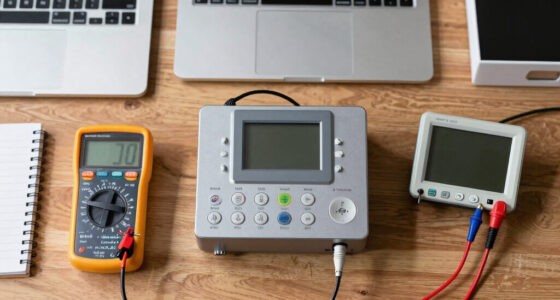

Choosing the best speech to text software depends on more than recognition accuracy: operating system, dictation habits, language needs, and product age all affect fit. My leading picks are Dragon Professional 16 for current Windows workflows and advanced dictation controls, AI VoiceWriter for multilingual use across desktop and mobile, and Dragon NaturallySpeaking Premium 13 for PC users who want voice commands as well as text entry. Each serves a different kind of buyer, and none is a universal choice.

Get business pricing on tech for your team
- Business-only prices and quantity discounts
- Tax-exempt purchasing
- Multiple users, one account, clear invoices
The main tradeoff is between modern compatibility and support and the specific strengths of older Dragon editions. Professional 16 is the newest Dragon option here, but it is Windows-focused and works best with a compatible microphone. VoiceWriter supports more operating systems and adds writing assistance, though its included microphone has limited recording time and a USB dongle is required. The Home and Premium 13 editions may suit narrow legacy needs, but their age and limited support matter in a 2027 buying decision.
Key Takeaways
- Dragon Professional 16 is the strongest fit for Windows 10 and 11 users who need long-document dictation, voice commands, and professional editing workflows.
- AI VoiceWriter is the most flexible choice across Windows, Mac, iOS, and Android, with 33 supported languages and AI proofreading and rephrasing.
- Dragon NaturallySpeaking Premium 13 adds PC voice control and command execution, but its discontinued status makes support and compatibility a concern.
- Dragon NaturallySpeaking Home 13 is a more basic legacy option for supported Windows and older Office setups; it is not designed for electronic medical record dictation.
- Dragon NaturallySpeaking Home 12 is the narrowest pick: it is English-only and best reserved for buyers with a specific reason to use this older PC edition.
| Dragon Professional 16.0 Speech Dictation and Voice Recognition Software [PC Download] | ” image=”https://m.media-amazon.com/images/I/71wQ93kHkxL._AC_SX342_SY445_QL70_ML2_.jpg” link=”0″] | Best Overall for Professional Windows Dictation | Version: 16.0 | Operating systems: Windows 10 and Windows 11 | Microphone support: Nuance PowerMic 4 | VIEW LATEST PRICE | See Our Full Breakdown |
| AI VoiceWriter – Smart Dictation & AI Writing Assistant for Windows & Mac |  | Best for Multilingual, Cross-Platform Dictation | Supported operating systems: Windows 10 and above, macOS 13 and above, iOS 15 and above, Android 9.0 and above | Languages: 33, including English, Chinese, Japanese, Korean, French, German, and Spanish | Computer compatibility: Laptop and desktop | VIEW LATEST PRICE | See Our Full Breakdown |
| Nuance Dragon NaturallySpeaking Premium 13 |  | Best Legacy Pick for PC Voice Commands | Product type: Speech recognition software | Compatibility: PC | Dictation: Create and edit documents by voice | VIEW LATEST PRICE | See Our Full Breakdown |
| Nuance Dragon NaturallySpeaking Home 13 |  | Best for Basic Dictation on a Compatible Legacy PC | Compatibility: Windows 7, 8, 8.1, and 10; Windows Server 2008 R2 and 2012 | System architecture: 32-bit and 64-bit Windows | Office support: Microsoft Office 2010 and 2013 | VIEW LATEST PRICE | See Our Full Breakdown |
| Dragon NaturallySpeaking Home 12.0, English |  | Best for English-Only Use on Older PCs | Version: 12.0 | Language: English | Features: Speech recognition, voice control, and customizable commands | VIEW LATEST PRICE | See Our Full Breakdown |
More Details on Our Top Picks
Dragon Professional 16.0 Speech Dictation and Voice Recognition Software [PC Download]
” image=”https://m.media-amazon.com/images/I/71wQ93kHkxL._AC_SX342_SY445_QL70_ML2_.jpg” link=”0″]Best Overall for Professional Windows Dictation
View Latest PriceDragon Professional 16 is my leading choice for buyers who need speech to text as part of a substantial Windows workday. Its stated compatibility with Windows 10 and 11, support for long-document transcription, and voice commands give it a more current professional role than the older Dragon editions here. It is aimed at creating reports, documents, and emails, rather than serving as a lightweight dictation add-on.
Its advantage over AI VoiceWriter is a stronger focus on professional dictation workflows and desktop voice control. VoiceWriter is the more flexible option if Mac, mobile devices, or multilingual writing are central; Dragon Professional 16 makes more sense when the work happens on a Windows PC and involves longer documents. Its stated mobile compatibility through Dragon Anywhere may extend editing to iOS and Android, but that should not be confused with native Mac support.
The main drawback is setup dependence: Dragon lists support for the Nuance PowerMic 4, and the product description says a compatible microphone is needed for optimal use. New users may also need time to learn commands and build a comfortable routine. The advertised recognition accuracy and speed are product claims, not a promise of identical results in every office or with every voice. I place it first because its current Windows support and professional scope outweigh those onboarding costs for its intended user.
Pros:- Designed for professional documents, reports, and email
- Supports Windows 10 and Windows 11
- Includes voice commands and long-document transcription support
- Can connect with mobile editing through Dragon Anywhere on iOS and Android
Cons:- A compatible microphone is recommended for optimal use
- Voice commands can take time to learn
- Windows-focused compatibility excludes native Mac dictation
Best for: Windows 10 or 11 professionals who dictate reports, emails, and long documents and want voice commands in the same workflow.
Not ideal for: Mac-first users, casual one-off dictation, or buyers who do not want to check microphone compatibility or learn voice commands.
- Version:16.0
- Operating systems:Windows 10 and Windows 11
- Microphone support:Nuance PowerMic 4
- Dictation:Documents, reports, email, and long-document transcription
- Voice controls:Voice commands
- Mobile compatibility:iOS and Android via Dragon Anywhere
- Developer:Nuance (a Microsoft company)
Our verdict“I rank Dragon Professional 16 first for professional Windows users who value current OS support and document-focused dictation more than a simple, multi-platform setup.”
AI VoiceWriter – Smart Dictation & AI Writing Assistant for Windows & Mac
AI VoiceWriter is the easiest recommendation for buyers whose dictation needs cross operating systems or languages. It lists support for Windows, macOS, iOS, and Android, and recognizes 33 languages, including English, Chinese, Japanese, Korean, French, and Spanish. That breadth gives it a different advantage from Dragon Professional 16, which is the more focused pick for Windows-based professional dictation.
This product goes beyond capturing speech: its advertised AI proofreading and rephrasing tools may help turn a rough spoken draft into more polished writing. It also works with popular desktop applications such as Word and Google Docs, and the mobile app is presented as a way to improve voice input. The no-subscription claim and lifetime updates may appeal to buyers who prefer a one-time software arrangement, though the listing does not clarify every detail of update delivery or ongoing service.
There are practical compromises. The device requires a USB dongle, which adds a dependency for laptops with limited ports, and the listed microphone recording time is less than one hour. That makes it a less natural fit for long sessions than Dragon Professional 16’s stated long-document transcription support. I rank VoiceWriter second: it wins on language and platform reach, but the microphone limit and hardware requirement make Dragon the more compelling choice for sustained professional PC dictation.
Pros:- Supports 33 languages
- Works with Windows, Mac, iOS, and Android
- Adds AI proofreading and rephrasing tools
- Includes a mobile app and states that no subscription is required
Cons:- Requires a USB dongle
- Listed microphone recording time is less than one hour
- Its broad platform support may not replace a dedicated professional Windows workflow
Best for: People who dictate in multiple languages or switch between Windows, Mac, and mobile devices and want built-in writing assistance.
Not ideal for: Users who need lengthy uninterrupted recording, dislike USB dongles, or want a Windows-only professional dictation system centered on voice commands.
- Supported operating systems:Windows 10 and above, macOS 13 and above, iOS 15 and above, Android 9.0 and above
- Languages:33, including English, Chinese, Japanese, Korean, French, German, and Spanish
- Computer compatibility:Laptop and desktop
- Hardware interface:USB dongle
- Microphone form factor:Lavalier
- Recording time:Less than one hour
- Writing features:Voice typing, proofreading, and rephrasing
- Updates and subscription:Lifetime updates; no subscription fee stated
Our verdict“I recommend AI VoiceWriter to multilingual and multi-device users who value writing assistance, provided the dongle and short microphone recording time fit their routine.”
Nuance Dragon NaturallySpeaking Premium 13
Dragon NaturallySpeaking Premium 13 is the most balanced of the older Dragon options in this list for buyers who want to dictate and operate parts of a PC by voice. It combines document creation, editing, command execution, and voice control, while its learning feature is intended to adapt to a user’s speech patterns. That broader command set separates Premium 13 from Home 13, which is framed more around home and educational tasks.
Against Dragon Professional 16, Premium 13’s case is mainly its legacy feature mix, not currentness. Professional 16 is the stronger match for Windows 10 and 11 and professional long-document work; Premium 13 is described only as PC software and is discontinued, with limited support. Buyers should check the exact software version, activation path, and compatibility for their computer before choosing it rather than assuming that older PC software will work smoothly on a current setup.
A learning period is part of the bargain. The software is described as improving through exposure to a user’s speech, so a buyer may need to train it and learn the command vocabulary before the workflow feels efficient. Tutorials can help, but they do not remove the support concern that comes with a discontinued product. I rank it above the Home editions because of its added command and control emphasis, while placing it behind VoiceWriter and Professional 16 because those picks have clearer present-day advantages in platform reach or edition currency.
Pros:- Combines dictation with voice control and command execution
- Can adapt to a user’s speech patterns
- Supports creating and editing documents by voice
- Tutorials are listed as a learning aid
Cons:- Discontinued, with limited support
- Requires time to learn and tune for a user’s speech
- Compatibility details for current PC setups should be verified
Best for: PC users with a compatible setup who specifically want dictation plus voice commands and are comfortable with an older, discontinued edition.
Not ideal for: Buyers seeking current vendor support, broad operating-system coverage, or a low-friction purchase for a newly configured computer.
- Product type:Speech recognition software
- Compatibility:PC
- Dictation:Create and edit documents by voice
- Voice features:Voice control and command execution
- Learning feature:Learns from speech patterns
- Support status:Discontinued; limited support
Our verdict“Premium 13 remains the more feature-rich legacy Dragon pick for PC voice control, but I would choose Professional 16 for a current Windows workflow.”
Nuance Dragon NaturallySpeaking Home 13
Dragon NaturallySpeaking Home 13 is a more restrained choice for home and educational dictation. It can speed up document creation and editing, learn user vocabulary, and support web navigation by voice. Compared with Premium 13, its stated role is less focused on broad computer control; compared with Dragon Professional 16, it is an older and more limited route for creating text on a PC.
The compatibility details are unusually specific, which can help buyers with an existing computer: it lists Windows 7, 8, 8.1, and 10, with both 32-bit and 64-bit support, as well as selected Windows Server versions. It also lists Microsoft Office 2010 and 2013, plus separate minimum RAM requirements for 32-bit and 64-bit systems. Those details make it a plausible match for a compatible legacy setup, but they are not a reason to assume it is a good fit for newer operating systems or current Office releases.
One clear boundary is that this edition does not support dictation into electronic medical record systems. Its age may also mean it lacks capabilities found in newer editions. I place it fourth because its specific compatibility profile is useful to a narrow audience, but most buyers looking for speech to text in 2027 should first compare VoiceWriter’s broader platform support or Dragon Professional 16’s newer Windows focus. Home 13 makes sense when a buyer already has the right environment and wants straightforward personal dictation.
Pros:- Supports voice dictation and document editing
- Learns user vocabulary
- Includes web navigation by voice
- Lists detailed support for several older Windows versions and Office releases
Cons:- Does not support dictation into electronic medical record systems
- Older edition may lack newer features
- Compatibility is centered on older Windows and Office versions
Best for: Home or education users with a compatible older Windows PC who need basic document dictation and vocabulary learning.
Not ideal for: Medical professionals dictating into EMR systems, users on newer or unlisted systems, or buyers who need current Dragon features.
- Compatibility:Windows 7, 8, 8.1, and 10; Windows Server 2008 R2 and 2012
- System architecture:32-bit and 64-bit Windows
- Office support:Microsoft Office 2010 and 2013
- Minimum memory:2 GB RAM for 32-bit; 4 GB RAM for 64-bit
- Use cases:Home and educational dictation, editing, and web navigation
- EMR dictation:Not supported
Our verdict“Home 13 is a practical legacy option only for buyers whose Windows and Office setup matches its listed requirements.”
Dragon NaturallySpeaking Home 12.0, English
Dragon NaturallySpeaking Home 12 is the most limited recommendation here, but it may fit a buyer who has a specific older-PC use case and only needs English dictation. Its listed strengths include speech recognition, customizable commands, and natural-sounding text-to-speech, alongside voice control for PC tasks. Compared with Home 13, it is one generation older; compared with the current Professional 16, it is far less suitable for a newly built Windows workflow.
The clearest reason to choose it is also the clearest reason many should pass: it is English-only. VoiceWriter supports 33 languages and several operating systems, while Dragon Professional 16 is positioned for contemporary Windows 10 and 11 professional work. Home 12 cannot compete with either on language flexibility or current-product scope, so I would shortlist it only when its particular English voice commands or text-to-speech features match an existing setup.
Hardware demands also deserve attention. The product description calls for a multi-core processor and sufficient RAM, but does not provide detailed minimum memory figures here. Before buying, check the requirements against the target computer and confirm that the software version suits its operating system. I rank this fifth because its age and language restriction narrow its audience more than the other options. It is a legacy fit, not my general recommendation for anyone beginning a speech-to-text workflow in 2027.
Pros:- Supports speech-to-text dictation and PC voice commands
- Offers customizable commands
- Includes natural-sounding text-to-speech
- Can suit basic home or school tasks on a compatible PC
Cons:- English-only language support
- Older edition may lack newer features
- Requires a multi-core processor and sufficient RAM
Best for: English-speaking users with a compatible older PC who want basic dictation, customizable voice commands, or text-to-speech.
Not ideal for: Multilingual users, Mac users, buyers seeking modern professional features, or anyone who has not verified PC requirements.
- Version:12.0
- Language:English
- Features:Speech recognition, voice control, and customizable commands
- Text-to-speech:Natural-sounding voice output
- Computer requirements:Multi-core processor and sufficient RAM
- Intended use:Home and school tasks
Our verdict“I would choose Home 12 only for a compatible English-only legacy setup, not as a first choice for a new speech-to-text system.”

How We Picked
I ranked these options for people who want to turn speech into usable text, not simply collect a long list of features. My main criteria were dictation capability, supported devices and operating systems, tools for editing or controlling a computer by voice, and how clearly each product fits a real workflow. I also considered the age of each edition, since older software can be a poor match for a new computer even when its core dictation features sound useful.
Dragon Professional 16 leads because it is the most current Dragon edition in this lineup and is presented for professional documents, reports, email, and long-form transcription on Windows 10 and 11. I rank AI VoiceWriter close behind for its broader platform and language support, plus proofreading and rephrasing tools, but the dongle and short microphone recording time limit its convenience. Premium 13 follows for its blend of dictation and voice-driven computer commands, while its discontinued status keeps it below the newer choices.
The two Home editions rank lower because both are older, PC-centered products with narrower feature sets. Home 13 has stated support for selected older Windows releases and Office versions, and it excludes electronic medical record dictation. Home 12 is English-only and has hardware requirements that buyers should verify against their computer. I did not treat supplied accuracy or speed claims as independently verified results; buyers should read those figures as product-provided claims, not a guarantee for every speaker, microphone, or environment.
Factors to Consider When Choosing Best Speech To Text Software
Before choosing speech to text software, I would start with the conditions that can rule a product in or out: your operating system, the length and type of dictation, the languages you use, and whether you need voice commands or only text capture. In this lineup, those factors separate the picks more sharply than their shared promise of turning speech into words.
Match the software to your operating system
Compatibility should come first. Dragon Professional 16 lists Windows 10 and 11, making it the clearest choice for a current Windows PC. AI VoiceWriter lists Windows, macOS, iOS, and Android support, so it is the broader option for people who move between devices. The older Dragon editions have narrower or dated compatibility information: Home 13 specifies older Windows releases and Office versions, while Premium 13 is listed only as PC software. I would check the exact version and requirements before buying legacy software for a current computer rather than infer compatibility from the Dragon name alone.
Decide whether you need dictation or voice control
Some buyers only want spoken words to appear in a document; others want to edit text, issue commands, and control parts of the computer by voice. Dragon Professional 16 and Premium 13 explicitly include voice commands or control, which can make them a better fit for command-heavy PC routines. Home 13 lists dictation, editing, and web navigation, while VoiceWriter emphasizes voice typing and AI writing tools. If your goal is simply to create and refine drafts across apps, VoiceWriter’s proofreading and rephrasing may matter more than a large command vocabulary.
Think about language and writing cleanup
For multilingual work, AI VoiceWriter is the standout in this set: it lists 33 languages and supports several desktop and mobile platforms. Dragon Home 12 is explicitly English-only, so it is a poor fit for anyone who switches languages. The supplied details for the other Dragon products do not specify broad language coverage, so I would confirm language support before choosing them for non-English dictation. Also decide whether you need clean transcription alone or help revising the result: VoiceWriter advertises proofreading and rephrasing, while the Dragon options are presented primarily around recognition, editing, and voice control.
Match microphone and session length to your routine
A speech recognition workflow depends on more than software. Dragon Professional 16 lists support for a Nuance PowerMic 4 and says a compatible microphone is needed for optimal use, so buyers should verify their audio setup. VoiceWriter includes a lavalier microphone and USB dongle, but its listed recording time is less than one hour; that may be inconvenient for lengthy sessions. If you dictate long documents, compare microphone comfort, connection requirements, and session limits before treating a feature list as proof that a product will suit all-day use.
Account for learning time and product age
Voice commands and personalized recognition can take practice. Premium 13 is described as learning from speech patterns, but it is discontinued and has limited support; a buyer should be prepared to spend time getting it set up and should check availability of help and compatibility. Home 12 and Home 13 are older editions too. Dragon Professional 16 may involve a learning curve, but its Windows 10 and 11 positioning makes it a more current Dragon choice in this comparison. For older software, I would confirm the installation path and supported environment before relying on it for essential work.
Keep claims in perspective
Product descriptions may cite high accuracy or faster documentation, but actual recognition can vary with microphone quality, background noise, speaking style, vocabulary, and editing habits. I treat numeric accuracy and speed claims as manufacturer-stated figures, not guaranteed outcomes. Consider whether the product supports the applications you use, whether you can correct misheard words efficiently, and whether its command system fits your workflow. A dependable fit for your equipment and tasks matters more than a headline claim that cannot predict your personal results.
Frequently Asked Questions
Which option is the best overall for speech to text?
I rank Dragon Professional 16 first for Windows users who need professional document dictation, voice commands, and long-document transcription. It is the most current Dragon edition in this group and lists Windows 10 and 11 compatibility. AI VoiceWriter may be a better personal fit if you need Mac or mobile support, multilingual dictation, or AI writing assistance; the best choice depends on which of those needs is central.
Which product supports the most languages and devices?
AI VoiceWriter has the broadest stated language and platform coverage here: 33 languages and support for Windows, macOS, iOS, and Android. Its USB dongle requirement and less-than-one-hour microphone recording time are meaningful tradeoffs, especially for long sessions. Dragon Professional 16 offers a stronger professional Windows focus, but it is not the same cross-platform option.
Are the older Dragon editions a good choice for a new computer?
I would not assume that Dragon Premium 13, Home 13, or Home 12 will suit a new computer without checking compatibility first. Premium 13 is discontinued with limited support, Home 13 lists older Windows and Office versions, and Home 12 requires a multi-core processor and sufficient RAM while supporting English only. They may still suit a matching legacy setup, but Dragon Professional 16 has clearer current Windows positioning.
Can Dragon Home 13 be used for electronic medical record dictation?
No. The supplied product details state that Dragon NaturallySpeaking Home 13 does not support dictation into electronic medical record systems. Buyers who need clinical documentation should not treat this Home edition as an appropriate EMR dictation solution and should check the requirements of their intended system and any software they consider instead.
What should I check before buying speech to text software?
Start with operating-system compatibility, supported languages, microphone requirements, and whether you need voice commands or only transcription. For the products here, also note VoiceWriter’s USB dongle and recording-time limitation, Dragon Professional 16’s microphone guidance, and the discontinued or older status of several Dragon editions. If the listing makes accuracy or speed claims, treat them as product claims and assess whether the software’s workflow fits your own equipment and tasks.
Conclusion
My pick depends on the buyer. For professional Windows dictation with voice commands and long-document support, I would start with Dragon Professional 16. For multilingual work across desktop and mobile devices, AI VoiceWriter is the more flexible choice, as long as its USB dongle and short microphone recording time work for you. PC users who specifically want voice control in an older setup can consider Dragon Premium 13, but its discontinued status should weigh heavily. Home 13 is best kept to compatible personal or education systems, and Home 12 suits only a narrow English-only legacy use case. If you are buying for a new workflow, I would favor the first two options over the older editions and verify microphone and system requirements before committing.
Halloween Picks
halloween
As an affiliate, we earn on qualifying purchases.