Get business pricing on tech for your team
- Business-only prices and quantity discounts
- Tax-exempt purchasing
- Multiple users, one account, clear invoices
Key Takeaways
- The Plaud Note Pro stands out as the roundup’s best overall choice because it combines dedicated recording with transcription and summaries; the wearable NotePin S better fits hands-free use.
- Several devices promise AI noise reduction, but that feature does not replace choosing a quiet location or checking whether voices remain clear in your actual recording setting.
- The 72GB and 136GB models prioritize local capacity and voice activation, making them a different proposition from pocket AI recorders centered on automatic transcription and note-taking.
- Repeated listings, including the Plaud Note Pro, show that product names alone may not identify a distinct model; verify the exact device and included features before buying.
- The best choice depends on your workflow: wearable capture, AI-generated notes, or longer recordings with more onboard storage call for different priorities.
| Plaud NotePin S Wearable AI Voice Recorder, Black |  | Best Wearable Recorder | Storage: 64 GB | Continuous recording time: Up to 20 hours | Standby time: Up to 40 days | VIEW LATEST PRICE | See Our Full Breakdown |
| Plaud Note Pro AI Voice Recorder with Transcription and Summaries |  | Best for Calls and Meetings | Storage: 64 GB | Microphones: Four MEMS microphones and one VPU microphone | Recording format: WAV | VIEW LATEST PRICE | See Our Full Breakdown |
| EurekaMind AI Voice Recorder and Note Taker |  | Best for Included AI Transcription | Storage: 64 GB | Recording modes: Ambient recording and call recording | Supported languages: 138 | VIEW LATEST PRICE | See Our Full Breakdown |
| Xelarvex 72GB Voice-Activated Digital Voice Recorder with AI Noise Reduction |  | Best for Long Recording Sessions | Storage: 72 GB | Recording capacity: Up to 4,800 hours at 192 Kbps | Continuous recording time: Up to 48 hours | VIEW LATEST PRICE | See Our Full Breakdown |
| Elasound Voice Activated Recorder with AI Noise Reduction |  | Best for High-Capacity Audio Capture | Storage: 128 GB TF card listed in specifications; capacity conflicts with description | Audio storage time: Up to 9,800 hours at 32 Kbps | Continuous recording time: Up to 100 hours | VIEW LATEST PRICE | See Our Full Breakdown |
| AI Voice Recorder with Transcription and Summaries |  | Best for Multilingual Recording | Recording time: Up to 30 hours per charge | Storage capacity: Up to 4,700 hours of audio | Transcription languages: 90+ | VIEW LATEST PRICE | See Our Full Breakdown |
| Plaud Note Pro AI Voice Recorder with Transcription and Summaries |  | Best for Connected Meeting Workflows | Thickness: 0.12 inches | Weight: 1.06 oz | Microphones: 4 MEMS microphones and 1 VPU microphone | VIEW LATEST PRICE | See Our Full Breakdown |
| Pocket AI Voice Recorder with Auto Transcription, 64 GB, Sierra Blue |  | Best for Phone-Based Capture | Storage: 64 GB | Battery life: Up to 4 days | Compatible devices: Smartphones | VIEW LATEST PRICE | See Our Full Breakdown |
| Magnetic Voice Recorder with Voice Activation and AI Noise Reduction |  | Best for Simple Standalone Recording | Storage capacity: 72 GB | Maximum recording time: 8,400 hours at 32 Kbps | Recording format: WAV | VIEW LATEST PRICE | See Our Full Breakdown |
| 136GB Magnetic Voice Activated Recorder with USB-C |  | Best for High-Capacity Long Sessions | Storage capacity: 136 GB | Continuous recording time: Up to 100 hours | Connectivity: USB Type-C and OTG | VIEW LATEST PRICE | See Our Full Breakdown |
| Pocket AI Voice Recorder with Auto Transcription and AI Note Taking, Space Gray |  | Best for MagSafe Users | Recording: One-tap recording for meetings, calls, and conversations | AI features: Transcription, summaries, action items, conversation maps, and question answering across recordings | Compatibility: MagSafe-compatible devices | VIEW LATEST PRICE | See Our Full Breakdown |
| Pexqil 136GB Voice Recorder with AI Noise Reduction and Voice Activation |  | Best for Long Recording Sessions | Storage: 136GB | Stated recording capacity: Up to 18,800 hours | Noise reduction: DSP 5.0 AI; product description claims filtering up to 97% of ambient noise | VIEW LATEST PRICE | See Our Full Breakdown |
| Lymorvex Magnetic Voice Activated Recorder with AI Noise Reduction, 72GB |  | Best for Extended Battery Runtime | Storage: 72GB | Maximum recording capacity: Up to 9,800 hours at 192 kbps | Continuous recording time: Up to 72 hours | VIEW LATEST PRICE | See Our Full Breakdown |
| Comulytic Note Pro AI Voice Recorder |  | Best for Multilingual Transcription | Display: 0.78-inch display with Corning Gorilla Glass | Body: 3 mm thin aluminum | Storage: 64GB built-in | VIEW LATEST PRICE | See Our Full Breakdown |
| AI voice recorder device | Storage | Weight |
|---|---|---|
| Plaud NotePin S Wearable AI Vo | 64 GB | 17.28 g (0.61 oz) |
| Plaud Note Pro AI Voice Record | 64 GB | 30 g |
| EurekaMind AI Voice Recorder a | 64 GB | 29 g (1.02 oz) |
| Xelarvex 72GB Voice-Activated | 72 GB | 1 ounce |
| Elasound Voice Activated Recor | 128 GB TF card listed in specifications; capacity conflicts with description | 0.17 kg |
| AI Voice Recorder with Transcr | — | — |
| Plaud Note Pro AI Voice Record | — | 1.06 oz |
| Pocket AI Voice Recorder with | 64 GB | — |
| Magnetic Voice Recorder with V | — | — |
| 136GB Magnetic Voice Activated | — | — |
| Pocket AI Voice Recorder with | — | — |
| Pexqil 136GB Voice Recorder wi | 136GB | 1 ounce |
| Lymorvex Magnetic Voice Activa | 72GB | 1 ounce |
| Comulytic Note Pro AI Voice Re | 64GB built-in | — |
More Details on Our Top Picks
Plaud NotePin S Wearable AI Voice Recorder, Black
The Plaud NotePin S is the wearable pick for people who want to capture conversations without holding a recorder or keeping a phone on the table. Its pin, clip, lanyard, and wristband options make it easier to adapt to a meeting, walk, or interview than the card-style Plaud Note Pro. It stores recordings locally in 64 GB and runs for up to 20 hours, while the Plaud app and web tools handle transcription and summaries in 112 languages. The tradeoff is that its 300-minute monthly Starter Plan may not cover frequent transcription, and heavier use can require a paid upgrade. It also lacks a headphone jack, so this is less suited to buyers who want direct wired playback from the device.
Pros:- Four wearing options: pin, clip, lanyard, and wristband
- Transcription and summaries support 112 languages
- 64 GB of local storage for recordings
- Up to 20 hours of continuous recording
Cons:- The included Starter Plan is limited to 300 transcription minutes per month
- Some higher transcription usage may require a paid upgrade
- No headphone jack
Best for: People who want hands-free recording for meetings, interviews, or conversations and value multiple ways to wear a device.
Not ideal for: Frequent transcribers who need more than the included monthly allowance, or buyers who want a headphone jack for wired playback.
- Storage:64 GB
- Continuous recording time:Up to 20 hours
- Standby time:Up to 40 days
- Transcription languages:112
- Audio format:MP3
- Weight:17.28 g (0.61 oz)
- Dimensions:0.83 × 2.01 × 0.43 in
- Included transcription plan:Starter Plan with 300 minutes per month
Our verdict“Choose the NotePin S if wearable, hands-free capture matters more than long battery life or generous included transcription.”
Plaud Note Pro AI Voice Recorder with Transcription and Summaries
The Plaud Note Pro suits people who record both phone calls and in-person meetings and want one device to turn them into structured notes. Its four MEMS microphones, VPU microphone, and automatic mode switching give it a more meeting-focused setup than the wearable Plaud NotePin S, while the 0.95-inch AMOLED display makes recording status easier to check at a glance. Battery life reaches 30 hours in Enhance Mode or 50 in Endurance Mode, though the longer runtime comes with a different recording mode. Transcription supports 112 languages, with summaries and action lists available through the Plaud service. The included plan covers 300 minutes per month; buyers who record heavily may need an upgraded plan for more AI use.
Pros:- Supports phone-call and meeting recording with automatic mode switching
- Four MEMS microphones and a VPU microphone
- Up to 50 hours of recording in Endurance Mode
- AMOLED display and Apple Find My support
Cons:- Some AI features and higher transcription limits require an upgraded plan
- The 50-hour maximum is specific to Endurance Mode
- At 30 g, it is heavier than the wearable Plaud NotePin S
Best for: Professionals who regularly capture both smartphone calls and room meetings and want summaries and action lists.
Not ideal for: People seeking a wearable recorder or those who need substantial transcription beyond the included monthly allowance.
- Storage:64 GB
- Microphones:Four MEMS microphones and one VPU microphone
- Recording format:WAV
- Battery life:30 hours in Enhance Mode; up to 50 hours in Endurance Mode
- Recording distance:Up to 16.4 ft (5 m) in Enhance Mode
- Display:0.95-inch AMOLED
- Weight:30 g
- Included transcription plan:Starter Plan with 300 minutes per month
Our verdict“Pick the Note Pro if call and meeting capture in one device matters more than wearable convenience or plan-free AI use.”
EurekaMind AI Voice Recorder and Note Taker
The EurekaMind AI Voice Recorder is the strongest fit here for buyers who want transcripts and summaries without a monthly transcription cap on the free plan. It handles both ambient conversation and phone-call recording, with speaker recognition and action items to make longer discussions easier to review. That makes it more flexible for call capture than the wearable Plaud NotePin S, while its 29 g, credit-card-sized body is still easy to carry. EurekaMind lists support for 138 languages and web search through Ask AI. Its main distinction is the free plan’s unlimited transcription and summaries; advanced tools still require an upgrade. The listing specifies a nonstandard included battery but gives no battery-life figure, so buyers who need predictable all-day recording have less information to work with.
Pros:- Free plan includes unlimited transcription and summaries
- Records both ambient conversations and phone calls
- Speaker recognition and action items help organize discussions
- Supports 138 languages
Cons:- Advanced AI tools require a premium upgrade
- No headphone jack
- The supplied data does not state battery life
Best for: Students, journalists, and meeting-heavy users who want call and ambient recording with uncapped basic transcription on the free plan.
Not ideal for: Buyers who need a clearly stated long recording runtime, a headphone jack, or access to advanced AI tools without an upgrade.
- Storage:64 GB
- Recording modes:Ambient recording and call recording
- Supported languages:138
- Dimensions:3.39 × 0.12 × 2.13 in
- Weight:29 g (1.02 oz)
- Battery:One nonstandard battery, included
- Headphone jack:No
- Security certifications:ISO 27001, 27701, 20000, and 9001
Our verdict“Choose EurekaMind if unlimited basic transcription and call recording outweigh a lack of stated battery runtime.”
Xelarvex 72GB Voice-Activated Digital Voice Recorder with AI Noise Reduction
The Xelarvex 72GB recorder prioritizes long, unattended recording over AI transcription and note-making. Its stated 48-hour continuous runtime and voice activation can help cover lectures, interviews, or travel days while reducing empty stretches when nobody is speaking. Compared with the transcription-focused EurekaMind AI Voice Recorder, Xelarvex is better framed as a conventional recorder with noise-reduction processing; the supplied product details do not list transcription or summaries. It also saves recordings in uninterrupted two-hour files, which can make long sessions easier to divide but means one event may be split across files. The seller claims its AI processing reduces ambient noise by 97%, but the supplied data does not independently verify that figure. Choose it for runtime and storage, not a built-in AI notes workflow.
Pros:- Up to 48 hours of continuous recording
- 72 GB of storage
- Voice activation can reduce silent sections
- Compact design weighs 1 ounce
Cons:- Product details do not list transcription or AI summaries
- Recordings are divided into two-hour files
- The 97% noise-reduction figure is a seller claim without independent verification
Best for: Lecture attendees and interviewers who need long continuous recording and voice activation more than automatic transcripts.
Not ideal for: People who want searchable transcripts, AI summaries, or one file per recording session.
- Storage:72 GB
- Recording capacity:Up to 4,800 hours at 192 Kbps
- Continuous recording time:Up to 48 hours
- Charging time:1.5 hours
- Weight:1 ounce
- Noise reduction:AI processing; seller claims 97% ambient-noise reduction
- Recording features:Voice activated; saves recordings in uninterrupted two-hour files
Our verdict“Pick Xelarvex for extended voice-activated recording, but choose EurekaMind or Plaud if transcripts and summaries are the priority.”
Elasound Voice Activated Recorder with AI Noise Reduction
The Elasound Voice Activated Recorder is aimed at buyers who want extensive local storage, long runtime, and straightforward controls. Its listed 128 GB TF card and up to 100 hours of continuous recording give it more room for long sessions than the Xelarvex 72GB recorder, and one-touch operation keeps starting a recording simple. It also includes a clip-on microphone, headphones, OTG adapters, and a USB-C cable, giving it a more complete playback and connection kit than the Plaud devices in this lineup. The tradeoff is that its AI noise reduction is described as seller-provided triple processing, with no independent performance evidence in the supplied data. The listed storage also conflicts with the description’s capacity figure, so buyers should verify what storage is included.
Pros:- Specifications list a 128 GB TF card
- Up to 100 hours of continuous recording and playback
- One-touch and voice-activated recording
- Includes a clip-on microphone, headphones, OTG adapters, and USB-C cable
Cons:- The description and specifications give conflicting storage capacity information
- Noise-reduction performance is a seller claim without independent verification
- Product details do not list transcription or AI summaries
Best for: People recording long lectures or interviews who want high-capacity local storage, long runtime, and included wired accessories.
Not ideal for: Buyers who prioritize verified transcription and summaries, or who need clear, consistent storage specifications before choosing.
- Storage:128 GB TF card listed in specifications; capacity conflicts with description
- Audio storage time:Up to 9,800 hours at 32 Kbps
- Continuous recording time:Up to 100 hours
- Playback time:Up to 100 hours
- Connectivity:USB-C
- Audio format:MP3
- Headphone jack:3.5 mm
- Weight:0.17 kg
Our verdict“Choose Elasound for long local recordings and bundled accessories if you can confirm the included storage capacity.”
AI Voice Recorder with Transcription and Summaries
Broad language support is the main reason I’d choose this recorder: it transcribes in more than 90 languages and translates across 91, giving multilingual teams more options than the Plaud Note Pro’s listed feature set provides. Dual microphones, AI noise reduction, and voice activation pair with up to 30 hours of recording per charge, so it can suit long sessions where speech capture and hands-free recording matter. Its stated capacity of up to 4,700 hours also reduces how often files need to be moved. The tradeoff is the 200-minute monthly transcription allowance; frequent users may need a paid plan. Bluetooth is for file transfer, and recording does not use Wi-Fi, so this is a less connected workflow than Plaud’s app syncing. I’d pick it for language coverage and storage, not for app-centered collaboration.
Pros:- Transcription in more than 90 languages and translation across 91
- Up to 30 hours of recording per charge
- Voice activation, dual microphones, and AI noise reduction
- Password lock and Bluetooth or USB-C file transfer
Cons:- Includes 200 transcription minutes per month; more may require a paid plan
- Recording does not use Wi-Fi
- Bluetooth is specified for file transfer rather than recording
Best for: Multilingual students, interviewers, and teams who need transcription or translation across many languages
Not ideal for: People who transcribe several hours each week or want recordings to sync over Wi-Fi, since the included allowance is limited and recording is not Wi-Fi enabled
- Recording time:Up to 30 hours per charge
- Storage capacity:Up to 4,700 hours of audio
- Transcription languages:90+
- Translation languages:91
- Microphones:Dual high-sensitivity microphones
- File transfer:Bluetooth or USB-C
- Included transcription:200 minutes per month
- Security:Password lock and access-controlled cloud storage
Our verdict“Choose this model if broad language support and long onboard recording capacity matter more than generous included transcription or connected app syncing.”
Plaud Note Pro AI Voice Recorder with Transcription and Summaries
The Plaud Note Pro suits people who want recordings to become organized, searchable meeting notes, rather than files to transfer and handle later. Its app sync across desktop, web, and mobile, plus the ability to ask questions about audio, gives it a more connected workflow than the AI Voice Recorder with Transcription and Summaries, which lists Bluetooth or USB-C transfer. During capture, users can mark moments, add typed notes and photos, and choose automatic recording modes; these tools help preserve context that a transcript alone may miss. Four MEMS microphones and a VPU microphone support its meeting and call focus, while Endurance Mode is rated for up to 50 hours. The slim 0.12-inch profile and Apple Find My support also help with portability. The main catch is the 300-minute monthly transcription limit, with higher limits requiring a paid plan.
Pros:- Syncs with Plaud desktop, web, and mobile apps
- Supports audio questions, summaries, typed notes, photos, and key-moment markers
- Up to 50 hours of recording in Endurance Mode
- Slim body with Apple Find My support and included magnetic accessories
Cons:- Starter Plan includes 300 transcription minutes per month
- Higher transcription limits require a paid plan
Best for: Meeting-heavy professionals who want synced recordings, summaries, and contextual notes across desktop and mobile
Not ideal for: People who regularly transcribe more than 300 minutes monthly without wanting a paid plan, or who prefer a standalone recorder without app syncing
- Thickness:0.12 inches
- Weight:1.06 oz
- Microphones:4 MEMS microphones and 1 VPU microphone
- Enhance Mode battery life:Up to 30 hours
- Endurance Mode battery life:Up to 50 hours
- Enhance Mode voice capture range:Up to 16.4 ft (5 m)
- Display:AMOLED
- Included transcription:300 minutes per month
- Device tracking:Apple Find My support
Our verdict“Choose the Plaud Note Pro if you want a slim recorder that turns meetings into synced, queryable notes and can work within its monthly transcription allowance.”
Pocket AI Voice Recorder with Auto Transcription, 64 GB, Sierra Blue
This pocket recorder is designed around a simple sequence: tap to record, then use AI to organize the conversation into transcripts, summaries, action items, and conversation maps. Its smartphone compatibility and MagSafe-compatible attachment make it a natural fit for people who want a recorder alongside their phone. Compared with the Plaud Note Pro, the listing emphasizes one-tap capture and up to four days of battery life, while Plaud specifies detailed meeting tools such as photo and note additions, key-moment markers, and cross-device app syncing. That makes this a more straightforward pick for capturing calls and conversations, but the optional subscription for advanced features can limit access to its AI workflow. MagSafe attachment also depends on a compatible device, and the listed built-in speech-recognition microphone offers less hardware detail than Plaud’s multi-microphone array. I’d favor it for phone-first convenience over extensive capture controls.
Pros:- One-tap recording for meetings, calls, and conversations
- AI transcription, summaries, action items, and conversation maps
- Can answer questions about recorded conversations
- Up to four days of battery life
Cons:- Advanced features require an optional subscription
- MagSafe attachment is limited to compatible devices
- Built-in microphone specifications are limited
Best for: Phone-focused users who want quick recording of calls and conversations with AI summaries and action items
Not ideal for: Buyers who need detailed microphone specifications, broad standalone controls, or advanced AI features without an optional subscription
- Storage:64 GB
- Battery life:Up to 4 days
- Compatible devices:Smartphones
- Connectivity:Bluetooth
- Microphone:Built-in, speech recognition mode
- Compatibility:iOS and Android; MagSafe compatible
- Dimensions (D × W × H):1.77 × 3.2 × 7.4 in
- Color:Sierra Blue
Our verdict“Choose this recorder if phone-based capture and a long stated battery life matter more than detailed microphone controls or subscription-free access to advanced AI tools.”
Magnetic Voice Recorder with Voice Activation and AI Noise Reduction
A slide switch and magnetic body make this recorder appealing for buyers who want to start capturing audio quickly and place the device on a metal surface. It focuses on recording hardware: WAV files, adjustable bitrates from 512 to 3072 Kbps, AI DSP 5.0 noise reduction, USB-C, and a headphone jack. The stated maximum of 8,400 hours of storage applies at 32 Kbps, so that figure describes a low-bitrate setting rather than the listed WAV recording range. Unlike the Plaud Note Pro, it does not list transcription, summaries, or app syncing; buyers choosing it should be seeking a straightforward recorder rather than an AI note-taking workflow. The product data also omits battery life, which makes it harder to plan for long sessions. I’d choose it for direct controls and flexible recording settings, while accepting that AI features and endurance details are limited.
Pros:- 72 GB storage capacity
- Magnetic design supports hands-free placement on metal surfaces
- Slide switch offers direct start-and-stop control
- Adjustable bitrate, AI noise reduction, USB-C, and headphone jack
Cons:- The 8,400-hour maximum is specified at the low 32 Kbps bitrate
- Battery life is not specified
- No transcription or summarization features are listed
Best for: Lecturers, interviewers, or note-takers who want a magnetic standalone recorder with a physical slide control and adjustable recording settings
Not ideal for: People who want transcripts and summaries from the recorder, or need a stated battery runtime before relying on it for long sessions
- Storage capacity:72 GB
- Maximum recording time:8,400 hours at 32 Kbps
- Recording format:WAV
- Recording bitrate:512–3072 Kbps
- Microphone:Built-in
- Noise reduction:AI DSP 5.0 with triple digital noise reduction
- Hardware interface:USB Type-C
- Headphone jack:3.5 mm
Our verdict“Choose this model for simple magnetic recording and bitrate control if transcription tools and clearly stated battery life are not priorities.”
136GB Magnetic Voice Activated Recorder with USB-C
With 136 GB of storage and up to 100 hours of continuous recording, this recorder is aimed at people who want long sessions stored locally. Voice activation can help avoid recording stretches of silence, while one-touch recording and double-sided magnetic attachment make placement and start-up straightforward. Compared with the Magnetic Voice Recorder with Voice Activation and AI Noise Reduction, this model lists substantially more storage and a continuous recording runtime; that makes it the stronger fit when session length and file capacity lead the decision. The tradeoff is that it is a recording-first device: the description lists AI noise filtering, but no transcription, summaries, or language tools. USB-C/OTG transfer and MP3 playback add practical utility, though the product data gives no independent performance details. I’d pick it for local capacity and long capture windows, not for turning conversations into AI notes.
Pros:- 136 GB of storage
- Up to 100 hours of continuous recording
- Voice activation, one-touch recording, and AI noise filtering
- USB-C/OTG transfer, double-sided magnetic attachment, and MP3 playback
Cons:- No transcription, summarization, or translation features are listed
- Battery life and microphone performance details are not provided
Best for: Researchers, students, or professionals recording extended sessions who want high local capacity and simple magnetic placement
Not ideal for: Buyers who need searchable transcripts, AI summaries, or detailed evidence of recording performance before choosing a device
- Storage capacity:136 GB
- Continuous recording time:Up to 100 hours
- Connectivity:USB Type-C and OTG
- Microphone:Built-in
- Headphone jack:3.5 mm
- Additional functions:Voice activation, MP3 playback, USB flash drive
- Magnetic attachment:Double-sided
Our verdict“Choose this recorder for long local recordings and high storage capacity if AI transcription and summaries are not part of your workflow.”
Pocket AI Voice Recorder with Auto Transcription and AI Note Taking, Space Gray
MagSafe attachment gives this pocket recorder a phone-centered setup: it stays with a compatible device, and one-tap recording makes it easy to capture a call or conversation. Its AI turns recordings into transcripts, summaries, action items, and conversation maps, with question answering across saved recordings for people who revisit notes. Compared with the Comulytic Note Pro, which offers cloud backup and transcription in 113 languages, this model’s clearest distinction is its MagSafe fit and up to four days of battery life. The tradeoff is that the description does not specify storage capacity or transcription languages, and some advanced features sit behind an optional subscription. It suits phone users who want quick capture and organized notes, but buyers seeking a standalone recorder with detailed capacity information should compare other options.
Pros:- One-tap capture covers meetings, calls, and conversations
- Generates summaries, action items, and conversation maps
- MagSafe attachment keeps it paired with compatible devices
- Up to four days of battery life
Cons:- Some advanced features require an optional subscription
- The supplied product data does not state storage capacity or supported transcription languages
Best for: People with MagSafe-compatible devices who want quick recording and AI-organized notes from calls and meetings
Not ideal for: Buyers who need a specified onboard storage capacity or want every advanced AI feature without a subscription
- Recording:One-tap recording for meetings, calls, and conversations
- AI features:Transcription, summaries, action items, conversation maps, and question answering across recordings
- Compatibility:MagSafe-compatible devices
- Battery life:Up to 4 days
- Subscription:Optional premium features available by subscription
- Color:Space gray
Our verdict“Choose this pocket recorder if MagSafe attachment and AI-generated meeting notes matter more to you than published storage details or subscription-free access to every feature.”
Pexqil 136GB Voice Recorder with AI Noise Reduction and Voice Activation
The Pexqil prioritizes long recording sessions and local capacity over a detailed AI note workflow. Its 136GB storage and claimed up to 48 hours of continuous recording make it a fit for people capturing extended lectures or interviews, while voice activation can cut down on files filled with silence. By comparison, the Lymorvex Magnetic Voice Activated Recorder claims up to 72 hours per charge and adds timer recording, but has less listed storage at 72GB. Pexqil’s product data describes DSP 5.0 noise reduction as filtering up to 97% of ambient noise; treat that as a manufacturer claim, not a guarantee of clear audio in every setting. The recorder is lightweight and supports OTG transfers, though compatibility can vary and the description does not list transcription, summaries, or other AI note features.
Pros:- 136GB of built-in storage
- Voice activation can reduce silent stretches in recordings
- OTG transfers are supported for compatible phones and computers
- One-ounce weight and up to 48 hours of continuous recording
Cons:- The 97% noise-filtering and 18,800-hour capacity figures are product-description claims
- OTG compatibility may vary by connected phone or computer
- The supplied data does not describe transcription or AI-generated notes
Best for: Students, interviewers, and field recorders who need substantial local storage and long continuous capture
Not ideal for: People who want transcripts, summaries, or a clearly documented phone-based AI note-taking workflow
- Storage:136GB
- Stated recording capacity:Up to 18,800 hours
- Noise reduction:DSP 5.0 AI; product description claims filtering up to 97% of ambient noise
- Recording modes:Voice-activated and one-button recording
- Data transfer:OTG transfer
- Charging time:1.5 hours
- Continuous recording time:Up to 48 hours
- Weight:1 ounce
Our verdict“Pick the Pexqil for high-capacity, extended recording when local capture matters more than built-in transcription and summaries.”
Lymorvex Magnetic Voice Activated Recorder with AI Noise Reduction, 72GB
With a stated 72-hour continuous recording time, this magnetic recorder is aimed at people who need long stretches of capture without frequent charging. Its voice and timer recording give it more scheduling flexibility than the Pexqil 136GB, which lists voice activation but not timer recording; Pexqil, in turn, offers nearly twice the storage. Lymorvex’s built-in magnet and one-touch operation suit lectures, interviews, and meetings where a recorder needs to attach to a surface or start quickly. USB-C charging and automatic file saving when the battery is low help with day-to-day handling. The listed maximum of 9,800 hours depends on a 192 kbps setting, and the 45 dB activation threshold is on by default, so buyers should check that setting to avoid missing quieter speech.
Pros:- Up to 72 hours of continuous recording
- Voice activation and timer recording offer flexible capture options
- Magnetic body supports convenient placement and one-touch recording
- USB-C charging and automatic file saving when battery is low
Cons:- The 9,800-hour capacity estimate is specified at 192 kbps
- Voice activation is on by default and uses a 45 dB threshold
- The listed compatibility is MP3 player, which may not suit every buyer’s transfer setup
Best for: Lecture attendees and interviewers who prioritize long runtime, magnetic placement, and scheduled recording
Not ideal for: People who need the largest stated storage in this group or want voice activation disabled by default
- Storage:72GB
- Maximum recording capacity:Up to 9,800 hours at 192 kbps
- Continuous recording time:Up to 72 hours
- Charging:USB Type-C; about 2 hours
- Voice activation threshold:45 dB
- Dimensions:0.4 inches thick
- Weight:1 ounce
- Audio format:WAV
- Microphone:Built-in
Our verdict“Choose Lymorvex for long recording sessions and timer control if 72GB is enough and you are comfortable checking its voice-activation settings.”
Comulytic Note Pro AI Voice Recorder
The Comulytic Note Pro is the strongest fit here for buyers who need a transcription-led workflow: its app supports 113 languages, and the listed tools include summaries and action items. A triple-microphone array, noise reduction, and automatic recording modes cover calls, meetings, interviews, and lectures, while 64GB of onboard storage and unlimited cloud backup give recordings more than one place to live. Compared with the MagSafe-focused Pocket AI Voice Recorder, Comulytic lists broader language support and cloud backup, but its continuous recording claim is 45 hours versus Pocket’s four-day battery-life claim. Its slim aluminum body, magnetic accessories, and AES encryption round out the package. The tradeoffs are a stated five-meter recording range and optional paid Premium features; buyers should check which app capabilities are included in the free Starter Plan.
Pros:- App-based transcription supports 113 languages
- 64GB storage with unlimited cloud backup listed
- Triple-microphone array, noise reduction, and automatic recording modes
- Up to 45 hours of recording and 90-minute charging time
Cons:- Some advanced features require the optional Premium Plan
- Listed recording range is up to 5 meters
- Continuous recording time is shorter than the Lymorvex’s stated 72 hours
Best for: Multilingual professionals and students who want app-based transcripts, summaries, and cloud-backed recordings
Not ideal for: People who record from beyond the stated five-meter range or need every advanced app feature included without a paid plan
- Display:0.78-inch display with Corning Gorilla Glass
- Body:3 mm thin aluminum
- Storage:64GB built-in
- Cloud backup:Unlimited
- Microphones:Triple-mic array with AI noise reduction
- Recording range:Up to 5 meters
- Continuous recording:Up to 45 hours
- Transcription languages:113
- Plans:Free Starter Plan; optional Premium Plan
Our verdict“Choose Comulytic if multilingual transcription and cloud backup matter more than maximum recording range or the longest battery runtime.”
How We Picked
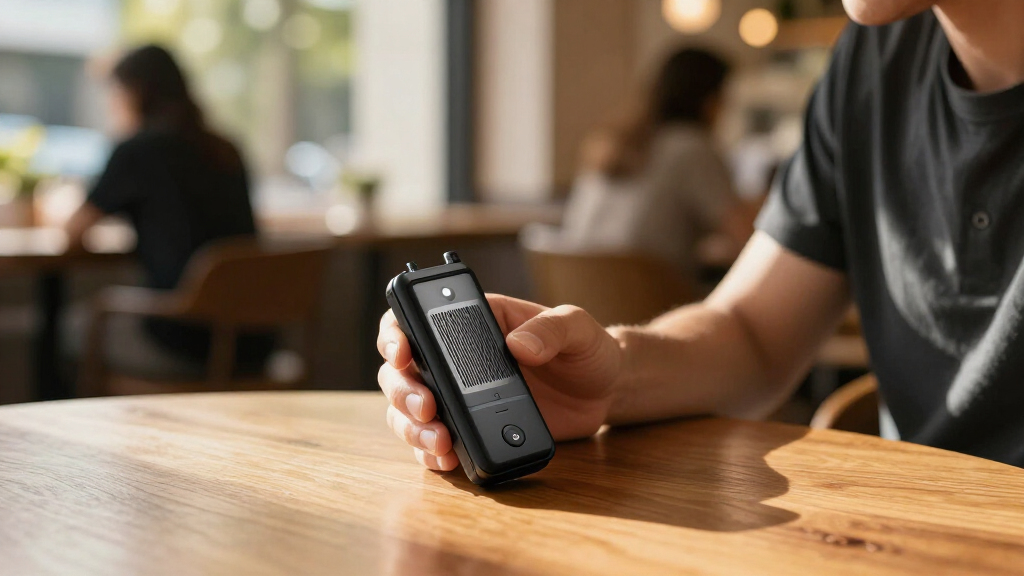
I ranked these AI voice recorder devices by how well their stated features serve distinct recording needs: reliable capture, transcription and summaries, portability, storage, voice activation, and noise reduction. Products with a clearly described AI note-taking workflow rank ahead of basic digital recorders for buyers seeking automated notes, while high-capacity voice-activated models remain strong alternatives for extended recording and simpler file control.
I also weighed the tradeoffs buyers can see from the listed features. A wearable recorder can be easier to carry and use discreetly, while a pocket unit may offer a more familiar form; large storage helps with long sessions but does not itself improve transcription. Several listings use similar names or repeat the same model, so I treat unclear distinctions as a reason to verify the exact model, app, and transcription terms before purchase.
Factors to Consider When Choosing AI Voice Recorder Devices
Choose around what happens after you press record. A device can capture audio well yet still create extra work if its transcription workflow, file access, or storage does not match how you take notes.Decide whether you need a transcript or a usable summary
Transcription turns speech into searchable text, while a summary aims to reduce the reading time afterward. Those are separate jobs, and a short summary can leave out details you need for minutes, quotations, or study notes. Before buying, think about whether you will edit the output, share it, or use it only as a memory aid. Check whether the recorder creates text on the device, in a companion app, or through an online service. A device that records locally but relies on an app for AI features may fit one workflow and frustrate another. Match the feature to the task rather than treating the word “AI” as a guarantee of useful notes.
Check how transcription access works over time
AI transcription may depend on account access, included usage, or a paid service, and the product name alone may not clarify those terms. Look for limits on recording length, transcription volume, languages, and export options before settling on a model. A recurring service requirement can change the value of an otherwise capable recorder, especially if you make recordings every day. Also check whether transcripts and audio can be downloaded in common formats. If you need records for work or school, test the export path with a short sample before relying on it for an important session. Treat the recorder and its software as one purchase decision.
Choose storage for your recording habits
Capacity matters most when you record long sessions, travel without transferring files, or keep original audio for reference. The 72GB and 136GB listings in this roundup emphasize storage, but a large number does not say how easy it is to organize or retrieve recordings. Voice activation can help avoid capturing long stretches of silence, though it may miss quiet speech or pauses if its trigger is too aggressive. Estimate your typical session length and how often you can move files to another device. Check whether storage is built in, expandable, or shared with system files. Buyers focused on searchable notes may care more about transcription exports than maximum capacity.
Match the form factor to where you record
A wearable recorder can keep your hands free during walks, interviews, or busy workdays, while a pocket recorder is easy to place on a table for a meeting. A magnetic design may be convenient when you have a suitable surface, but it can limit placement options in some rooms. Consider button access, status indicators, charging, and whether the device can be operated without opening an app. A compact recorder is only useful if you remember to carry it and can start it quickly. Think through the real recording setting, including distance from speakers and surrounding noise. The right shape supports consistent use more than a feature you rarely activate.
Treat noise reduction as help, not a microphone guarantee
Noise reduction can make recordings easier to understand, but it cannot restore speech that the microphone barely captured. Placement, speaker distance, room echo, and overlapping voices still shape the result. For interviews, place the recorder near the main speaker and make a short test recording before the full conversation. In a group meeting, a device at the center of the table may capture more evenly than one in a pocket. Compare sample audio as well as AI-generated text, since a polished transcript can hide gaps or misheard names. If accuracy matters, keep the original audio available for review.
Check privacy, access, and file ownership
Meeting and interview recordings can contain sensitive information, so find out where audio and transcripts are stored and who can access them. Check whether AI processing requires uploading files, whether deletion removes both audio and transcripts, and whether you can export or erase data yourself. Ask for consent when recording other people and follow workplace, school, or local rules. A recorder with convenient summaries may involve more cloud processing than a basic voice-activated device. If you need offline capture, confirm that recording works without a connection and understand which AI features pause until you reconnect. These details can matter more than a small difference in storage capacity.
Frequently Asked Questions
Will an AI voice recorder create accurate meeting minutes without editing?
It can provide a useful draft, but I would not treat automated minutes as a verified record. Accuracy depends on microphone placement, room noise, overlapping speakers, accents, and the transcription system. Summaries can omit decisions, names, or qualifications even when the transcript looks readable. Keep the original audio and review important details before sharing notes. For recurring meetings, check whether the workflow supports speaker labels and easy exports.
Should I choose a wearable recorder or a pocket model?
Choose a wearable model when you need hands-free capture and want the recorder with you throughout the day. A pocket or tabletop unit can be easier to position near a speaker and may suit planned meetings better. Consider how you start recording, how you confirm it is active, and whether clothing or body placement could muffle audio. Try to match the form to the distance and movement in your typical setting. Portability helps only when it also captures voices clearly.
Is a 136GB recorder a better choice than one with AI summaries?
Not by itself: more storage is useful for keeping long recordings, while summaries reduce the work of reviewing them. If you record hours of lectures or interviews and archive audio locally, capacity may be your priority. If you mainly need searchable notes after meetings, transcription and export may save more time. Some products may combine these capabilities, but verify the exact listing rather than inferring features from similar product names. Consider how often you transfer files and how long you keep them.
Do voice activation and AI noise reduction make a recorder suitable for every room?
No. Voice activation can help conserve storage, but quiet speech or pauses may be missed depending on the trigger behavior. Noise reduction may lower steady background sounds, yet it cannot fix distant speakers, heavy echo, or people talking over one another. Placement and a short test recording remain useful in any room. For high-stakes interviews or meetings, keep a backup recording when practical. Review the audio before relying on a transcript alone.
What should I verify when two listings use nearly the same recorder name?
Compare the exact model identifier, physical design, storage, included accessories, and supported app features. Check whether transcription and summaries are included, limited, or tied to an ongoing service. Similar titles can describe different capacities or bundles, and repeated names may refer to the same model. Read the seller’s specification details for file export, language support, and operating requirements. If any of those details are vague, confirm them before purchase.
Conclusion
For most people seeking a dedicated recorder with automated notes, I’d choose the Plaud Note Pro as best overall. The 72GB Xelarvex is the best value-style pick for buyers who favor storage, voice activation, and noise reduction over a clearly described summaries workflow; the NotePin S is the better wearable option for hands-free capture. Beginners should favor a model whose app and recording controls are easy to verify before buying, rather than choosing by capacity alone. For long sessions and local file retention, compare the 136GB magnetic recorders, while buyers who need AI note-taking should confirm the exact transcription access and export terms on the listing they select.
Fall Picks
fall essentials
As an affiliate, we earn on qualifying purchases.