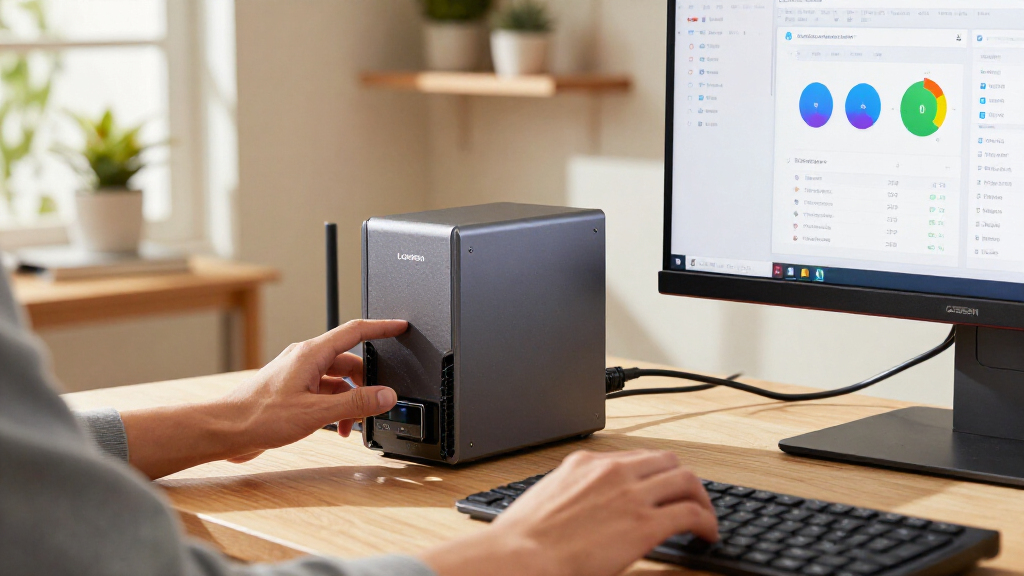

🔍 Read the full analysis: What AI Users Should Know About The UGREEN NAS DXP4800 Pro on ThorstenMeyerAI.com

Get business pricing on tech for your team
- Business-only prices and quantity discounts
- Tax-exempt purchasing
- Multiple users, one account, clear invoices
TL;DR
The UGREEN NAS DXP4800 Pro is a four-bay network storage device with an Intel Core i3-1315U, expandable DDR5 memory, 10GbE and 2.5GbE ports, and UGOS Pro software that includes on-device AI photo organization. Those specifications, as described in UGREEN’s product information, may suit users who want to run self-hosted services alongside storage, but the listing does not say drives are included, and the fastest networking requires compatible equipment.
UGREEN’s product information describes the UGREEN NAS DXP4800 Pro as a four-bay network-attached storage system with an Intel Core i3-1315U, expandable memory and 10GbE networking, plus UGOS Pro features that include on-device AI photo organization. The listed hardware gives households and small teams scope to store files and run services on the same machine, but the listed capacity depends on drives buyers supply, and many basic backup users may not need its extra performance.
According to UGREEN’s product information, the DXP4800 Pro comes with 8GB of DDR5 memory, which can be expanded to 96GB. The product specifications list a six-core, eight-thread processor with a maximum frequency of 4.5GHz. UGREEN also says the system supports Docker and virtual machines, giving home-lab users the option to run additional services alongside file storage. These are product specifications, not evidence that every application will perform well under every workload.
UGREEN’s listed storage options include four 3.5-inch drive bays and two PCIe 4.0 M.2 slots. The stated maximum of 144TB is a possible configuration across four hard drives and two M.2 SSDs, not storage included with the unit. The supplied product information does not state that drives come in the box. UGREEN lists RAID 0, 1, 5 and 10 as supported configurations, though RAID redundancy is not a substitute for a separate backup.
UGREEN lists one 10GbE port and one 2.5GbE port, and gives a maximum transfer rate of 1.25GB/s. That figure depends on a compatible network and a workload that can use the available bandwidth. Computers, switches, cabling and storage can all limit transfers. On an ordinary gigabit network, the faster ports will not deliver their advertised potential.

UGREEN NAS DXP4800 Pro 4-Bay Network Attached Storage
- ✔ Processor: Intel Core i3-1315U, 6 cores, 8 threads, up to 4.5GHz
- ✔ Memory: 8GB DDR5, expandable to 96GB
- ✔ Graphics: 13th Gen Intel UHD Graphics
The 1 picks
- 1
 UGREEN NAS DXP4800 Pro 4-Bay Desktop NAS with Intel Core i3-1315U, 8GB DDR5,…View on Amazon →
On-Device AI and Home-Server Use
UGREEN’s product information describes on-device AI photo organization as part of the NAS’s software, alongside media, photo and cloud-sync features in UGOS Pro. Keeping a photo library on a NAS may appeal to people who want storage and management on hardware they control. The supplied information does not explain which AI models or functions power the feature, whether processing is entirely local in every case, or how its results compare with other photo-management services.
The wider appeal is the combination of storage, networking and computing headroom described in the product specifications. A user could keep files on the NAS while running containers or virtual machines, rather than relying on a basic network folder alone. Faster transfers may help when moving large video files or sharing project data, provided the rest of the network supports those speeds. For users who only need automatic backups and shared folders, the extra hardware may add cost and setup work without a clear benefit.
UGREEN lists four drive bays and a memory upgrade ceiling that may give users room to adapt a more demanding setup. But prospective buyers need to account for drive costs and configuration in addition to the NAS itself. A listed capacity ceiling is not a promise of usable capacity in every RAID arrangement.
How It Compares With Basic NAS Units
UGREEN’s product information positions the DXP4800 Pro above basic home NAS systems. It contrasts the device with the Synology DS223 and DS223j, describing those models as two-bay alternatives that can make more sense for compact backup and file-sharing needs. The supplied material does not provide independent benchmark results or a direct price comparison, so it does not establish which product offers better value for a particular buyer.
Setting up a NAS generally involves selecting drives, creating a storage arrangement and configuring access. UGREEN lists tool-free drive trays, which may simplify installation and replacement, but they do not remove those planning decisions. The product information also lists an aluminum chassis and a two-year warranty; it does not establish long-term reliability, noise levels or power use.
Details Buyers Still Need
The supplied source is a product overview, not a dated launch announcement or independent test. It gives no price, release date or confirmed drive-in-box details; it does not state that drives are included. Buyers should check the specific listing and package contents before treating the 144TB figure as available storage.
Several performance and software questions are also unanswered. The stated maximum transfer speed is not accompanied by test conditions, and the material does not specify which combinations of drives, network equipment and workloads achieve it. It also gives no technical detail about the on-device AI photo feature, including its capabilities, privacy settings or processing requirements. Noise, power consumption and measured performance for Docker or virtual machines are not established by the supplied product information.
Check the Listing and Network
Before buying, readers should verify the current price, package contents and warranty terms with the seller, then budget for drives if they are not included. They should also confirm that the NAS’s drive and RAID options match their capacity and redundancy plans, and keep a separate backup of important files.
Users considering 10GbE should check that their computer, switch, cabling and storage can support the connection; otherwise, the NAS will still function, but transfers will be limited by the slower parts of the setup. Anyone buying for AI photo management should seek product documentation on what the feature does and how it handles data. The supplied product overview provides no upcoming test results or availability milestone, so independent performance and software details remain to be confirmed.
Key Questions
Does the UGREEN DXP4800 Pro include hard drives?
The supplied product information does not state that drives are included. Buyers should check the exact retailer listing and package contents before purchase.
What does the 144TB capacity figure mean?
UGREEN lists it as a maximum for a configuration using four hard drives and two M.2 SSDs. It is not included storage, and the usable capacity can depend on the drives and storage arrangement selected.
What AI features are described?
UGREEN’s product information says UGOS Pro can organize photos using on-device AI. It does not provide details about the models, specific functions, privacy controls or performance of that feature.
Will the 10GbE port make transfers faster on any home network?
No. The connected computer, switch, cabling, storage and workload must support the faster connection. On a standard gigabit network, the 10GbE port’s full potential will not be available.
Who is the DXP4800 Pro best suited to?
Based on the listed specifications, its four bays, expandable memory, faster networking and support for Docker and virtual machines may suit home-lab users, creators or small teams. People who only need simple backups or shared folders may prefer a simpler two-bay NAS.
Source: ThorstenMeyerAI.com