
🔍 Read the full analysis: Build A Robot Pick-and-Place Simulation With SimReady Assets on ThorstenMeyerAI.com

Get business pricing on tech for your team
- Business-only prices and quantity discounts
- Tax-exempt purchasing
- Multiple users, one account, clear invoices
TL;DR
A Hugging Face walkthrough demonstrates a beverage-can pick-and-place simulation in Isaac Sim using a UR17G arm, Robotiq 2F-140 gripper and SimReady can asset. The asset packages include simulation settings, and the arm and gripper reports pass specified driven-joint checks; users must still assemble the scene, add controls and test the complete task.
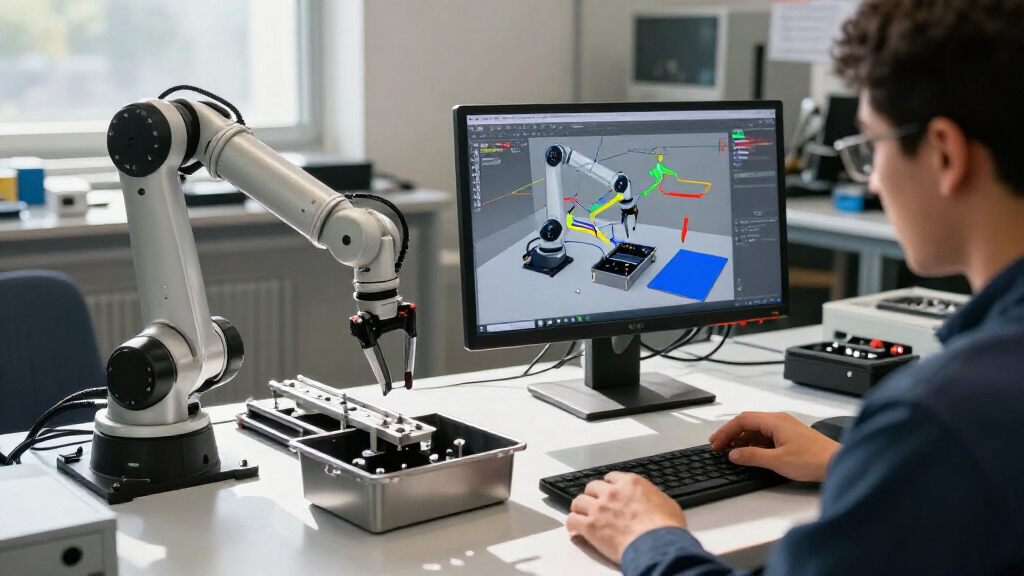
A Hugging Face walkthrough demonstrates how to build a beverage-can pick-and-place simulation in Isaac Sim with a UR17G robot arm, Robotiq 2F-140 gripper and can asset from SimReady Central. The example, detailed in the original walkthrough, brings reusable simulation-ready assets into one task, but users still have to compose the scene, provide controls and check whether the robot successfully grasps, moves and releases the can.
The three asset packages contain models and simulation settings. In the example, those settings include the arm and gripper joints, as well as the can’s collision geometry and mass. The walkthrough instructs users to download the full asset folders, preserve their structures and supply the local USD file paths when building the scene. It also calls for checking that the assets load without missing-file errors.
Validation reports cited in the walkthrough show that the arm meets the Robot-Body 4.0.0 profile and the gripper meets the Robot-Gripper 3.0.0 profile. Both reports pass PhysX driven-joint checks, which examine joint-drive settings. Those results apply to the checks specified by the profiles; they do not establish that the completed pick-and-place task will work reliably in every scene or with every controller.
After loading the assets, users must position the robot, can and work surface, connect the arm and gripper, and supply controls for arm movement and gripper operation. The walkthrough uses Isaac Sim 6.2 and describes enabling its remote Python server for an AI agent to interact with the simulation. It names GPT-6 Sol for its example, while saying other agent and model combinations may work if they can load the required skills and execute Python against Isaac Sim. Manual scene setup is also an option.
Build a robot pick-and-place simulation with SimReady assets
A Hugging Face walkthrough combines reusable assets in Isaac Sim. Profile checks offer a starting point, while the assembled task still needs to be run and inspected.
The example scene
Three assets form a beverage-can pick-and-place task.
UR17G
Its asset package includes the model and simulation settings for the arm joints.
Robotiq 2F-140
The gripper package includes settings for its joints.
Beverage can
The can asset includes collision and mass settings.
What validation checks
SimReady profiles specify requirements for assets prepared for a simulation use case.
| Asset | Profile | Reported check |
|---|---|---|
| UR17G arm | Robot-Body 4.0.0 | PhysX driven-joint check passed |
| Robotiq 2F-140 | Robot-Gripper 3.0.0 | PhysX driven-joint check passed |
Assemble the scene
The walkthrough uses Isaac Sim 6.2 and allows agent-assisted or manual setup.
Download all three packages, keep each complete folder intact, and load their USD files.
Compose the scene with the arm, gripper, can, and work surface.
Provide code for arm movement and gripper operation; check assets load without missing-file errors.
Run and inspect
Asset checks do not establish that the complete task will work reliably.
Asset Checks Do Not Prove Task Success
The example links asset-level validation to a complete robot task, clarifying what simulation-ready packaging can—and cannot—settle. Authored properties and profile checks give users a starting point for verifying that specified settings are present before they assemble a scene. That may make assets easier to reuse, but a passing report is not a substitute for testing how the assembled robot, gripper, object, surface and controls interact.
That distinction matters because a model can appear correct while stationary yet behave differently once simulation runs. The walkthrough advises users to inspect joint limits and drive settings, try small arm movements, open and close the gripper, and verify that the can rests on the work surface. During the task, they should check whether the object stays in the gripper as the arm moves. These are practical checks, not reported performance measurements: the source provides no quantified grasp success rate, repeatability result or comparison of workflows.
The example also presents an AI agent as a way to help generate and run task code. That may assist with scene assembly, but the walkthrough cautions that generated code and results can vary. Users still need to inspect the code and verify the simulation. The demonstration is therefore best read as a build example, not evidence that agent-assisted setup is faster or that the task works reliably without further testing.
Products Worth Considering
DJI Mini 5 Pro Fly More Combo Plus with DJI RC 2

Samsung Odyssey G7 G75F 40-Inch WUHD Curved Gaming Monitor

DJI Osmo 360 Road Cycling First-Person Combo Action Camera
As an affiliate, we earn on qualifying purchases.
How SimReady Profiles Check Assets
The walkthrough describes SimReady as an OpenUSD asset prepared for a defined simulation use case. SimReady Foundation organizes its specifications into profiles, features and requirements: a profile groups features for a use case, features describe capabilities, and requirements define checks on settings. Validation indicates whether an asset meets the requirements of its profile.
SimReady Central is described as an open asset library on Hugging Face for robot and object assets that include authored simulation properties and profile-validation evidence. The walkthrough also points to a USD Search endpoint for finding OEM-curated content. Its example focuses on one specific task—a can moved by a UR17G arm and Robotiq 2F-140 gripper—rather than a broad test of assets or robot workflows.
Because asset folder structures can vary, the source advises users to inspect settings in the scene they load. It also distinguishes using an agent with access to Isaac Sim skills from following documentation and assembling the scene manually. The material provided does not state when the walkthrough was published, so its Isaac Sim 6.2 instructions should be understood as the version used for the example, not a claim about later releases.
“A robot can look visually correct while stationary in Isaac Sim but move or interact with objects incorrectly when the simulation runs.”
— Hugging Face walkthrough
Task Performance Remains Unmeasured
The walkthrough reports passing driven-joint checks for the arm and gripper, but it does not give quantitative results for grasp success, repeatability or performance across simulation runs. It also does not establish that the same assets, controls or agent-generated code will behave reliably in other scenes.
The source does not specify in the material provided how the task controls are generated, nor does it report a measured time saving from reusing assets or using an AI agent. Users are told to inspect settings in their own loaded scene because asset structures may differ. The complete behavior of the arm, gripper, can, work surface and controls must be checked during a run.
Build and Test the Complete Scene
The walkthrough’s next steps are to download the three asset packages, load their USD files into Isaac Sim and compose the scene. Users then add or generate code for the robot assembly and pick-and-place controls, run the simulation and inspect the grasp, movement and release. The instructions call for verifying that all assets load correctly before proceeding.
Those checks are the next practical milestone, whether users assemble the scene manually or connect an agent through Isaac Sim’s remote Python server. The source does not announce a broader evaluation, follow-up release or additional performance data. Until such results are reported, readers should treat the example as a demonstration of how to combine validated assets and test a task—not as evidence of measured reliability across runs.
Key Questions
What does the Isaac Sim example demonstrate?
It shows how to assemble a beverage-can pick-and-place simulation using a UR17G arm, Robotiq 2F-140 gripper and can asset from SimReady Central.
What do the validation reports confirm?
The cited reports show that the arm and gripper pass specified PhysX driven-joint checks under their respective SimReady profiles. They do not confirm that the complete task will succeed or perform reliably.
Do the assets build the complete simulation automatically?
No. Users still need to load and position the assets, compose the scene, connect the robot and gripper, add controls and inspect the simulation’s behavior.
Does the walkthrough measure grasp reliability?
No quantitative grasp-success, repeatability or across-run performance results are reported in the source material.
Is an AI agent required?
No. The example describes an agent connected through Isaac Sim’s remote Python server, but users can follow the documentation and assemble the scene manually.
Primary source: Hugging Face · via ThorstenMeyerAI.com