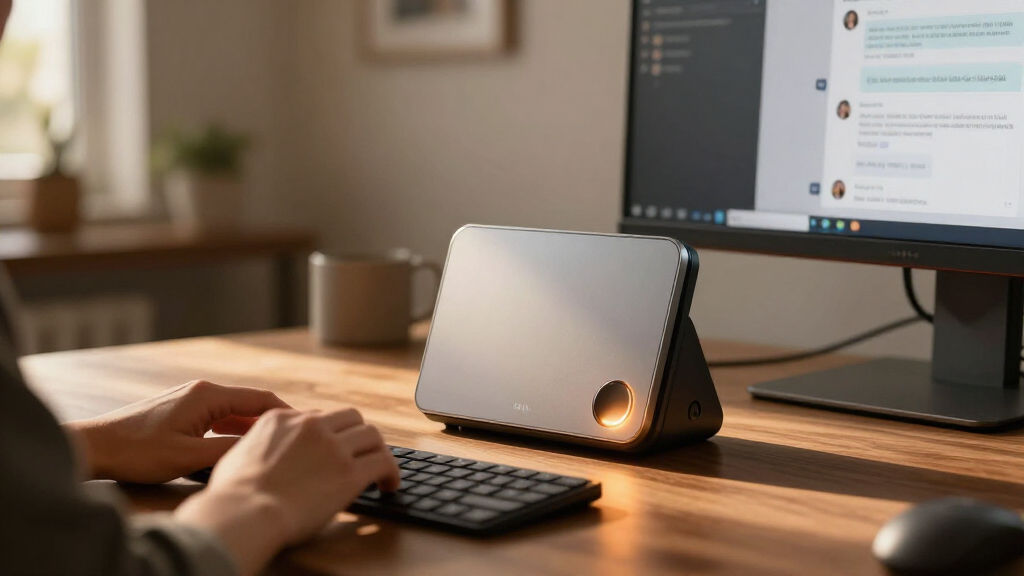

The best personal AI computer overall in this lineup is the MINISFORUM MS-S1 MAX, pairing a Ryzen AI Max+ 395 with 128GB of memory and a 2TB SSD in a workstation-oriented mini PC. For a more AI-specialized software and hardware route, the ASUS Ascent GX10 and NVIDIA DGX Spark stand out with NVIDIA GB10 systems, while the BOSGAME M5 offers another capable Ryzen-based option. The main tradeoff is between broad compatibility and familiar PC use on one side, and a more focused AI computing stack on the other. Memory capacity, cooling, storage, operating system, and the ability to expand can matter as much as the processor label. Read on for the full comparison and guidance on matching a system to your workload.

Get tech for your team delivered free — and shop member deals
- Fast, free delivery on millions of items
- Access to Prime Big Deal Days deals on October 6–7
- Prime Video, Amazon Music and more included
Key Takeaways
- 128GB memory is a recurring feature among the high-end Ryzen AI mini PCs in this lineup, so differences in software support, cooling, storage, and system design help separate otherwise similar configurations.
- The MINISFORUM MS-S1 MAX earns the overall recommendation for combining a workstation-focused format with 128GB memory and 2TB storage, rather than relying on processor branding alone.
- The ASUS Ascent GX10 and NVIDIA DGX Spark take a distinct NVIDIA GB10 approach; buyers should weigh that focused AI platform against the flexibility of a conventional Windows or Linux mini PC.
- Several BOSGAME, NIMO, and GMKtec listings share the Ryzen AI Max+ 395 platform, but the named memory, storage, and operating-system configurations differ, so checking the exact listing matters.
- The Apple MacBook Air 13-inch is the roundup’s portable, familiar-computing outlier, not a like-for-like desktop AI workstation; choose it for mobility and macOS workflows rather than maximum local-model capacity.
| BOSGAME M5 AI Mini PC with AMD Ryzen AI Max+ 395, 128GB LPDDR5X RAM, and 2TB SSD |  | Best Overall | Processor: AMD Ryzen AI Max+ 395, 16 cores and 32 threads, up to 5.1GHz | Graphics: AMD Radeon 8060S integrated GPU, 40 RDNA 3.5 compute units | AI compute: 126 TOPS total; 50 TOPS from XDNA 2 NPU | VIEW LATEST PRICE | See Our Full Breakdown |
| GMKtec EVO-X2 AI Mini PC with AMD Ryzen AI Max+ 395 |  | Best for Adjustable Performance | Processor: AMD Ryzen AI Max+ 395, 16 cores and 32 threads, up to 5.1GHz | Graphics: AMD Radeon RX 8060S, 40 RDNA 3.5 compute units, up to 2.9GHz | AI NPU: XDNA 2, 50+ peak AI TOPS | VIEW LATEST PRICE | See Our Full Breakdown |
| BOSGAME M5 AI Mini PC with AMD Ryzen AI Max+ 395 and 128GB LPDDR5X RAM | | Best for Large Local Models | Processor: AMD Ryzen AI Max+ 395, 16 cores and 32 threads, up to 5.1GHz | Memory: 128GB LPDDR5X, 8000MT/s | Maximum allocated VRAM: Up to 96GB | VIEW LATEST PRICE | See Our Full Breakdown |
| NIMO Mini PC Desktop with AMD Ryzen AI Max+ 395, 128GB LPDDR5 RAM, 2TB SSD |  | Best for Multi-4K Setups | Processor: AMD Ryzen AI Max+ 395, 16 cores and 32 threads, up to 5.1GHz | Graphics: Integrated Radeon RX 8060S, 40 compute units, boost clock up to 2.9GHz | Memory: 128GB LPDDR5, 8000MT/s | VIEW LATEST PRICE | See Our Full Breakdown |
| MINISFORUM MS-S1 MAX Mini AI Workstation PC, AMD Ryzen AI Max+ 395, 128GB LPDDR5x RAM, 2TB SSD |  | Best for Workstation Expansion | Processor: AMD Ryzen AI Max+ 395, 16 cores and 32 threads, up to 5.1GHz | Graphics: AMD RDNA 3.5 integrated graphics | AI compute: 50 TOPS NPU; 126 TOPS system AI performance | VIEW LATEST PRICE | See Our Full Breakdown |
| ASUS Ascent GX10 Mini PC with NVIDIA GB10 Superchip and 128GB Memory |  | Best for NVIDIA AI Development | Processor: NVIDIA GB10 Grace Blackwell Superchip | AI performance: Rated for 1 petaFLOP | Memory: 128GB | VIEW LATEST PRICE | See Our Full Breakdown |
| BOSGAME M5 Mini PC with AMD Ryzen AI Max+ 395, 128GB RAM, 2TB SSD | | Best for Mixed AI and Workstation Use | Processor: AMD Ryzen AI Max+ 395, 16 cores, 32 threads, up to 5.1GHz | Memory: 128GB LPDDR5X-8000 unified memory | Storage: 2TB PCIe 4.0 NVMe SSD; second M.2 2280 PCIe 4.0 slot | VIEW LATEST PRICE | See Our Full Breakdown |
| NIMO Mini PC with AMD Ryzen AI Max+ 395, 128GB RAM, Windows 11 Pro and Linux |  | Best for Windows-and-Linux Developers | Processor: AMD Ryzen AI Max+ 395, 16 cores, 32 threads, up to 5.1GHz | NPU: Up to 50 TOPS | Memory: 128GB 8-channel LPDDR5 8000MHz | VIEW LATEST PRICE | See Our Full Breakdown |
| GEEKOM A9 Mega AI Workstation Mini PC, Ryzen AI Max+ 395, 128GB RAM, 2TB SSD |  | Best for Expandable Local AI Storage | Processor: AMD Ryzen AI Max+ 395, 16 Zen 5 cores | Graphics: AMD Radeon 8060S | AI performance: 126 TOPS total compute; 50 TOPS NPU | VIEW LATEST PRICE | See Our Full Breakdown |
| NVIDIA DGX Spark Personal AI Desktop Supercomputer with GB10 Grace Blackwell Chip |  | Best Premium NVIDIA AI Desktop | Operating system: NVIDIA DGX OS | Processor: NVIDIA GB10 Grace Blackwell Superchip | Processor speed: 3.8GHz | VIEW LATEST PRICE | See Our Full Breakdown |
| AMD Ryzen AI Halo Personal AI Desktop Computer |  | Best for Linux AI Development | Operating system: Linux | Processor: AMD Ryzen AI Max+ 395, 16 cores and 32 threads | Graphics: AMD Radeon 8060S integrated graphics, 40 RDNA 3.5 compute units | VIEW LATEST PRICE | See Our Full Breakdown |
| Apple MacBook Air 13-inch with M5 chip, 16GB memory, 512GB SSD, and 12MP Center Stage camera — Sky Blue |  | Best for Portable Everyday AI | Chip: Apple M5 | Display: 13.6-inch Liquid Retina | Memory: 16GB unified memory | VIEW LATEST PRICE | See Our Full Breakdown |
| AMD Ryzen AI Halo Personal AI Desktop Computer, Windows 11 Pro | | Best for Windows-Based Local AI | Operating system: Windows 11 Pro | Processor: AMD Ryzen AI Max+ 395, 16 cores and 32 threads | Graphics: AMD Radeon 8060S integrated graphics, 40 RDNA 3.5 compute units | VIEW LATEST PRICE | See Our Full Breakdown |
| GMKtec EVO-X3 Mini PC with AMD Ryzen AI Max+ 395, 128GB LPDDR5X, 2TB PCIe 4.0 SSD |  | Best for Expandable Mini-PC Storage and Graphics | Processor: AMD Ryzen AI Max+ 395, 16 cores and 32 threads, up to 5.1GHz | Memory: 128GB LPDDR5X, up to 8000 MT/s | Storage: 2TB PCIe 4.0 SSD | VIEW LATEST PRICE | See Our Full Breakdown |
| personal AI computer | Memory | Processor | Storage | Graphics |
|---|---|---|---|---|
| BOSGAME M5 AI Mini PC with AMD | 128GB LPDDR5X, 8000MT/s | AMD Ryzen AI Max+ 395, 16 cores and 32 threads, up to 5.1GHz | 2TB PCIe 4.0 SSD | AMD Radeon 8060S integrated GPU, 40 RDNA 3.5 compute units |
| GMKtec EVO-X2 AI Mini PC with | Onboard LPDDR5X, up to 8000MT/s | AMD Ryzen AI Max+ 395, 16 cores and 32 threads, up to 5.1GHz | — | AMD Radeon RX 8060S, 40 RDNA 3.5 compute units, up to 2.9GHz |
| BOSGAME M5 AI Mini PC with AMD | 128GB LPDDR5X, 8000MT/s | AMD Ryzen AI Max+ 395, 16 cores and 32 threads, up to 5.1GHz | SSD included; capacity not specified | Integrated AMD Radeon 8060S |
| NIMO Mini PC Desktop with AMD | 128GB LPDDR5, 8000MT/s | AMD Ryzen AI Max+ 395, 16 cores and 32 threads, up to 5.1GHz | 2TB PCIe 4.0 SSD | Integrated Radeon RX 8060S, 40 compute units, boost clock up to 2.9GHz |
| MINISFORUM MS-S1 MAX Mini AI W | 128GB LPDDR5x-8000; product information also contains inconsistent memory figures | AMD Ryzen AI Max+ 395, 16 cores and 32 threads, up to 5.1GHz | 2TB SSD | AMD RDNA 3.5 integrated graphics |
| ASUS Ascent GX10 Mini PC with | 128GB | NVIDIA GB10 Grace Blackwell Superchip | — | — |
| BOSGAME M5 Mini PC with AMD Ry | 128GB LPDDR5X-8000 unified memory | AMD Ryzen AI Max+ 395, 16 cores, 32 threads, up to 5.1GHz | 2TB PCIe 4.0 NVMe SSD; second M.2 2280 PCIe 4.0 slot | Integrated AMD Radeon 8060S |
| NIMO Mini PC with AMD Ryzen AI | 128GB 8-channel LPDDR5 8000MHz | AMD Ryzen AI Max+ 395, 16 cores, 32 threads, up to 5.1GHz | — | — |
| GEEKOM A9 Mega AI Workstation | 128GB Samsung LPDDR5X, 8000 MT/s | AMD Ryzen AI Max+ 395, 16 Zen 5 cores | 2TB PCIe Gen4 NVMe SSD; upgradeable to 8TB | AMD Radeon 8060S |
| NVIDIA DGX Spark Personal AI D | 128GB unified DDR5 | NVIDIA GB10 Grace Blackwell Superchip | 4TB self-encrypting NVMe M.2 SSD | — |
| AMD Ryzen AI Halo Personal AI | 128GB LPDDR5x unified memory, 8000 MT/s | AMD Ryzen AI Max+ 395, 16 cores and 32 threads | 2TB M.2 SSD | AMD Radeon 8060S integrated graphics, 40 RDNA 3.5 compute units |
| Apple MacBook Air 13-inch with | 16GB unified memory | — | 512GB SSD | — |
| AMD Ryzen AI Halo Personal AI | 128GB LPDDR5x unified memory, 8000 MT/s | AMD Ryzen AI Max+ 395, 16 cores and 32 threads | 2TB M.2 SSD | AMD Radeon 8060S integrated graphics, 40 RDNA 3.5 compute units |
| GMKtec EVO-X3 Mini PC with AMD | 128GB LPDDR5X, up to 8000 MT/s | AMD Ryzen AI Max+ 395, 16 cores and 32 threads, up to 5.1GHz | 2TB PCIe 4.0 SSD | Integrated AMD Radeon RX 8060S, 40 CUs |
More Details on Our Top Picks
BOSGAME M5 AI Mini PC with AMD Ryzen AI Max+ 395, 128GB LPDDR5X RAM, and 2TB SSD
This M5 is the most balanced pick here for someone who wants a personal AI computer that can also handle creative work and gaming. Its Ryzen AI Max+ 395, 128GB shared memory, and 50-TOPS NPU give local workloads room to grow, while the included 2TB SSD avoids the capacity uncertainty of the other BOSGAME M5 listing. Compared with the MINISFORUM MS-S1 MAX, it is less workstation-oriented: you get 2.5GbE rather than dual 10GbE and no listed PCIe x16 expansion. In return, the four-display support, Wi-Fi 7, and compact 1.34kg chassis suit a flexible desktop setup. The tradeoff is fixed LPDDR5X memory, which is shared with graphics and has no stated upgrade path.
Pros:- 16-core processor with an integrated 50-TOPS NPU
- 128GB LPDDR5X memory and a specified 2TB PCIe 4.0 SSD
- Supports up to four 8K displays
- Wi-Fi 7, 2.5GbE, and dual USB4 connectivity
Cons:- LPDDR5X memory is shared with integrated graphics and has no stated upgrade path
- Lacks the dual 10GbE and PCIe x16 expansion listed for the MINISFORUM MS-S1 MAX
Best for: AI developers and creative users who want a capable compact desktop with substantial memory and a specified 2TB drive.
Not ideal for: Buyers who need user-upgradeable RAM, discrete graphics, or workstation networking and expansion.
- Processor:AMD Ryzen AI Max+ 395, 16 cores and 32 threads, up to 5.1GHz
- Graphics:AMD Radeon 8060S integrated GPU, 40 RDNA 3.5 compute units
- AI compute:126 TOPS total; 50 TOPS from XDNA 2 NPU
- Memory:128GB LPDDR5X, 8000MT/s
- Storage:2TB PCIe 4.0 SSD
- Expansion:Dual M.2 slots; storage expandable up to 8TB or RAID
- Networking:2.5GbE, Wi-Fi 7, Bluetooth 5.4
- Video output:HDMI 2.1, DisplayPort 1.4, and dual USB4; up to four 8K displays
- Weight:1.34kg
Our verdict“Choose this M5 for a well-equipped all-round personal AI desktop, provided fixed shared memory fits your workload.”
GMKtec EVO-X2 AI Mini PC with AMD Ryzen AI Max+ 395
The EVO-X2’s defining advantage is control over how hard the system runs. Its 54W Quiet, 85W Balanced, and 140W Performance modes let buyers favor lower power or pursue more throughput, a useful distinction for a compact machine serving both quiet desk work and heavier local AI tasks. Like the BOSGAME M5 with 2TB storage, it pairs the Ryzen AI Max+ 395 with Radeon 8060S-class integrated graphics and supports up to four displays. But the GMKtec adds an SD 4.0/UHS-II reader, which gives photographers and video editors a direct media-import option. Memory is onboard, so the shared pool cannot be expanded later; the 140W mode also points to higher power demand under load. I’d pick it over the M5 for selectable operating modes, not for a more flexible upgrade path.
Pros:- Three selectable power modes for different workload and noise priorities
- 16-core processor, integrated Radeon graphics, and XDNA 2 NPU
- SD 4.0/UHS-II card reader for direct media imports
- Wi-Fi 7, 2.5GbE, USB4, and support for up to four displays
Cons:- Onboard LPDDR5X memory is not user-upgradeable
- Performance mode can draw up to 140W
- Warranty is listed as one year
Best for: AI and creative users who want to switch between quieter operation and higher-power workloads, especially those importing SD cards often.
Not ideal for: Buyers who need upgradeable memory or prefer a system without a high-power performance mode.
- Processor:AMD Ryzen AI Max+ 395, 16 cores and 32 threads, up to 5.1GHz
- Graphics:AMD Radeon RX 8060S, 40 RDNA 3.5 compute units, up to 2.9GHz
- AI NPU:XDNA 2, 50+ peak AI TOPS
- Memory:Onboard LPDDR5X, up to 8000MT/s
- Performance modes:Quiet 54W, Balanced 85W, Performance 140W
- Display support:Up to four displays; HDMI 2.1 supports up to 8K at 60Hz
- Networking:2.5GbE, Wi-Fi 7, Bluetooth 5.4
- Card reader:SD/TF 4.0 and UHS-II
- Cooling:Three fans and three heat pipes
Our verdict“Choose the EVO-X2 if power-mode flexibility and a fast card reader matter more than future memory upgrades.”
BOSGAME M5 AI Mini PC with AMD Ryzen AI Max+ 395 and 128GB LPDDR5X RAM
This M5 is aimed at buyers who want to direct a large share of system memory to graphics or local AI work: its 128GB pool can allocate up to 96GB as VRAM. That flexibility is the standout difference from the BOSGAME M5 listing with a specified 2TB SSD, which gives buyers clearer storage capacity but does not state a VRAM allocation figure. The rest of the platform is similarly capable, with a 16-core Ryzen AI Max+ 395, dual 40Gbps USB4, Wi-Fi 7, and support for four 8K displays. A copper vapor chamber is intended to manage demanding sessions in the compact chassis. The catch is that the SSD capacity is unspecified, so storage planning is harder than with the 2TB-equipped GMKtec EVO-X2. Fixed memory also means the large pool must be chosen up front.
Pros:- 128GB shared memory with up to 96GB assignable as VRAM
- Dual 40Gbps USB4 ports
- Supports up to four 8K displays
- Wi-Fi 7, 2.5Gb Ethernet, and an SD 4.0 card reader
Cons:- SSD capacity is not specified
- LPDDR5X memory is not described as user-upgradeable
- Listed cooling noise is under 38dB at full workload
Best for: Local-AI practitioners and creators who need a large configurable memory pool for GPU-heavy workloads.
Not ideal for: Buyers who need a confirmed SSD capacity, expandable system memory, or predictable storage headroom without checking the listing.
- Processor:AMD Ryzen AI Max+ 395, 16 cores and 32 threads, up to 5.1GHz
- Memory:128GB LPDDR5X, 8000MT/s
- Maximum allocated VRAM:Up to 96GB
- Graphics:Integrated AMD Radeon 8060S
- Storage:SSD included; capacity not specified
- Display output:HDMI 2.1, DisplayPort 1.4, and two USB4 ports; up to four 8K displays
- Connectivity:Wi-Fi 7, Bluetooth 5.4, 2.5Gb Ethernet
- Cooling:Copper vapor chamber and fan
- Operating system:Windows 11 Pro; Linux Ubuntu supported
Our verdict“Choose this M5 when configurable VRAM capacity matters more than having a clearly specified included SSD.”
NIMO Mini PC Desktop with AMD Ryzen AI Max+ 395, 128GB LPDDR5 RAM, 2TB SSD
NIMO’s clearest reason to make this list is its unusual port mix: the listing specifies four USB4 ports alongside two HDMI outputs, with support for up to three 4K displays. That makes it a practical fit for a desk built around several monitors and fast external devices. It shares the Ryzen AI Max+ 395 and 128GB memory capacity found in the BOSGAME and GMKtec options, and its 2TB PCIe 4.0 SSD gives it a defined storage starting point. The limits are less reassuring for buyers focused on AI performance: the product information does not quantify AI compute, and its gaming and AI claims are not independently substantiated. By comparison, the GMKtec EVO-X2 lists an XDNA 2 NPU and four-display support. NIMO’s memory upgradeability is also claimed but not explained, so I would not plan a future RAM increase around it.
Pros:- 128GB memory and a specified 2TB PCIe 4.0 SSD
- Four USB4 ports plus two HDMI ports
- Supports up to three 4K displays
- Wi-Fi 7 connectivity
Cons:- Memory upgradeability is claimed but not detailed
- AI compute figures are not provided
- Bluetooth 5.2 is listed, while several competing systems specify Bluetooth 5.4
Best for: Desk-based users who need several 4K screens, multiple USB4 connections, and included 2TB storage.
Not ideal for: AI buyers who need clearly documented NPU performance, confirmed memory expansion, or more than three display outputs.
- Processor:AMD Ryzen AI Max+ 395, 16 cores and 32 threads, up to 5.1GHz
- Graphics:Integrated Radeon RX 8060S, 40 compute units, boost clock up to 2.9GHz
- Memory:128GB LPDDR5, 8000MT/s
- Storage:2TB PCIe 4.0 SSD
- Display output:Up to three 4K displays
- Ports:Two HDMI ports, four USB4 ports, and USB-C
- Wireless:Wi-Fi 7 and Bluetooth 5.2
Our verdict“Choose NIMO for a multi-4K desk with ample ports and storage, not for the most clearly documented local-AI capabilities.”
MINISFORUM MS-S1 MAX Mini AI Workstation PC, AMD Ryzen AI Max+ 395, 128GB LPDDR5x RAM, 2TB SSD
The MS-S1 MAX is the most workstation-minded choice in this group. Its dual 10GbE ports, full-length PCIe x16 slot, and USB4 V2 connection rated up to 80Gbps give it room to join a fast network and connect expansion hardware—capabilities the more compact BOSGAME M5 does not list. The 128GB shared memory, Ryzen AI Max+ 395, and 2TB SSD also provide a strong base for local AI and content work. MINISFORUM describes cooling built for sustained operation, with a copper base plate, six heat pipes, and dual fans. That focus on expansion comes with a larger workstation footprint in spirit, even though it remains a mini PC, and its 320W power supply reflects the platform’s demands. The product information also gives inconsistent memory figures, so verify the exact configuration before purchase.
Pros:- Dual 10GbE ports for high-throughput wired networking
- Full-length PCIe x16 expansion slot
- USB4 V2 supports up to 80Gbps
- 128GB shared memory and a 2TB SSD
Cons:- Product information contains inconsistent memory figures
- 320W power supply reflects a more demanding system than simpler mini PCs
- Large-scale AI workloads may still call for multiple units in a cluster
Best for: AI teams, advanced creators, and homelab users who need high-speed networking or a PCIe expansion slot in a compact workstation.
Not ideal for: Buyers seeking a simple low-power desktop, or anyone who needs fully consistent configuration details before ordering.
- Processor:AMD Ryzen AI Max+ 395, 16 cores and 32 threads, up to 5.1GHz
- Graphics:AMD RDNA 3.5 integrated graphics
- AI compute:50 TOPS NPU; 126 TOPS system AI performance
- Memory:128GB LPDDR5x-8000; product information also contains inconsistent memory figures
- Storage:2TB SSD
- Storage expansion:Dual M.2 PCIe 4.0 slots, up to 16TB RAID 0/1
- Expansion slot:Full-length PCIe x16
- Networking:Dual 10GbE and Wi-Fi 7
- USB4 V2:Up to 80Gbps
Our verdict“Choose the MS-S1 MAX when networking and PCIe expansion matter more than a simpler, lower-demand mini PC setup.”
ASUS Ascent GX10 Mini PC with NVIDIA GB10 Superchip and 128GB Memory
I’d put the ASUS Ascent GX10 near the top for buyers building around NVIDIA’s AI software stack. Its GB10 Grace Blackwell Superchip is rated for 1 petaFLOP of AI performance, and 128GB of memory gives local inference and development workloads room to operate without relying on cloud processing. Compared with the BOSGAME M5, which pairs a Ryzen AI processor with integrated Radeon graphics for a wider mix of workstation tasks, the GX10 is the more specialized AI development system. NVLink-C2C and ConnectX-7 networking also support fast communication, with the option to link two GX10 systems. The tradeoff is focus: this compact system is aimed at AI work, not broad everyday computing, and its supplied details do not describe storage capacity or display connections.
Pros:- GB10 Grace Blackwell chip is rated for 1 petaFLOP of AI performance
- 128GB memory supports memory-intensive local AI work
- Designed for private on-device inference and AI development frameworks
- NVLink-C2C and ConnectX-7 enable high-speed communication and two-system scaling
Cons:- Specialized AI focus makes it less suited to buyers seeking a general-purpose mini PC
- The provided product details do not specify storage capacity or display connections
Best for: AI developers who want a compact NVIDIA-based system for private local inference and workloads that may benefit from linking two machines.
Not ideal for: Buyers seeking a general-purpose desktop with clearly specified storage and display connections, or a flexible workstation for varied graphics tasks.
- Processor:NVIDIA GB10 Grace Blackwell Superchip
- AI performance:Rated for 1 petaFLOP
- Memory:128GB
- Networking:NVIDIA ConnectX-7
- CPU-GPU interconnect:NVIDIA NVLink-C2C
- Form factor:Mini PC
Our verdict“Choose the GX10 if NVIDIA-based local AI development and the option to scale across two systems matter more than a broad, fully specified desktop feature set.”
BOSGAME M5 Mini PC with AMD Ryzen AI Max+ 395, 128GB RAM, 2TB SSD
The BOSGAME M5 suits buyers who want local AI capability without giving up a broader workstation role. Its Ryzen AI Max+ 395, 128GB of unified memory, and Radeon 8060S graphics are paired with a 2TB SSD, so it can cover development, creative applications, virtualization, and gaming from one compact desktop. Compared with the ASUS Ascent GX10, the M5 is less focused on NVIDIA’s AI development ecosystem but offers a more varied Windows workstation setup, including support for four displays and a second M.2 slot. Its 50-TOPS NPU and stated total AI performance of up to 126 TOPS are useful context, but they aren’t directly interchangeable with the GX10’s petaFLOP rating. The tradeoffs are integrated graphics rather than a separate GPU and a listed 240W power consumption.
Pros:- 128GB unified memory supports memory-intensive AI and creative workloads
- 16-core, 32-thread processor and Radeon 8060S suit varied workstation tasks
- 2TB SSD and a second M.2 slot provide storage capacity and expansion
- Supports up to four displays and includes Wi-Fi 7, 2.5GbE, and dual USB4
Cons:- Integrated graphics offer less upgrade flexibility than a system with a separate graphics card
- Listed power consumption is 240W, high for a compact mini PC
Best for: Developers and creators who want a Windows mini workstation for local AI tasks, multimonitor work, and storage expansion.
Not ideal for: Buyers who need a discrete graphics card, graphics upgrade flexibility, or a compact system with low stated power consumption.
- Processor:AMD Ryzen AI Max+ 395, 16 cores, 32 threads, up to 5.1GHz
- Memory:128GB LPDDR5X-8000 unified memory
- Storage:2TB PCIe 4.0 NVMe SSD; second M.2 2280 PCIe 4.0 slot
- Graphics:Integrated AMD Radeon 8060S
- AI performance:50-TOPS NPU; up to 126 TOPS total
- Operating system:Windows 11 Pro
- Display support:Up to four displays; up to 8K at 60Hz
- Connectivity:Wi-Fi 7, Bluetooth 5.4, 2.5GbE, dual USB4, HDMI 2.1, DisplayPort 1.4, SD 4.0
- Power consumption:240W
Our verdict“Pick the BOSGAME M5 if you want one Windows mini workstation for AI development, creative work, and multiple displays rather than a dedicated NVIDIA AI system.”
NIMO Mini PC with AMD Ryzen AI Max+ 395, 128GB RAM, Windows 11 Pro and Linux
The NIMO Mini PC makes the most sense for developers who want both Windows 11 Pro and Linux available on a compact Ryzen AI system. Its 128GB of memory and Ryzen AI Max+ 395 give it a strong basis for local AI work and heavy multitasking, while two M.2 NVMe slots let owners expand storage beyond the installed configuration. Compared with the BOSGAME M5, NIMO’s standout distinction is its listed operating-system flexibility and lighter 1.7-pound weight, rather than a stated 2TB SSD or support for up to four displays. It also offers 13 ports and Wi-Fi 7. The supplied details don’t identify a dedicated graphics card or list a discrete GPU, and its compact form leaves upgrades centered on the two SSD slots. Full Wi-Fi 7 benefits also depend on compatible networking equipment.
Pros:- Windows 11 Pro and Linux support gives developers operating-system flexibility
- 128GB LPDDR5 memory supports demanding multitasking and local AI workloads
- Two M.2 NVMe PCIe 4.0 slots allow storage expansion
- 13 ports and Wi-Fi 7 offer broad wired and wireless connectivity
Cons:- Compact design limits upgrade options beyond the listed SSD slots
- Wi-Fi 7’s full capabilities require a compatible router
- The supplied details do not specify an installed SSD capacity or display support
Best for: Software developers and AI practitioners who need a compact machine with Windows and Linux options, substantial memory, and room for two NVMe drives.
Not ideal for: Buyers who need a clearly specified included SSD capacity, four-display support, or graphics hardware beyond the integrated platform.
- Processor:AMD Ryzen AI Max+ 395, 16 cores, 32 threads, up to 5.1GHz
- NPU:Up to 50 TOPS
- Memory:128GB 8-channel LPDDR5 8000MHz
- Operating systems:Windows 11 Pro and Linux
- Storage expansion:Two M.2 NVMe PCIe 4.0 SSD slots
- Ports:13
- Wireless:Wi-Fi 7, Bluetooth 5.2
- Dimensions:8 x 3 x 10 inches
- Weight:1.7 pounds
Our verdict“Choose NIMO if operating-system flexibility and two SSD slots matter more than a specified large included drive or detailed display capabilities.”
GEEKOM A9 Mega AI Workstation Mini PC, Ryzen AI Max+ 395, 128GB RAM, 2TB SSD
The GEEKOM A9 Mega stands out for buyers who want generous local AI memory alongside a clear path to more storage. Its 128GB of LPDDR5X memory can allocate up to 96GB as VRAM, while the 2TB PCIe Gen4 SSD is listed as upgradeable to 8TB. That makes it a more storage-forward choice than the NIMO Mini PC, whose supplied details identify two M.2 slots but no installed drive capacity. GEEKOM also specifies support for four displays, dual 2.5GbE LAN, and Wi-Fi 7. The Ryzen AI Max+ 395 and integrated Radeon 8060S put it in the same broad AMD workstation class as the BOSGAME M5, not the NVIDIA-focused ASUS GX10. Its vapor-chamber cooling and 3-year limited warranty are useful inclusions, though performance and large-model claims should be read as manufacturer specifications.
Pros:- 128GB memory with up to 96GB allocatable as VRAM supports large local workloads
- 2TB SSD can be upgraded to 8TB
- Supports up to four displays, including resolutions up to 8K
- Includes Wi-Fi 7, dual 2.5GbE LAN, and a 3-year limited warranty
Cons:- Uses integrated Radeon graphics rather than a separate graphics card
- Claims about large-model operation and cooling performance are manufacturer claims
- Product details note that the processor is in limited supply
Best for: Local AI users and creators who want 128GB memory, a large installed SSD, substantial storage expansion, and multi-display connectivity.
Not ideal for: Buyers who require a discrete graphics card or want independently verified performance claims for large models and cooling.
- Processor:AMD Ryzen AI Max+ 395, 16 Zen 5 cores
- Graphics:AMD Radeon 8060S
- AI performance:126 TOPS total compute; 50 TOPS NPU
- Memory:128GB Samsung LPDDR5X, 8000 MT/s
- Allocatable VRAM:Up to 96GB
- Storage:2TB PCIe Gen4 NVMe SSD; upgradeable to 8TB
- Display support:Up to four displays, up to 8K
- Networking:Wi-Fi 7, dual 2.5GbE LAN
- Cooling and warranty:IceBlast 5.0 vapor chamber with dual fans; 3-year limited warranty
Our verdict“Choose the A9 Mega if expandable local storage and high memory capacity are priorities in an AMD mini workstation.”
NVIDIA DGX Spark Personal AI Desktop Supercomputer with GB10 Grace Blackwell Chip
The NVIDIA DGX Spark is the most complete fit here for buyers who want a dedicated NVIDIA AI desktop with an included software environment. Its GB10 Grace Blackwell chip is rated for up to 1 PFLOPS at FP4, and the system pairs 128GB of unified memory with a 4TB self-encrypting NVMe SSD. Compared with the ASUS Ascent GX10, it has a specified 4TB drive and NVIDIA DGX OS, while both use the GB10 platform and ConnectX-7 networking. The listed ability to support models up to 200 billion parameters is specifically at FP4, so it does not describe the same workload at every precision. This is an AI development and inference machine, not a general workstation pick: its four USB ports and one HDMI port are modestly detailed, and the supplied specs don’t state broad display support or easy component upgrades.
Pros:- GB10 Grace Blackwell chip is rated for up to 1 PFLOPS at FP4
- 128GB unified memory supports local AI development and inference
- Includes a 4TB self-encrypting NVMe M.2 SSD
- NVIDIA DGX OS and ConnectX-7 Smart NIC suit NVIDIA-focused AI work
Cons:- Specified support for models up to 200 billion parameters is at FP4, not every precision
- Listed connections include only four USB ports and one HDMI port
- The supplied product details do not describe upgrade options or broad display support
Best for: AI developers who want a compact NVIDIA system with DGX OS, 128GB unified memory, and a specified 4TB self-encrypting SSD.
Not ideal for: Buyers seeking a general-purpose workstation, extensive listed display connectivity, or large-model capacity at precision levels beyond the stated FP4 specification.
- Operating system:NVIDIA DGX OS
- Processor:NVIDIA GB10 Grace Blackwell Superchip
- Processor speed:3.8GHz
- Processor count:20
- AI performance:Up to 1 PFLOPS at FP4
- Memory:128GB unified DDR5
- Storage:4TB self-encrypting NVMe M.2 SSD
- Networking:ConnectX-7 Smart NIC
- Dimensions and weight:9.5 x 9.5 x 6 inches; 1.2kg
Our verdict“Pick the DGX Spark if you want NVIDIA’s dedicated AI software environment and a large included SSD, and your model work fits its stated FP4 capabilities.”
AMD Ryzen AI Halo Personal AI Desktop Computer
For a buyer building a Linux-based local AI setup, this Halo pairs 128GB of unified memory with ROCm support and preloaded development tools, reducing the work between setup and running models. Its Ryzen AI Max+ 395, Radeon 8060S graphics, and XDNA 2 NPU give it several kinds of compute in a 6 x 6-inch enclosure. Compared with the Windows 11 Pro Halo in this roundup, this version is the clearer choice for a Linux-first workflow, though the hardware foundations are similar. The listed support for models up to 200 billion parameters is aimed at demanding local inference, not casual assistant use. The tradeoff is platform fit: Linux is a strength for developers but a hurdle for buyers who depend on Windows applications. Memory is also onboard unified LPDDR5x, with a listed maximum of 192GB, so this compact system is not a flexible upgrade platform.
Pros:- 128GB unified memory supports large local AI workloads
- Linux setup includes AMD ROCm support and development tools
- Ryzen AI Max+ 395 combines a 16-core CPU, integrated Radeon graphics, and an XDNA 2 NPU
- Compact chassis includes a 2TB SSD and 10GbE networking
Cons:- Linux-focused software setup may not suit users tied to Windows applications
- Compact design and onboard memory limit upgrade flexibility
- One-year limited warranty
Best for: Linux developers and AI practitioners who want a compact machine for local model development and inference with ROCm support.
Not ideal for: Windows-first users, buyers seeking easy internal upgrades, or anyone who mainly needs a portable everyday computer.
- Operating system:Linux
- Processor:AMD Ryzen AI Max+ 395, 16 cores and 32 threads
- Graphics:AMD Radeon 8060S integrated graphics, 40 RDNA 3.5 compute units
- NPU:AMD XDNA 2, up to 50 TOPS
- Memory:128GB LPDDR5x unified memory, 8000 MT/s
- Storage:2TB M.2 SSD
- Networking:10GbE LAN, Wi-Fi 7, Bluetooth 5.4
- Dimensions:6 x 6 x 2 inches
Our verdict“Choose this Halo if Linux and ROCm are central to your local AI workflow; choose the Windows 11 Pro Halo if you need that operating system instead.”
Apple MacBook Air 13-inch with M5 chip, 16GB memory, 512GB SSD, and 12MP Center Stage camera — Sky Blue
The MacBook Air takes a different approach to a personal AI computer: it favors mobility and all-day use over the large memory pools in the Ryzen AI Halo and GMKtec EVO-X3. Its 16GB unified memory and 512GB SSD suit everyday work and lighter on-device AI tasks, but they are a much tighter fit for running large models locally than the other machines here, which list 128GB of memory. The 13.6-inch Liquid Retina display, 2.71-pound weight, and up-to-18-hour battery claim make it the practical pick for people who need one computer to travel, work, and handle AI-assisted tasks. Two Thunderbolt 4 ports and MagSafe charging keep the setup straightforward, though the small port selection may call for adapters. This is not a mini AI workstation: buyers seeking serious local inference capacity should look to either Halo or the EVO-X3 instead.
Pros:- Lightweight 2.71-pound design is suited to travel
- Up to 18 hours of stated battery life supports extended use away from an outlet
- 13.6-inch Liquid Retina display supports 1 billion colors
- 12MP Center Stage camera and Wi-Fi 7 suit calls and wireless work
Cons:- 16GB memory is far below the 128GB offered by the Ryzen AI Halo and GMKtec EVO-X3
- 512GB SSD provides less local storage than the 2TB desktop options
- Two Thunderbolt 4 ports may require adapters for additional connections
Best for: Students, mobile professionals, and everyday users who want a lightweight laptop for general work and lighter AI-assisted tasks.
Not ideal for: AI developers who need 128GB-class memory for large local models, or users who need desktop-style graphics and expansion.
- Chip:Apple M5
- Display:13.6-inch Liquid Retina
- Memory:16GB unified memory
- Storage:512GB SSD
- Camera:12MP Center Stage
- Wireless:Wi-Fi 7, Bluetooth 6
- Ports:Two Thunderbolt 4 ports, MagSafe charging port, headphone jack
- Battery life:Up to 18 hours
- Weight:2.71 pounds
Our verdict“Pick the MacBook Air for portable everyday computing and lighter AI tasks, not for running large local models.”
AMD Ryzen AI Halo Personal AI Desktop Computer, Windows 11 Pro
This Halo keeps the same core AI hardware as its Linux counterpart—128GB of unified memory, Ryzen AI Max+ 395, Radeon 8060S graphics, and an XDNA 2 NPU—but arrives with Windows 11 Pro. That makes it the more natural fit for buyers who want a familiar desktop environment alongside local inference and development. The 2TB SSD and 10GbE, Wi-Fi 7, and Bluetooth 5.4 offer useful room and connectivity for a small workstation. Compared with the GMKtec EVO-X3, the Halo’s clearest distinction is its stated Windows Pro configuration rather than OCuLink eGPU expansion and dual M.2 slots. The compact 6 x 6 x 2-inch case saves desk space, but it also leaves little room for internal expansion; memory is onboard, with a listed maximum of 192GB. Buyers who specifically need ROCm-oriented Linux tools should choose the Linux Halo instead.
Pros:- Windows 11 Pro offers a familiar environment for Windows-focused workflows
- 128GB LPDDR5x unified memory is suited to large local AI workloads
- Ryzen AI Max+ 395, Radeon 8060S, and XDNA 2 NPU combine CPU, graphics, and AI acceleration
- 2TB SSD and 10GbE, Wi-Fi 7, and Bluetooth 5.4 provide substantial storage and connectivity
Cons:- Onboard memory and compact chassis limit upgrade options
- Linux-first users may prefer the separate Linux Halo configuration
- One-year limited warranty
Best for: Windows-based AI developers and technical users who want 128GB of unified memory in a small desktop with Windows 11 Pro.
Not ideal for: Linux-first developers who want a Linux environment ready to use, or buyers who plan frequent internal hardware upgrades.
- Operating system:Windows 11 Pro
- Processor:AMD Ryzen AI Max+ 395, 16 cores and 32 threads
- Graphics:AMD Radeon 8060S integrated graphics, 40 RDNA 3.5 compute units
- NPU:AMD XDNA 2, up to 50 TOPS
- Memory:128GB LPDDR5x unified memory, 8000 MT/s
- Storage:2TB M.2 SSD
- Connectivity:10GbE LAN, Wi-Fi 7, Bluetooth 5.4, USB-C, HDMI 2.1b
- Dimensions:6 x 6 x 2 inches
Our verdict“Choose this Halo for Windows-based local AI work in a compact system; choose its Linux version if your tools depend on Linux and ROCm.”
GMKtec EVO-X3 Mini PC with AMD Ryzen AI Max+ 395, 128GB LPDDR5X, 2TB PCIe 4.0 SSD
The EVO-X3 stands apart from the two Ryzen AI Halo desktops with two M.2 PCIe 4.0 slots and OCuLink for an external GPU. Those options give buyers more room to grow storage or add graphics hardware, although the external GPU route requires a separate dock and card. At its core, it shares the Ryzen AI Max+ 395 platform and 128GB of onboard LPDDR5X found in the Halos, so it is aimed at similar local AI, creative, and gaming workloads rather than a different class of model capacity. Its 2TB SSD, Wi-Fi 7, and 2.5GbE cover a compact desktop’s everyday needs, while dual cooling fans handle the stated 54W power configuration. A key compromise is memory: it is not described as user-upgradeable. The pre-installed OS is listed as “Pro,” without a specific operating system named in the supplied details.
Pros:- Two M.2 PCIe 4.0 slots allow substantial SSD expansion
- OCuLink supports an external GPU when paired with a separate dock and graphics card
- 128GB LPDDR5X and Ryzen AI Max+ 395 support demanding local workloads
- Wi-Fi 7 and 2.5GbE provide modern wireless and wired networking
Cons:- Onboard memory is not described as user-upgradeable
- OCuLink graphics expansion requires a separate dock and graphics card
- The listed pre-installed OS, “Pro,” does not identify a specific operating system
Best for: Local AI users and creators who want a compact Ryzen AI desktop with room for extra SSD storage and a possible external GPU.
Not ideal for: Buyers who need user-upgradeable memory, 10GbE networking, or a clearly specified operating system out of the box.
- Processor:AMD Ryzen AI Max+ 395, 16 cores and 32 threads, up to 5.1GHz
- Memory:128GB LPDDR5X, up to 8000 MT/s
- Storage:2TB PCIe 4.0 SSD
- Storage expansion:Two M.2 2280 PCIe 4.0 x4 slots; up to 8TB per slot
- Graphics:Integrated AMD Radeon RX 8060S, 40 CUs
- AI performance:Up to 126 TOPS stated; XDNA 2 NPU with 50+ peak AI TOPS
- External GPU:OCuLink, PCIe 4.0 x4
- Networking:2.5GbE Ethernet, Wi-Fi 7, Bluetooth 5.4
- Operating system:Pro (pre-installed OS)
Our verdict“Choose the EVO-X3 if storage expansion and the option of an OCuLink external GPU matter more than upgradeable memory or 10GbE.”
How We Picked
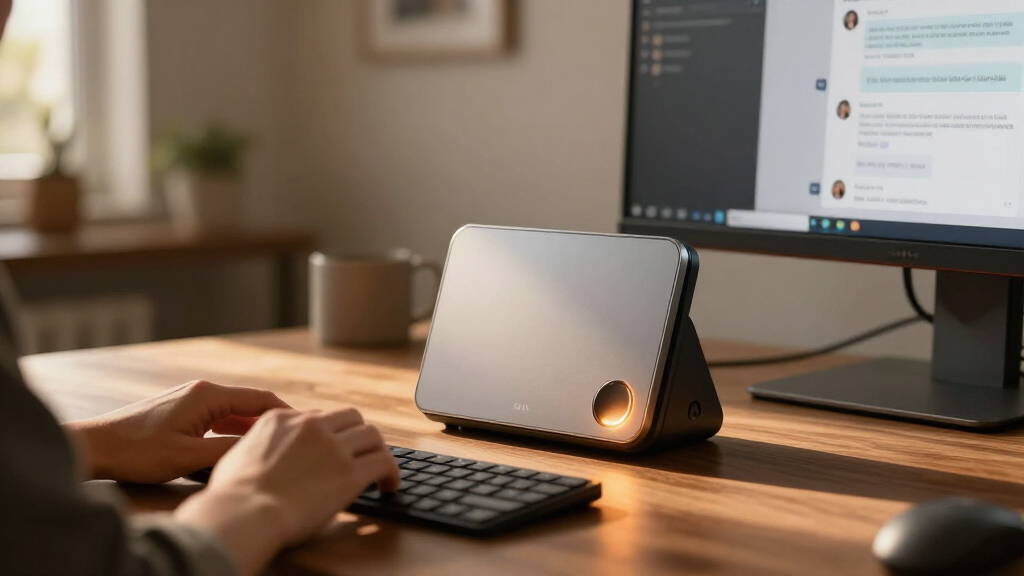
I ranked these systems by how well their stated hardware and form factor serve personal AI work, not by processor names alone. I looked at memory capacity for fitting larger models, included storage for datasets and tools, the differences between conventional PC and NVIDIA-focused platforms, and whether the product is a compact desktop, workstation, or portable laptop. Build and cooling potential, operating-system choice, and practical versatility matter because sustained AI workloads can expose limits that short tasks do not.
The MS-S1 MAX leads as a balanced workstation-style option with 128GB memory and 2TB storage. The GB10 systems rank as stronger fits for buyers seeking a dedicated NVIDIA AI environment, but their more specialized role makes them less universal recommendations. The BOSGAME, GMKtec, NIMO, and GEEKOM Ryzen systems follow according to their stated configurations and audience fit; similarly named products are not treated as interchangeable. The MacBook Air ranks for portable everyday use, rather than as a direct substitute for a high-memory AI desktop.
| personal AI computer | Processor |
|---|---|
| BOSGAME M5 AI Mini PC with AMD | AMD Ryzen AI Max+ 395, 16 cores and 32 threads, up to 5.1GHz |
| GMKtec EVO-X2 AI Mini PC with | AMD Ryzen AI Max+ 395, 16 cores and 32 threads, up to 5.1GHz |
| BOSGAME M5 AI Mini PC with AMD | AMD Ryzen AI Max+ 395, 16 cores and 32 threads, up to 5.1GHz |
| NIMO Mini PC Desktop with AMD | AMD Ryzen AI Max+ 395, 16 cores and 32 threads, up to 5.1GHz |
| MINISFORUM MS-S1 MAX Mini AI W | AMD Ryzen AI Max+ 395, 16 cores and 32 threads, up to 5.1GHz |
| ASUS Ascent GX10 Mini PC with | NVIDIA GB10 Grace Blackwell Superchip |
| BOSGAME M5 Mini PC with AMD Ry | AMD Ryzen AI Max+ 395, 16 cores, 32 threads, up to 5.1GHz |
| NIMO Mini PC with AMD Ryzen AI | AMD Ryzen AI Max+ 395, 16 cores, 32 threads, up to 5.1GHz |
| GEEKOM A9 Mega AI Workstation | AMD Ryzen AI Max+ 395, 16 Zen 5 cores |
| NVIDIA DGX Spark Personal AI D | NVIDIA GB10 Grace Blackwell Superchip |
| AMD Ryzen AI Halo Personal AI | AMD Ryzen AI Max+ 395, 16 cores and 32 threads |
| Apple MacBook Air 13-inch with | — |
| AMD Ryzen AI Halo Personal AI | AMD Ryzen AI Max+ 395, 16 cores and 32 threads |
| GMKtec EVO-X3 Mini PC with AMD | AMD Ryzen AI Max+ 395, 16 cores and 32 threads, up to 5.1GHz |
Factors to Consider When Choosing Best Personal AI Computers
Personal AI computers range from general-purpose desktops that can run local tools to purpose-built systems aimed at AI development. I’d start with the work you expect to do, then check memory, software support, and sustained performance before comparing product names. These choices can prevent an expensive mismatch between a machine’s headline capabilities and the workload you actually have.
Match memory to the models you plan to run
Memory often sets the practical ceiling for local model size, especially when a model and its working context must stay in memory together. A listed 128GB configuration gives more headroom than the MacBook Air’s 16GB, but it does not guarantee a particular model will run quickly or support every feature. Check whether the memory is shared with graphics hardware and whether the capacity can be upgraded later. Buyers who mainly use cloud AI tools may not benefit from paying for a large local-memory configuration. Estimate the model sizes and workloads you care about before treating the biggest capacity as the automatic choice.
Check software compatibility before choosing a platform
AI software can depend on specific frameworks, drivers, and acceleration libraries, so hardware capability alone does not confirm that your preferred tools will run well. NVIDIA’s GB10 systems may suit buyers building around NVIDIA’s AI environment, while Ryzen mini PCs can be attractive for people who want a more conventional Windows or Linux computer. Confirm support for your models, inference tools, development stack, and operating-system version before ordering. A familiar platform can save setup time if your projects already use it. If you are learning, a clear setup path and active software support may matter more than theoretical peak capability.
Think about sustained workloads, not short demos
Compact systems can deliver substantial computing in a small enclosure, but long-running model work puts steady demands on cooling and power delivery. A brief benchmark or product headline may not tell you how performance behaves during extended inference or development tasks. Look for detailed thermal information, fan behavior, and independent sustained-load measurements when available. A larger workstation-style enclosure may make more sense for frequent, lengthy workloads, while a compact mini PC can be a better fit when desk space matters. Avoid assuming that two systems with the same processor will behave identically under continuous load.
Leave room for models, datasets, and project files
Storage needs grow as you keep multiple model versions, datasets, checkpoints, and development environments on one machine. A 2TB SSD provides more working space than a smaller drive, but large collections can still fill it quickly. Check whether the system offers accessible storage expansion and whether additional drives will fit without adding complexity. Separating model storage from everyday files can also make backups and cleanup easier. Do not choose capacity based only on the operating system and a few applications; include the assets you expect to keep locally.
Decide how much portability you really need
A mini PC keeps the computing hardware on a desk and usually depends on an external display, keyboard, and mouse. A laptop such as the MacBook Air includes its screen and input devices, making it easier to move between work locations, but its listed 16GB memory is a different proposition from the 128GB desktop configurations here. Consider whether you need to carry the entire system or simply want a small computer that stays connected to your workspace. Also account for the display and peripherals a desktop purchase may require. Choosing for mobility when you rarely travel can mean accepting less local AI headroom than your projects need.
Pay for capability you can use, not a category label
Terms such as AI PC, AI workstation, and personal AI computer cover systems with very different strengths. A high-end machine may be worthwhile for frequent local model work, development, or experimentation, but it can be poor value if most requests go to hosted services. Before choosing a premium platform, list the tasks that must run locally and the software they require. Beginners may get more from a straightforward, well-supported system than from specialized hardware that demands extra setup. Compare the complete setup, including peripherals, storage needs, software familiarity, and expected workload duration.
Frequently Asked Questions
Is a Ryzen AI Max+ 395 mini PC or an NVIDIA GB10 system a better choice for local AI?
Neither platform is the right choice for every workload; the deciding factor is often software compatibility. The Ryzen AI Max+ 395 systems in this roundup offer a conventional mini PC route, with listed configurations that commonly include 128GB memory. The ASUS Ascent GX10 and NVIDIA DGX Spark are more specialized GB10 options for buyers who want an NVIDIA-centered AI system. Check the frameworks, drivers, and model tools your projects use before choosing. If you are unsure, favor the environment your existing code and support resources already target.
Is 128GB of memory necessary for a personal AI computer?
It is not necessary for every buyer, but it can provide room for larger local models and more demanding workflows. People mainly using hosted AI services or smaller local models may not benefit enough to justify choosing a high-memory desktop. Memory requirements also depend on the model, context length, runtime, and whether other applications are open. The MacBook Air in this roundup lists 16GB, while many of the Ryzen mini PCs list 128GB, so those systems serve different local-computing needs. Identify the models you intend to run and check their practical memory requirements before deciding.
Can I use one of these computers for both AI development and everyday work?
Yes, but the best fit depends on how much of your day involves local AI workloads. Conventional Ryzen mini PCs can serve as general desktop computers as well as development systems, subject to their operating system and software support. The GB10 options are more focused on AI computing, so buyers should confirm that their everyday applications fit the platform they select. The MacBook Air is oriented toward portable macOS use, but its listed memory makes it less comparable to the 128GB desktop systems for larger local models. Think about your regular applications alongside AI tasks rather than treating the AI label as a full account of a computer’s role.
Should I choose a desktop AI computer or the MacBook Air?
Choose a desktop if you want a stationary system with the high-memory configurations represented by many Ryzen AI options here. Choose the MacBook Air if carrying a complete computer and working in macOS are more important than matching those desktops’ listed memory capacity. A desktop also means providing your own display and input devices, while the laptop combines those parts in one system. Neither form factor automatically makes better AI software choices; check support for your particular tools. If you need serious local model capacity and travel, you may need to weigh a portable workflow against a separate desktop rather than expect one device to excel at both.
What should I verify when several listings use the same Ryzen AI Max+ 395 processor?
Check the exact memory capacity, memory type, SSD capacity, operating system, and included configuration for the specific listing. This roundup includes several similarly named BOSGAME, NIMO, and GMKtec products, and their titles do not all describe the same package. Also confirm how much storage can be added and whether the system’s ports and cooling suit your setup. A shared processor name does not establish equal sustained performance or software readiness. Compare the complete specification and seller-provided details rather than choosing from the processor label alone.
Conclusion
For most buyers seeking a desktop built around local AI work, I recommend the MINISFORUM MS-S1 MAX as best overall for its workstation-focused design, 128GB memory, and 2TB SSD. The best value direction is a Ryzen AI Max+ 395 mini PC that matches your required memory and storage without paying for a specialized platform you will not use; compare the exact BOSGAME, NIMO, GMKtec, and GEEKOM configuration. For a best premium, NVIDIA-centered choice, consider the ASUS Ascent GX10 or NVIDIA DGX Spark after confirming your software stack supports that path. For beginners, a conventional Ryzen mini PC may be easier to treat as a familiar desktop, while the MacBook Air suits those who prioritize portable everyday computing over high-capacity local models. Choose the GB10 systems for a focused NVIDIA workflow, a high-memory Ryzen workstation for broader desktop use, or the MacBook Air for mobility; those distinctions matter more than the shared AI-computer label.
Halloween Picks
halloween
As an affiliate, we earn on qualifying purchases.