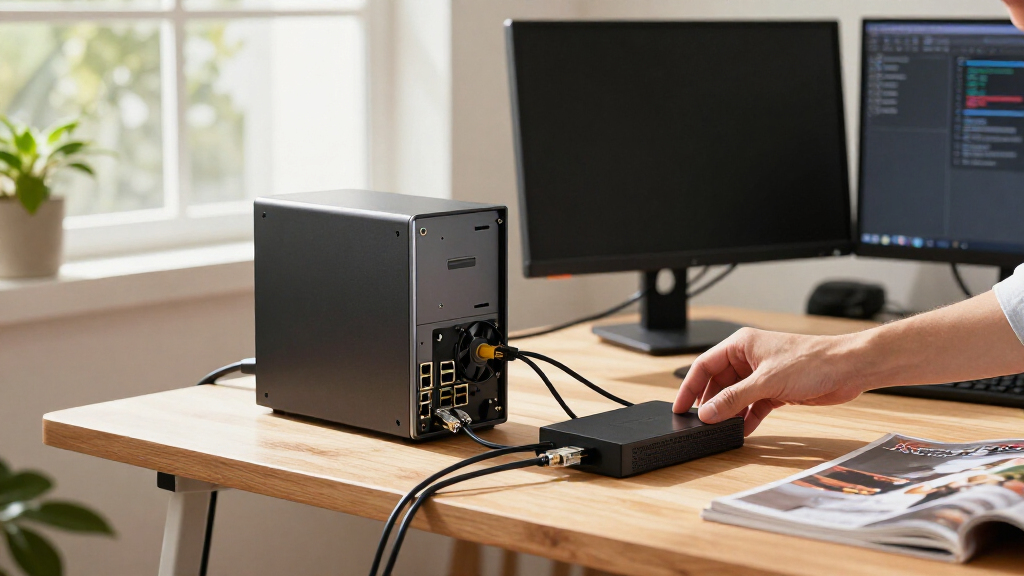

This checklist is for teams planning to deploy AI automation hardware in settings where edge computing, networking, power, cameras, and control components need to work together. Use it to organize the equipment review before choosing parts for a deployment.

Get business pricing on tech for your team
- Business-only prices and quantity discounts
- Tax-exempt purchasing
- Multiple users, one account, clear invoices
The sections follow the path from local processing through network and power infrastructure to camera input and relay control. Each named pick has a dedicated checklist slot; the USB relay section offers selection guidance without naming a product.
Use the look-for points to compare each item with your system requirements. Confirm electrical, mechanical, and interface compatibility across the full setup before ordering, especially where equipment must connect to existing devices or operate in a specific environment.
Edge AI Computer
The edge computer is the local processing point in an automation deployment, so its stated compute and power details deserve a close fit check. The listed pick is a 64GB, 275 TOPS embedded DC computer described for 12–36V drones. Treat those details as a starting point for comparison, then check whether its physical format and interfaces suit your installation.
A common buying mistake is to assume that a product described for drones automatically fits another deployment. Verify the DC input range against the supply you plan to use, and confirm connector type, mounting, available ports, and environmental requirements from the product documentation. Also check that your intended AI software and connected devices are supported; the product name alone does not establish software compatibility or deployment performance.
What to look for:
- Confirm the 12–36V DC input range matches your power plan.
- Check whether 64GB memory meets the workload requirement.
- Verify the stated 275 TOPS specification against the intended task.
- Confirm mounting dimensions and connector access in the enclosure.
- Check operating environment and software support in the documentation.
64GB 275 TOPS Embedded DC Fit for 12-36V Drones

This embedded computer is designed for drone applications, offering fast response, stable operation, and easy installation. It supports reliable flight performance with compatibility for various drone configurations.
Pros:
- High-performance GPU and CPU suitable for demanding drone tasks
- Supports multiple video encoding and decoding options
- Easy to install and configure for various drone models
- Wide operating temperature range for outdoor use
Cons:
- Complex specifications may require technical expertise for setup
- Limited information on software compatibility
- No price listed
Best for: Deployments where the stated DC range and compute specifications fit
Not ideal for: Installations needing unverified ports, software, or environmental support
Bottom line: Choose this computer only after confirming its power, mounting, and software fit for the deployment.
Industrial Ethernet Switch
The switch connects equipment that depends on a wired network, and PoE+ can be relevant when connected devices are powered over Ethernet. The listed pick is an industrial 8-port full Gigabit PoE+ switch with a DIN-rail power supply. Check the product documentation for the exact PoE+ capacity and supported standards before matching it to cameras or other endpoints.
A frequent mistake is to count ports without accounting for every connection in the system. List the devices that need network links, then leave room for any required uplinks or expansion. Verify the switch’s power input, DIN-rail fit, dimensions, and environmental specifications against the cabinet and installation. Do not assume that “industrial” or “full Gigabit” alone confirms compatibility with a particular network layout or site conditions.
What to look for:
- Count endpoint and uplink ports for the planned layout.
- Confirm PoE+ standards and total power capacity in the documentation.
- Verify the input power requirements for the supplied DIN-rail power supply.
- Check DIN-rail dimensions and cabinet clearance.
- Match operating conditions and network features to the installation.
Industrial 8-Port Full Gigabit PoE+ Switch with DIN-Rail Power Supply

This industrial-grade 8-port Gigabit PoE+ switch features 10/100/1000Base-T Ethernet ports and two uplink ports, supporting auto-negotiation and plug-and-play setup. Made of durable aluminum alloy with IP40 protection, it is suitable for industrial environments and easy to install on DIN rails.
Pros:
- Durable industrial-grade aluminum housing
- Supports wide temperature range for harsh environments
- Easy DIN-rail installation and removal
- Reliable power supply with protection features
Cons:
- Limited to industrial environments, not for home use
- No included management features or advanced configurations
Best for: Setups needing eight Gigabit ports and PoE+ capability
Not ideal for: Systems whose PoE load or network features are not confirmed
Bottom line: Confirm port count, PoE capacity, and cabinet fit before integrating this switch.
DIN Rail Power Supply
A DIN-rail supply provides a dedicated power source for compatible equipment, so its output must match the connected load and wiring plan. The listed pick is a Mean Well NDR-480-24 rated at 24V, 20A, and 480W. Compare those stated output details with the requirements of the equipment it will feed, including startup or peak demand where applicable.
A common mistake is to treat matching voltage as sufficient. Check current demand, total load, wiring, protection, and the supply’s input requirements in the documentation. Confirm the unit’s dimensions and rail mounting work in the enclosure, and ensure the intended devices accept 24V DC. If several loads share the supply, account for their combined requirements and follow installation guidance from the manufacturers.
What to look for:
- Confirm connected equipment accepts 24V DC.
- Compare combined load and peak demand with the 20A and 480W ratings.
- Verify input requirements, wiring, and protection recommendations.
- Check DIN-rail dimensions and available enclosure space.
- Review manufacturer guidance for installation and operating conditions.
Mean Well NDR-480-24 Industrial DIN Rail Power Supply, 24V 20A 480W

This industrial DIN rail power supply provides a 24V output with a 20A current, delivering up to 480 watts of power. Made by Mean Well, it is suitable for various industrial applications requiring reliable voltage regulation.
Pros:
- High reliability and stable power output
- Wide input voltage range for versatility
- Compact DIN rail design for easy installation
Cons:
- Limited to industrial applications
- No additional features like remote control or monitoring
- Made in China, which may concern some buyers
Best for: Systems whose documented load fits the stated 24V output
Not ideal for: Loads needing a different voltage or unverified power capacity
Bottom line: Match the total load and installation requirements to the supply documentation before wiring.
USB Relay Module
A USB relay module can provide a control interface between software and connected equipment, making its electrical and software fit central to the selection. No product is specified for this checklist slot, so choose a module only after identifying what the system needs to switch and how the host will communicate with it.
A common mistake is to assume USB compatibility guarantees control compatibility. Check the operating system, driver or API support, connection behavior after restart, and any isolation requirements. Compare the relay contact ratings with the load and switching method, and verify whether the module needs separate power. Confirm connector access and mounting, then test the intended control sequence in a safe setup before adding the module to a live system.
What to look for:
- Match contact ratings to the load and switching method.
- Confirm host operating system, drivers, and API support.
- Check isolation and separate power requirements.
- Verify USB connector type, cable access, and mounting.
- Review restart behavior and the intended control sequence.
Machine Vision Camera
The camera is the image input for a vision workflow, so its connection and capture characteristics need to match the application. The listed pick is a high-speed USB 3.0 industrial monochrome camera described as 0.3MP and 790fps. Check the product documentation to understand the conditions behind the stated frame rate and whether its image characteristics suit the task.
A common buying mistake is to focus on frame rate while overlooking resolution, exposure, lens, lighting, and host bandwidth. Confirm the camera’s USB 3.0 connection works with the intended computer and cable length, and check driver and software support. Verify lens or mount compatibility, field of view, and the physical space available. Monochrome output may fit some workflows, but confirm that the required visual information can be captured without color.
What to look for:
- Check whether 0.3MP resolution fits the vision task.
- Verify the conditions and settings for the stated 790fps rate.
- Confirm USB 3.0 host, cable, driver, and software compatibility.
- Match lens, mount, and field of view to the installation.
- Confirm monochrome capture suits the information required.
High Speed USB 3.0 Industrial Camera 0.3MP Monochrome 790fps

This industrial camera offers high-speed USB 3.0 transfer with a 0.3MP monochrome sensor, capable of capturing at 790 frames per second. It includes an SDK supporting multiple programming languages and systems, and supports external trigger and flash functionalities.
Pros:
- Fast data transfer speeds
- Supports multiple programming languages and systems
- External trigger and flash support
Cons:
- Limited resolution for high-detail imaging
- No mention of price or warranty details
Best for: Vision setups that fit the stated USB 3.0 and capture details
Not ideal for: Tasks requiring unverified resolution, color, or lens compatibility
Bottom line: Validate image needs, host support, and optics before choosing this camera.
Uninterruptible Power Supply
A UPS can provide battery-backed power for connected equipment, so check the load and connection plan before selecting one. The listed pick is a CyberPower PR1500LCDN, described as a 15A smart app sinewave UPS battery backup. Review its documentation for the exact output, battery, and management details that apply to your intended equipment.
A common mistake is to size a UPS by the device count alone. Add the actual power requirements of the equipment you plan to connect, and confirm the UPS output and receptacles suit those devices. Check the physical footprint, cable reach, and any needed monitoring setup. Consider which equipment should remain powered during an interruption and verify the manufacturer’s guidance for expected runtime; the product name does not establish runtime for a particular load.
What to look for:
- Compare the planned load with the UPS output capacity.
- Confirm outlet types and cable connections fit the equipment.
- Check battery behavior and runtime for the actual load.
- Verify app or monitoring requirements for the intended setup.
- Measure footprint and confirm placement and ventilation needs.
CyberPower PR1500LCDN 15A Smart App Sinewave UPS Battery Backup

The CyberPower PR1500LCDN is a 1500VA/1500W sinewave UPS designed to support active PFC and conventional power supplies. It features an extendable LCD panel, automatic voltage regulation, and multiple outlets for safeguarding servers and network devices.
Pros:
- Supports active PFC and conventional power supplies
- Removable LCD panel for easy viewing in hard-to-reach places
- Automatic voltage regulation extends battery life
- Includes a 3-year warranty and remote monitoring software
Cons:
- No specific price information available
- Requires installation space for LCD panel
- Limited to NEMA 5-15R outlets
Best for: Equipment whose power and outlet needs match the UPS documentation
Not ideal for: Loads needing unverified runtime or different output connections
Bottom line: Check actual load, outlets, and expected runtime before connecting deployment hardware.
Build the system in a power-first order: confirm load and voltage needs, then match the supply and UPS; next verify the computer, switch, camera, and relay interfaces. This order helps surface compatibility gaps before the parts are installed together.
Use the checklist as a starting point, then confirm every specification in the manufacturer documentation for your exact configuration. With the key requirements written down, you can compare options methodically and shape a deployment that fits your setup.