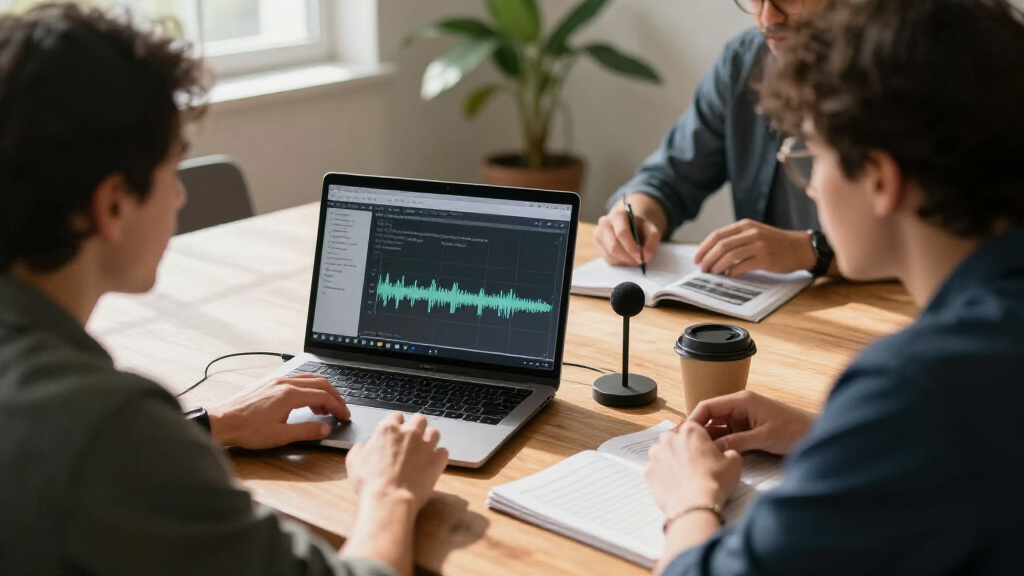
AI meeting transcription tools range from dedicated recorders to computer-linked assistants, and my best overall pick is the Plaud Note Pro for buyers who want a focused recorder with transcription and summaries. The viaim NoteKit stands out for computer-based meetings, while the soundcore Work suits buyers who value a very compact recorder. The main tradeoffs are how you capture a conversation, how much you rely on an accompanying app or membership, and whether portability or meeting-specific workflow matters most. A standalone recorder can capture conversations beyond video calls, while a computer assistant may fit desk-based meetings more naturally. Read on for the full comparison and picks by buyer type.

Get business pricing on tech for your team
- Business-only prices and quantity discounts
- Tax-exempt purchasing
- Multiple users, one account, clear invoices
Key Takeaways
- Plaud Note Pro is the strongest all-round choice in this lineup because it pairs a dedicated recorder format with transcription and summaries; the InstantView version adds a display for buyers who want at-device information.
- viaim NoteKit takes a different route from pocket recorders by focusing on computer meetings, making it a better match for desk-based calls than for capturing conversations on the move.
- soundcore Work prioritizes a coin-sized form, while larger or wearable options such as the Plaud Note and NotePin S offer other ways to carry a recorder.
- Several listings emphasize unlimited transcription or a bundled membership, but buyers should compare the included service terms and supported workflows before treating those claims as equivalent.
- The lineup spans dedicated AI recorders and the simpler EVISTR L359 with AI transcription features, so the right pick depends on whether the buyer values a purpose-built meeting workflow or a more traditional recorder format.
| Plaud Note AI Voice Recorder with Transcription and Summaries |  | Best Overall | Storage: 64 GB | Recording time: Up to 30 hours | Standby time: Up to 60 days | VIEW LATEST PRICE | See Our Full Breakdown |
| PLAUD NotePin S Wearable AI Voice Recorder, Black |  | Best Wearable | Weight: 17.28 g (0.61 oz) | Dimensions: 0.83 × 2.01 × 0.43 in | Storage: 64 GB | VIEW LATEST PRICE | See Our Full Breakdown |
| EurekaMind AI Voice Recorder & AI Note Taker, Unlimited Transcription, Lite |  | Best for Included Transcription | Weight: 29 g (1.02 oz) | Dimensions: 3.39 × 0.12 × 2.13 in | Thickness: 3 mm | VIEW LATEST PRICE | See Our Full Breakdown |
| Plaud Note Pro AI Voice Recorder with Transcription and Summaries |  | Best for Longer Recording Sessions | Thickness: 0.12 in | Weight: 1.06 oz | Microphones: Four MEMS microphones and one VPU microphone | VIEW LATEST PRICE | See Our Full Breakdown |
| Flowtica Voice Recorder – AI Note Taking Pen with Unlimited Transcription |  | Best for Multimodal Meeting Notes | Weight: 30 g | Storage: 32 GB | Recording time: Up to 30 hours | VIEW LATEST PRICE | See Our Full Breakdown |
| HUREWA AI Voice Recorder with Playback, 80GB Voice-to-Text Transcription, Summary and Translation |  | Best for Multilingual Recording | Storage: 16GB internal + 64GB expandable; 80GB total | Recording capacity: Up to 300 hours | Battery: 1500mAh; 5–7 hours continuous recording | VIEW LATEST PRICE | See Our Full Breakdown |
| Plaud Note Pro AI Voice Recorder with InstantView Display, Black and Silver |  | Best for Structured Meeting Follow-Up | Supported languages: 112 | Microphones: Four MEMS microphones and one VPU microphone | Recording range: Up to 16.4 ft (5m) in Enhance Mode | VIEW LATEST PRICE | See Our Full Breakdown |
| Comu Action Pro AI Voice Recorder with Automatic AI Docs |  | Best for Automatic Document Drafts | Battery life: Up to 70 hours | Storage: 16GB | Microphones: Four omnidirectional, one directional, and one bone-conduction | VIEW LATEST PRICE | See Our Full Breakdown |
| Pocket AI Voice Recorder with Auto Transcription, Sierra Blue |  | Best for Searchable Follow-Up | Storage: 64GB | Battery life: Up to four days | Connectivity: Bluetooth | VIEW LATEST PRICE | See Our Full Breakdown |
| soundcore Work by Anker – Coin-Sized AI Voice Recorder, 64GB, MFi-Certified |  | Best Compact Wearable Recorder | Storage: 64GB | Weight: 48g (0.35 oz, as listed) | Battery life: Up to 32 hours | VIEW LATEST PRICE | See Our Full Breakdown |
| Pocket AI Voice Recorder with Auto Transcription and AI Note Taking, Space Gray |  | Best for MagSafe Users | Color: Space Gray | Recording: One-tap recording for meetings, calls, and conversations | AI features: Transcription, summaries, action items, conversation maps, and questions across recordings | VIEW LATEST PRICE | See Our Full Breakdown |
| viaim NoteKit Computer AI Meeting Assistant Voice Recorder with Transcription |  | Best for Multilingual Computer Meetings | Compatible systems: Windows 10+ and macOS | Connectivity: Bluetooth 5.3 | Microphone pickup range: 16.4 ft (5 meters) | VIEW LATEST PRICE | See Our Full Breakdown |
| URJD AI Voice Recorder with 1-Year Pro Membership, AI Meeting Notes |  | Best for Long Recording Sessions | Storage: 64 GB | Battery life: 73 hours | Standby time: 338 days | VIEW LATEST PRICE | See Our Full Breakdown |
| Recolx Tap AI Recorder with Transcription and Summaries, 64GB |  | Best for Cross-Platform AI Workflows | Storage: 64GB | Thickness: 0.11 inches | Weight: 0.96 oz (28 g) | VIEW LATEST PRICE | See Our Full Breakdown |
| EVISTR L359 Digital Voice Recorder 128GB with AI Transcription & Summarization |  | Best for Local Recording Capacity | Storage capacity: 128 GB | Recording capacity: Up to 9,216 hours at 32kbps | Audio quality: Up to 3072Kbps HD | VIEW LATEST PRICE | See Our Full Breakdown |
| AI meeting transcription tool | Storage | Weight |
|---|---|---|
| Plaud Note AI Voice Recorder w | 64 GB | — |
| PLAUD NotePin S Wearable AI Vo | 64 GB | 17.28 g (0.61 oz) |
| EurekaMind AI Voice Recorder & | 64 GB | 29 g (1.02 oz) |
| Plaud Note Pro AI Voice Record | — | 1.06 oz |
| Flowtica Voice Recorder | 32 GB | 30 g |
| HUREWA AI Voice Recorder with | 16GB internal + 64GB expandable; 80GB total | — |
| Plaud Note Pro AI Voice Record | — | — |
| Comu Action Pro AI Voice Recor | 16GB | — |
| Pocket AI Voice Recorder with | 64GB | — |
| soundcore Work by Anker | 64GB | 48g (0.35 oz, as listed) |
| Pocket AI Voice Recorder with | — | — |
| viaim NoteKit Computer AI Meet | — | 8.53 g (0.3 oz) |
| URJD AI Voice Recorder with 1- | 64 GB | 1.74 ounces |
| Recolx Tap AI Recorder with Tr | 64GB | 0.96 oz (28 g) |
| EVISTR L359 Digital Voice Reco | — | 2.24 ounces (65 g) |
More Details on Our Top Picks
Plaud Note AI Voice Recorder with Transcription and Summaries
For buyers who need one recorder for calls and in-person meetings, the Plaud Note offers the broadest fit in this group. Its slim card shape, phone-call recording mode, and 64 GB of local storage make it easy to carry between conversations, while the app turns recordings into transcripts, summaries, mind maps, and task lists in 112 languages. Compared with the wearable PLAUD NotePin S, this is a better match for someone who wants a dedicated recorder they can keep with a phone rather than wear throughout the day. Its recording time also reaches 30 hours. The tradeoff is that transcription and AI tools depend on Plaud’s app or web service, and the included plan covers only 300 minutes per month, so frequent users may need more capacity.
Pros:- Records phone calls as well as in-person conversations
- Transcription supports 112 languages
- 64 GB local storage and up to 30 hours of recording
- Creates summaries, mind maps, and task lists
Cons:- Starter Plan is limited to 300 transcription minutes per month
- Transcription and AI features require the app or web service
Best for: People who regularly record both phone calls and face-to-face meetings and want summaries in multiple languages
Not ideal for: People who need a wearable recorder or expect to transcribe more than 300 minutes monthly without relying on a paid plan
- Storage:64 GB
- Recording time:Up to 30 hours
- Standby time:Up to 60 days
- Transcription languages:112
- Microphone:Built-in; mono and stereo modes
- Audio format:WAV
- Connectivity:Bluetooth 5
- Starter Plan:300 transcription minutes per month
Our verdict“Choose the Plaud Note if you want a versatile pocket recorder for calls and meetings, and its monthly transcription limit fits your routine.”
PLAUD NotePin S Wearable AI Voice Recorder, Black
The NotePin S is the natural pick for hands-free capture: it can be worn as a pin, clip, necklace, or wristband, with a physical button for starting a recording. That makes it better suited to people moving between interviews or meetings than the pocketable Plaud Note, which is designed to sit with a phone. It stores recordings locally in 64 GB and offers up to 20 hours of continuous recording, then syncs with desktop, web, and mobile apps for transcription and summaries in 112 languages. Its stated privacy certifications may appeal to organizations with formal data-handling requirements. The tradeoff is the same tight monthly allowance as other Plaud picks: the free plan includes 300 transcription minutes, and advanced AI use may call for a paid plan. It also lacks a headphone jack.
Pros:- Wearable as a pin, clip, necklace, or wristband
- Physical record button supports quick capture
- 64 GB local storage and 20 hours of continuous recording
- Syncs across desktop, web, and mobile apps
Cons:- Free transcription plan is limited to 300 minutes per month
- Advanced AI features may require a paid subscription
- No headphones jack
Best for: Interviewers, consultants, and field workers who want to capture conversations hands-free while moving between locations
Not ideal for: Buyers who want a conventional recorder with headphone playback or need extensive transcription on the included plan
- Weight:17.28 g (0.61 oz)
- Dimensions:0.83 × 2.01 × 0.43 in
- Storage:64 GB
- Recording time:20 hours continuous
- Standby time:40 days
- Transcription languages:112
- Audio format:MP3
- Starter Plan:300 transcription minutes per month
Our verdict“Pick the NotePin S if wearing a recorder is more practical for your work than carrying the phone-focused Plaud Note.”
EurekaMind AI Voice Recorder & AI Note Taker, Unlimited Transcription, Lite
EurekaMind Lite stands out for its included unlimited transcription and AI summaries, which may suit people who record often and want to avoid a small monthly minute allowance. The credit card-sized device supports both ambient and phone-call recording, while speaker recognition and action-item summaries help turn group conversations into more usable notes. Its 138 supported languages exceed the 112 listed for the Plaud Note and PLAUD NotePin S. The device also offers Ask AI with web search, though the description says some advanced tools, including Ask Agent, need a premium plan. That creates a less straightforward feature split than the Plaud products’ stated 300-minute Starter Plan. The thin design is easy to carry, but full AI functionality depends on a smartphone and app, and its nonstandard battery is not easily replaced.
Pros:- Starter Plan includes unlimited transcription and AI summaries
- Supports ambient and phone-call recording
- Speaker recognition and action-item summaries aid meeting review
- Supports 138 languages
Cons:- Full AI functionality requires a smartphone and app connection
- Nonstandard battery is not easily replaceable
- Some advanced features require a premium plan
Best for: Frequent meeting recorders who prioritize included unlimited transcription and speaker-separated notes
Not ideal for: People who want a self-contained recorder or prefer a device with an easily replaceable battery
- Weight:29 g (1.02 oz)
- Dimensions:3.39 × 0.12 × 2.13 in
- Thickness:3 mm
- Storage:64 GB
- Supported languages:138
- Recording modes:Ambient and phone call
- Microphone:Built-in, speech recognition mode
- Security certifications:ISO 27001, 27701, 20000, 9001
Our verdict“Choose EurekaMind Lite if included unlimited transcription matters more to you than replaceable power or app-independent use.”
Plaud Note Pro AI Voice Recorder with Transcription and Summaries
Four MEMS microphones and a VPU microphone give the Plaud Note Pro a more elaborate capture setup than the standard Plaud Note. Its stated pickup range of up to 16.4 feet in Enhance Mode may help when a meeting has several people around a table, while the AMOLED display provides recording status at a glance. Endurance Mode extends recording to as much as 50 hours, giving it the longest stated session capacity among these five picks. Notes, photos, marked moments, and questions grounded in recordings add ways to revisit context beyond a transcript. The tradeoff is that the included plan still provides only 300 transcription minutes per month; longer capture capacity does not remove that limit. It also depends on Plaud apps for its connected features.
Pros:- Four MEMS microphones plus a VPU microphone
- Up to 50 hours of recording in Endurance Mode
- AMOLED display shows device status
- Supports typed notes, photos, marked moments, and recording-based AI queries
Cons:- Included transcription plan is limited to 300 minutes per month
- Connected transcription and AI features rely on Plaud apps
- Longer transcription limits require an optional paid plan
Best for: People recording long sessions or group meetings who want a status display and multiple ways to annotate recordings
Not ideal for: Buyers who need high monthly transcription volume included or want a simple device without app-dependent AI features
- Thickness:0.12 in
- Weight:1.06 oz
- Microphones:Four MEMS microphones and one VPU microphone
- Recording time:Up to 30 hours Enhance Mode; up to 50 hours Endurance Mode
- Enhance Mode pickup range:Up to 16.4 ft (5 m)
- Display:AMOLED
- Included transcription plan:300 minutes per month
- App compatibility:Plaud Desktop, Web, and mobile app
Our verdict“Choose the Note Pro for extended recording sessions and meeting annotations, provided its transcription plan suits your monthly use.”
Flowtica Voice Recorder – AI Note Taking Pen with Unlimited Transcription
Flowtica’s pen format links recorded speech with photos and handwritten highlights, a useful combination for people who annotate slides, whiteboards, or paper during a meeting. Its stereo MEMS microphone supports speaker identification for up to 15 voices from as far as 16 feet, giving it a group-meeting focus that differs from the wearable PLAUD NotePin S. Flowtica also offers a meeting assistant for context-aware questions, while its 30-hour recording capacity supports long workdays. The included Scribe plan provides 300 minutes per month, though unlimited transcription requires a subscription. That monthly cap makes the headline promise less useful for frequent recorders unless they choose a higher plan. Continuous syncing also requires an active app connection, and the five-hour maximum session length may interrupt unusually long events.
Pros:- Combines audio, photos, and handwritten highlights in one record
- Identifies up to 15 voices from up to 16 feet
- Offers context-aware questions through its meeting assistant
- Records for up to 30 hours with 233 days of stated standby
Cons:- Included plan is limited to 300 minutes per month; unlimited transcription requires a subscription
- Continuous syncing requires an active app connection
- Maximum session length is five hours
Best for: Students and professionals who combine spoken discussion with handwritten notes or photos of meeting materials
Not ideal for: People who need long uninterrupted sessions over five hours or continuous syncing without an active app connection
- Weight:30 g
- Storage:32 GB
- Recording time:Up to 30 hours
- Standby time:233 days
- Maximum session length:5 hours
- Microphone:Built-in stereo MEMS; up to 15 voices from 16 feet
- Connectivity:Bluetooth 5
- Included Scribe plan:300 minutes per month
Our verdict“Choose Flowtica if you want meeting audio tied to written and visual notes, and your sessions fit its five-hour limit.”
HUREWA AI Voice Recorder with Playback, 80GB Voice-to-Text Transcription, Summary and Translation
Translation breadth is the HUREWA’s clearest distinction: it supports transcription in 13 languages, two-way translation in 134 online languages, and photo translation through its 5MP camera. That makes it a better fit for multilingual travel or cross-language conversations than the Pocket AI Voice Recorder, whose listed strengths center on recording summaries and follow-up questions. Its 80GB total storage can hold up to 300 hours of recordings, useful when archiving matters more than a minimal device. The tradeoffs are its 5–7 hours of continuous recording and dependence on 2.4GHz Wi-Fi for initial activation. Cloud storage starts at 5GB, and the AI assistant is limited to three free uses daily, so frequent cloud workflows may bring subscription limits into play.
Pros:- Transcription is offered in 13 languages with a stated 95% accuracy
- Two-way translation supports 134 online and 15 offline languages
- 80GB total storage supports up to 300 hours of recordings
- Local data encryption and photo translation add useful privacy and language tools
Cons:- Continuous recording is limited to 5–7 hours per charge
- Initial activation requires a 2.4GHz Wi-Fi network
- AI assistant use is limited to three times per day, and cloud storage beyond 5GB requires a subscription
Best for: Multilingual users who need on-device recordings, broad translation options, and substantial local storage
Not ideal for: People recording full workdays who need long battery life or a simple recorder that activates without a specific Wi-Fi band
- Storage:16GB internal + 64GB expandable; 80GB total
- Recording capacity:Up to 300 hours
- Battery:1500mAh; 5–7 hours continuous recording
- Display:4.1-inch HD touchscreen
- Microphones:Dual-silicon microphone design
- Transcription:13 languages; stated 95% accuracy
- Translation:134 online / 15 offline languages; photo translation in 71 online / 12 offline languages
- Camera and cloud:5MP rear camera; 5GB free cloud storage
- Activation:Initial activation requires 2.4GHz Wi-Fi
Our verdict“Choose HUREWA if translation and large local archives matter more than long recording sessions or a simpler setup.”
Plaud Note Pro AI Voice Recorder with InstantView Display, Black and Silver
The Plaud Note Pro turns recordings into several kinds of usable follow-up: speaker-labeled transcripts, summaries, mind maps, and action lists. That range gives it a stronger meeting workflow than the HUREWA AI Voice Recorder, which emphasizes translation and extended local storage. Its five-microphone array and stated 5m recording range in Enhance Mode suit shared-room discussions, while the InstantView display provides at-a-glance device feedback. The battery offers up to 30 hours in Enhance Mode or 50 hours in Endurance Mode, though that longer mode is a separate recording profile to weigh against enhanced capture. Plaud also supports typed notes, photos, and highlighted moments. Some AI features depend on its app or cloud services, and teams still need to handle recording consent and local rules themselves.
Pros:- Transcribes in 112 languages with automatic speaker labels
- Produces summaries, mind maps, and action lists from recordings
- Up to 50 hours of recording in Endurance Mode
- Combines audio with typed notes, photos, and highlighted moments
Cons:- Some AI functions rely on Plaud app or cloud services
- Enhanced recording lasts up to 30 hours, less than Endurance Mode
- Recording meetings requires attention to participant notice and local rules
Best for: Project leads and meeting-heavy professionals who want speaker-labeled notes with several formats for organizing decisions and tasks
Not ideal for: Buyers who want transcription and analysis to stay independent of an app or cloud service
- Supported languages:112
- Microphones:Four MEMS microphones and one VPU microphone
- Recording range:Up to 16.4 ft (5m) in Enhance Mode
- Battery life:Up to 30 hours in Enhance Mode; up to 50 hours in Endurance Mode
- Display:InstantView display
- AI outputs:Transcripts, summaries, mind maps, and action lists
- Input formats:Audio, typed notes, photos, and highlighted moments
- Certifications:ISO 27001/27701, SOC 2, HIPAA, GDPR, EN18031
- Included accessory:Case
Our verdict“Pick the Plaud Note Pro when turning meetings into organized follow-up materials matters more than app-independent processing.”
Comu Action Pro AI Voice Recorder with Automatic AI Docs
Comu’s defining idea is to turn recorded conversations into presentation slides, email drafts, to-do lists, and action items without requiring users to write prompts. That makes it a more document-oriented choice than the Plaud Note Pro, whose listed outputs focus on summaries, mind maps, and task lists. Its six-microphone setup combines omnidirectional, directional, and bone-conduction microphones, and the listed 70-hour battery life suits extended stretches between charges. The MagSafe-compatible body also attaches to iPhones, though the device is listed as smartphone-compatible and its AI workflow depends on the Comu app or website. Buyers should note that unlimited access applies only to basic features; anyone relying on generated documents as a regular meeting deliverable should check the service limits before choosing it.
Pros:- Automatically creates document drafts without requiring prompts
- Up to 70 hours of recording on a charge
- Six-microphone setup mixes omnidirectional, directional, and bone-conduction microphones
- Supports transcription and summarization in 113 languages
Cons:- AI features depend on the Comu app or website
- Unlimited access is limited to basic features
- Listed compatibility is for smartphones, which may not suit computer-first meeting workflows
Best for: iPhone-centered professionals who want meeting recordings converted into first-draft emails, slides, and task lists
Not ideal for: People who need AI processing outside the Comu app or website, or who expect unlimited access to every AI feature
- Battery life:Up to 70 hours
- Storage:16GB
- Microphones:Four omnidirectional, one directional, and one bone-conduction
- Supported languages:113
- Connectivity:Bluetooth, Wi-Fi, USB-C
- Phone attachment:MagSafe compatible
- Audio format:MP3
- Compatibility:Smartphones
- AI document outputs:Presentation slides, email drafts, to-do lists, and action items
Our verdict“Choose Comu Action Pro if you want recordings to become draft documents with minimal prompting and accept an app-centered workflow.”
Pocket AI Voice Recorder with Auto Transcription, Sierra Blue
Pocket’s most useful meeting feature is what happens after transcription: it can summarize recordings, pull out action items, and answer questions about them. That makes it a more conversational way to revisit a meeting than the Comu Action Pro, which emphasizes producing draft documents such as emails and slides. With 64GB of storage and up to four days of battery life, Pocket is positioned for frequent capture without constant charging or file clearing. Its MagSafe-compatible design works with compatible iOS and Android smartphones. The key tradeoff is that some advanced features require a subscription, so buyers who mainly need straightforward transcripts may be paying for capabilities they rarely use. The listed dimensions are also substantial for a device described as pocketable, so check its size against your preferred carry setup.
Pros:- AI can summarize recordings and extract action items
- Question answering helps retrieve information from recorded conversations
- 64GB storage provides room for a large recording library
- Up to four days of battery life and MagSafe compatibility support regular carry
Cons:- Some advanced features require an optional subscription
- Listed dimensions may feel large for buyers expecting a very small pocket recorder
Best for: Smartphone users who regularly revisit meetings and want to ask questions about recordings or retrieve action items
Not ideal for: People who only need basic transcription, want every AI feature without a subscription, or prefer a smaller recorder
- Storage:64GB
- Battery life:Up to four days
- Connectivity:Bluetooth
- Microphone:Built-in; speech-recognition operation
- Compatibility:MagSafe-compatible devices; iOS and Android smartphones
- Dimensions:1.77 × 3.2 × 7.4 inches
- Format:RealAudio
- AI functions:Transcription, summaries, action items, and questions about recordings
Our verdict“Pocket suits smartphone users who want to search and question meeting recordings, provided its subscription features and size fit their routine.”
soundcore Work by Anker – Coin-Sized AI Voice Recorder, 64GB, MFi-Certified
At 48g, soundcore Work is the lineup’s clearest choice for discreet, hands-free capture: it can clip to clothing, hang from a necklace, or attach to a phone. It combines transcription in 150+ languages with speaker identification and summaries organized around key points, decisions, and action items. The 300 free transcription minutes per month give occasional users a defined starting allowance, while AES-256 encryption and MFi certification speak to privacy and iPhone integration. Compared with the larger, touchscreen-equipped HUREWA AI Voice Recorder, this model favors portability over on-device controls and translation breadth. Its main constraints are the monthly transcription allowance, paid access for advanced features, and no USB audio export; iPhone 7 and earlier are unsupported.
Pros:- Lightweight 48g design can be clipped, worn as a necklace, or attached to a phone
- Transcription supports 150+ languages and includes speaker identification
- Structured summaries surface key points, decisions, and action items
- 64GB storage, 32-hour battery life, and AES-256 encryption
Cons:- Includes 300 transcription minutes per month; advanced features require a paid subscription
- Audio files cannot be exported via USB
- Not compatible with iPhone 7 or earlier
Best for: Interviewers and mobile professionals who want a lightweight wearable recorder with structured meeting summaries
Not ideal for: People who transcribe long hours each month, need direct USB audio export, or use an iPhone 7 or earlier
- Storage:64GB
- Weight:48g (0.35 oz, as listed)
- Battery life:Up to 32 hours
- Supported languages:150+
- Transcription accuracy:Up to 97%
- Compatibility:iPhone with MFi certification (not iPhone 7 or earlier) and Android
- Encryption:AES-256
- Included transcription:300 minutes per month
- In the box:Recorder, USB-C cable, necklace chain, and magnetic ring
Our verdict“Choose soundcore Work for wearable capture and multilingual summaries if its monthly transcription allowance and export limits suit your workflow.”
Pocket AI Voice Recorder with Auto Transcription and AI Note Taking, Space Gray
MagSafe attachment gives this recorder a clear use case: buyers can keep it with a compatible phone and start capturing an in-person conversation or call with one tap. It turns recordings into transcripts, summaries, and action items, then lets users ask questions across recordings, which can help when a detail from an earlier meeting resurfaces. Compared with the viaim NoteKit, Pocket emphasizes phone attachment and a four-day battery rather than multilingual coverage and encryption details. Its tradeoff is that some advanced tools require a subscription, so buyers should check which AI features are included in the core offering. This pick suits people who want a simple recording companion for a MagSafe-compatible device; those who need detailed language or security specifications may prefer a more explicitly documented alternative.
Pros:- One-tap recording for meetings, calls, and in-person conversations
- Produces transcripts, summaries, and action items
- MagSafe-compatible attachment keeps the recorder with a compatible device
- Battery life is listed at up to four days
Cons:- Some advanced features require an optional subscription
- No supported language count or encryption details are provided
Best for: People with MagSafe-compatible phones who want one-tap recording and AI follow-up across meetings and conversations
Not ideal for: Buyers who need all advanced AI features included without a subscription or need clearly specified language and security coverage
- Color:Space Gray
- Recording:One-tap recording for meetings, calls, and conversations
- AI features:Transcription, summaries, action items, conversation maps, and questions across recordings
- Compatibility:MagSafe-compatible devices
- Battery life:Up to 4 days
- Subscription:Optional premium features available by subscription
Our verdict“Choose Pocket if MagSafe attachment and cross-recording questions fit your routine, and check subscription requirements before relying on its advanced AI tools.”
viaim NoteKit Computer AI Meeting Assistant Voice Recorder with Transcription
Language breadth is NoteKit’s strongest distinction: transcription supports 78 languages and 145 dialects, making it a more natural fit for multilingual teams than the URJD AI Voice Recorder, which lists 118 languages with translation but does not specify dialect coverage. Its summaries, to-do lists, mind maps, and smart Q&A can turn a captured computer meeting into follow-up material without relying on manual notes. At 0.3 ounces, it is easy to carry, while dual microphones list a 16.4-foot pickup range. The tradeoff is an eight-hour recording limit, which gives it less headroom for long sessions than URJD’s 73-hour battery claim. Some advanced AI models may also require a paid Pro plan. Buyers handling sensitive discussions may value its stated AES-256/TLS encryption.
Pros:- Transcription supports 78 languages and 145 dialects
- Summaries, to-do lists, mind maps, and smart Q&A support meeting follow-up
- AES-256/TLS end-to-end encryption is specified
- Compact 0.3-ounce design with one-press recording
Cons:- Digital recording time is listed as eight hours
- Advanced AI models may require a paid Pro plan
Best for: People attending multilingual Windows or Mac meetings who need dialect coverage and stated encryption
Not ideal for: Users who record long sessions without access to charging or want advanced AI models without a paid plan
- Compatible systems:Windows 10+ and macOS
- Connectivity:Bluetooth 5.3
- Microphone pickup range:16.4 ft (5 meters)
- Recording format:WAV
- Digital recording time:8 hours
- Supported languages:78 languages and 145 dialects
- Weight:8.53 g (0.3 oz)
- AI features:Summaries, to-do lists, mind maps, and smart Q&A
- Security:AES-256/TLS end-to-end encryption
Our verdict“Pick NoteKit for multilingual computer meetings and stated encryption, provided its eight-hour recording capacity suits your sessions.”
URJD AI Voice Recorder with 1-Year Pro Membership, AI Meeting Notes
For people who record frequently, 73 hours of battery life and 64GB of local storage give URJD more room between charging and file management than the viaim NoteKit, which lists eight hours of recording time. It converts recordings into searchable transcripts, summaries, decisions, and action items, with support for 118 languages and translation. The included one-year Pro membership adds a defined period for using features such as Ask AI and cloud storage, while a lifetime starter plan is also listed. That setup has a time-bound tradeoff: buyers should check which tools remain available after Pro ends. AI features also depend on cloud services and app updates, so it is less suited to people who need a fully offline workflow. Its slim magnetic format and AES encryption round out the practical appeal.
Pros:- 73-hour battery life supports extended use between charges
- 64GB local storage
- Includes one year of Pro membership and a lifetime free starter plan
- Supports 118 languages with translation and AES encryption
Cons:- AI features depend on cloud services and app updates
- Pro features may require payment after the included first year
- No headphone jack is listed
Best for: Professionals and students who record many meetings or lectures and want long battery life with a year of Pro tools
Not ideal for: People who need offline AI processing or want every Pro feature to remain included after the first year
- Storage:64 GB
- Battery life:73 hours
- Standby time:338 days
- Dimensions:3.81 × 2.42 × 0.19 inches
- Weight:1.74 ounces
- Audio format:MP3
- Supported languages:118 languages with translation
- Encryption:AES
- Connectivity:Bluetooth
Our verdict“Choose URJD for long recording stretches and a year of Pro features, if cloud dependence and later plan terms work for you.”
Recolx Tap AI Recorder with Transcription and Summaries, 64GB
Cross-platform access is the Recolx Tap’s key distinction: it syncs with iOS, Android, and web, and exports to Word, PDF, MP3, and other formats. That makes it more flexible for teams moving meeting notes between devices than the EVISTR L359, whose AI workflow relies on its app and wired OTG connection. Recolx also lists real-time transcription, translation across 154+ languages, and summaries shaped as meeting records, task lists, or mind maps. Its 300 free basic minutes per month put a clear boundary on the no-cost workflow, and advanced AI requires a paid Pro plan. At 0.11 inches thick and 0.96 ounces, it is easy to carry, while AES-256 encryption is specified. Buyers should also follow applicable consent rules when recording.
Pros:- Works across iOS, Android, and web
- Supports real-time transcription and translation in 154+ languages
- Exports to Word, PDF, MP3, and 10+ formats
- 64GB storage with AES-256 encryption
Cons:- Free plan includes 300 basic minutes monthly
- Advanced AI features require a paid Pro plan
- Recording requires attention to local consent rules
Best for: Mobile professionals who switch among iOS, Android, and web and need multilingual transcription with flexible exports
Not ideal for: People who need extensive AI transcription without a paid plan or do not want to manage recording consent requirements
- Storage:64GB
- Thickness:0.11 inches
- Weight:0.96 oz (28 g)
- Languages supported:154+
- AI templates:10,000+
- Export formats:Word, PDF, MP3, and 10+ formats
- Encryption:AES-256
- Free plan:300 basic minutes monthly
- Compatibility:iOS, Android, and web
Our verdict“Choose Recolx Tap if cross-platform syncing and broad language support matter, and its free allowance or Pro plan fits your usage.”
EVISTR L359 Digital Voice Recorder 128GB with AI Transcription & Summarization
The 128GB capacity and stated storage for up to 9,216 hours at 32kbps make the EVISTR L359 the lineup’s clearest choice for buyers who keep extensive audio archives. It also offers AI transcription in 113 languages, summaries, mind maps, and speaker identification through the AI DVR Link app. Compared with the Recolx Tap, EVISTR emphasizes large onboard storage and wired transfers rather than cross-platform sync and a broad export workflow. A 33-hour battery and one-touch recording help it handle long stretches away from a charger. The tradeoff is a mono built-in microphone, which may limit separation among speakers, and AI use depends on the app and wired OTG connection. Password encryption and a 3.5mm headphone jack add useful recorder-style controls.
Pros:- 128GB storage with capacity listed up to 9,216 hours at 32kbps
- AI transcription supports 113 languages with summaries and speaker identification
- 33-hour continuous recording battery life
- One-touch recording, password protection, and a 3.5mm headphone jack
Cons:- AI features require the AI DVR Link app and wired OTG connection
- Built-in microphone is mono, which may limit multi-speaker separation
- No wireless sync is specified
Best for: Interviewers, students, and meeting-heavy professionals who keep large audio archives and can transfer files by cable
Not ideal for: Teams that need wireless syncing or strong separation of multiple speakers from recordings
- Storage capacity:128 GB
- Recording capacity:Up to 9,216 hours at 32kbps
- Audio quality:Up to 3072Kbps HD
- Battery life:33 hours continuous recording
- Weight:2.24 ounces (65 g)
- Audio formats:MP3 and WAV
- Transcription languages:113
- Microphone:Built-in mono
- Transfer interface:USB Type-C; wired OTG connection for AI workflow
Our verdict“Choose the EVISTR L359 if storage and long recording time matter more than wireless transfers or stereo capture.”
How We Picked
I ranked these AI meeting transcription tools by how directly each product serves the job of capturing a meeting and turning it into usable notes. I weighed the stated transcription and summary features, recording format, portability, playback or display options, and whether the product is aimed at computer meetings or general voice recording. I also treated membership and transcription claims as part of the ownership decision: a recorder is less useful if its ongoing workflow or service terms do not match how often someone needs transcripts.
The Plaud Note Pro leads because its dedicated recorder format and transcription-summary focus make it a well-rounded fit across meeting situations. The InstantView model earns a distinct place for buyers who value a screen, while viaim NoteKit ranks higher for users whose meetings happen mainly on a computer. Compact choices such as soundcore Work and wearable NotePin S serve portability-first buyers, and traditional-style options such as EVISTR L359 rank lower for readers seeking an integrated AI meeting workflow. Every pick has a tradeoff: no single format suits desk calls, in-person conversations, and discreet everyday carry equally well.
Factors to Consider When Choosing AI Meeting Transcription Tools
Before choosing among AI meeting transcription tools, decide how your meetings happen and what you need after the recording ends. The recorder itself is only one part of the workflow; capture method, transcript access, service terms, and review habits shape whether notes are useful later.
Match the capture method to your meetings
Start by listing where your conversations actually happen: video calls at a desk, in-person meetings, interviews, or a mix. A computer-focused assistant can fit a desk routine, while a standalone recorder can cover rooms and conversations away from your laptop. Buyers who split time across both settings should check whether one device supports both workflows or whether they would be juggling separate tools. A common mistake is choosing the smallest recorder before checking how it captures the meetings that matter most. Prioritize reliable placement and a repeatable start-and-stop routine over a form factor that sounds convenient but rarely gets used.
Check what happens after the recording
A transcript is a record of what was said; a summary is an interpretation that can help you scan it. Decide whether you need searchable verbatim text, action items, translations, or a short recap, since those outputs are not interchangeable. For decisions or assigned tasks, keep the original recording or transcript available so you can verify names and commitments. Do not assume every product’s AI summaries will follow the format your team uses. If notes must move into a particular document or collaboration workflow, confirm the export and sharing steps before buying.
Read membership and transcription terms closely
Claims such as unlimited transcription or an included Pro membership can make two similar recorders work very differently over time. Check how long any included access lasts, what features depend on an account, and whether transcription works without an ongoing plan. Buyers often focus on the device listing and overlook the service that turns audio into text. That can lead to friction if usage limits, language support, or access rules do not fit a regular meeting schedule. Choose based on the complete recording-to-notes workflow you expect to use, not just the first recording.
Balance portability with controls you will use
A coin-sized recorder, a wearable unit, and a traditional handheld device each ask for different habits. Smaller formats are easier to carry, but physical playback controls or a display may be more useful when you need to check a recording without opening another device. Think about how you will confirm recording has started, review a clip, and keep the recorder charged and ready. A mistake is treating portability as a proxy for convenience: a device that is easy to carry but awkward to operate can still miss meetings. Pick the form you can use consistently in your usual setting.
Plan for privacy and permission
Meeting recording rules and expectations vary by workplace and location, so establish how you will tell participants that a recording is taking place. Consider who can access the audio and transcripts, how long you need to retain them, and whether sensitive conversations belong in a transcription service at all. A hardware recorder does not remove those responsibilities. Before using a tool for client, personnel, or confidential discussions, check your organization’s policies and the product’s data handling information. A clear recording routine can prevent confusion and make it easier to use transcripts appropriately.
Choose for your review routine, not feature count
AI notes still need a human pass, especially when a summary assigns an owner, date, or decision. Decide whether you will review a short recap immediately, search full transcripts later, or share extracted tasks with others. Buyers can overvalue a long feature list even when their real need is simply capturing key decisions. A product that makes recording and retrieval easy may serve that need better than one with more output types. Match the tool to the amount of follow-up you can realistically maintain.
Frequently Asked Questions
Should I choose a computer meeting assistant or a separate recorder?
Choose based on where the meetings happen most often. A computer-focused option such as viaim NoteKit is aimed at desk-based calls, while a dedicated recorder can cover in-person conversations and situations away from the computer. If your schedule includes both, check whether one workflow can handle both kinds of capture without extra steps. Consider how you will start recording and retrieve notes in each setting. The most versatile choice is the one that fits your regular routine, not just an occasional use case.
Does unlimited transcription mean I will not need a paid plan?
Not necessarily; the phrase alone does not explain the length of included access or which features require an account. Check the product’s current service terms for duration, usage limits, and whether transcription or summaries depend on a membership. Also confirm whether you can still record and listen if you stop using the service. This matters most for frequent meetings, where a small difference in access terms can shape long-term usefulness. Treat the device and its transcription service as one buying decision.
Is a wearable or coin-sized recorder better for meetings?
It can be more convenient when you move between rooms or want a recorder that is easy to carry every day. A compact design does not automatically make it better for table meetings, where microphone placement and clear recording controls matter. Compare compact models such as soundcore Work and NotePin S with a traditional recorder based on where each will sit during a conversation. Consider how you will confirm recording has started and review audio afterward. Choose the smallest form that still supports your meeting habits.
Can AI summaries replace a full meeting transcript?
Summaries are useful for scanning outcomes, but they can omit context or phrase a decision too broadly. A full transcript lets you check wording, names, and the discussion behind an action item. For routine internal catch-ups, a summary may be enough after a quick review; for interviews or consequential decisions, keep access to the source recording or transcript. Check whether the product provides both outputs in the workflow you need. Treat AI-generated notes as a starting point for review rather than an unquestioned record.
What should I check before recording a work meeting?
Check your workplace policy and the rules that apply where participants are located, then tell attendees when recording is underway. Decide who may access the files and how long audio and transcripts should be kept. For sensitive discussions, ask whether an approved tool or a no-recording approach is more appropriate. Also consider whether transcripts will be shared beyond the meeting participants. A simple permission and retention routine helps prevent accidental exposure of conversations.
Conclusion
For most buyers, Plaud Note Pro is my best overall pick because it centers the meeting-to-transcript workflow in a dedicated recorder. The soundcore Work is my value-oriented choice for readers who put compact carry first, while the Plaud Note Pro with InstantView is the best premium-style option for those who want a display. Beginners should start with the recorder format that matches their meetings: a straightforward dedicated device for in-person conversations or viaim NoteKit for computer calls. For wearable carry, consider PLAUD NotePin S; for a traditional recorder format with AI transcription features, look at EVISTR L359. Check service terms and privacy needs before deciding, then choose the tool that makes capturing and retrieving your actual meetings easiest.
Evergreen bestsellers Picks
bestsellers
As an affiliate, we earn on qualifying purchases.