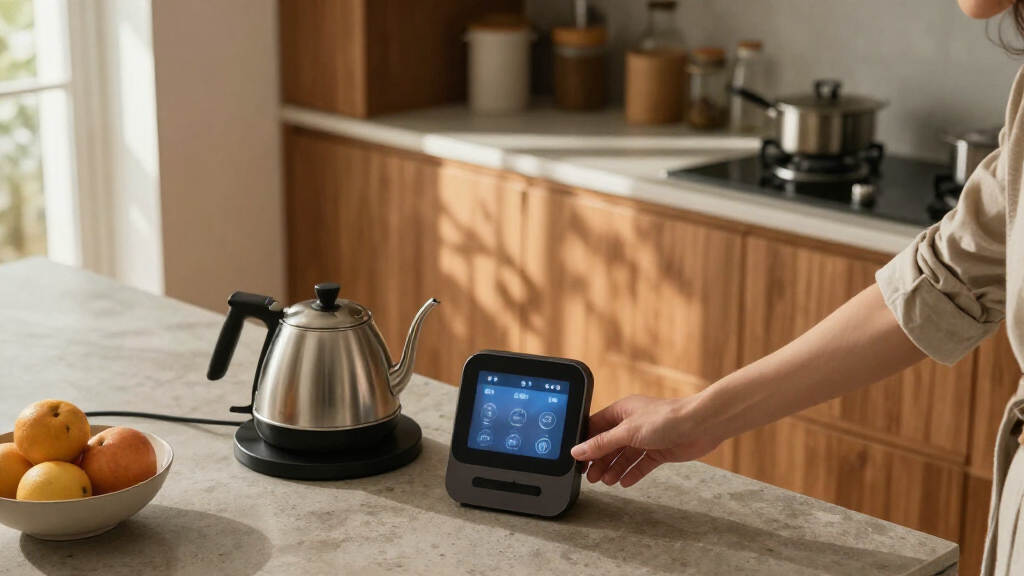

AI smart home devices can connect voice assistants, cameras, displays, and household controls, but the right choice depends on what you want AI to do. I’d pick the SwitchBot AI Smart Home Hub as the overall choice for its mix of local camera storage, Home Assistant support, and Matter bridging. For an Alexa-centered home, the Echo Show 15 (2nd Gen) adds a large screen and smart home hub, while the Echo Hub is a more focused control panel. The main tradeoffs are platform flexibility versus simplicity, and multifunction displays versus dedicated devices. Read on for how all 14 options differ and which buyer each one suits.

Get business pricing on tech for your team
- Business-only prices and quantity discounts
- Tax-exempt purchasing
- Multiple users, one account, clear invoices
Key Takeaways
- SwitchBot is the flexibility pick: Local camera storage, Home Assistant support, and a Matter bridge give it a broader role than the Alexa-first devices, though setup may suit a more hands-on owner.
- Amazon’s screen devices serve different jobs: The Echo Show 15 combines a large display with Fire TV and a built-in hub, while the Echo Hub focuses on controlling a connected home.
- Two Gemini speaker listings are closely matched: Their shared BRS-180 model name points to a similar core role; the listed RGB night light and black finish distinguish one version, so check the exact listing.
- Doorbell choices reflect different priorities: Ring offers 2K video and enhanced zoom, while Orbitell is a simpler 1080p option with two-way audio and night vision.
- Dedicated devices can beat all-in-one convenience: Echo speakers, smart displays, doorbells, and charging hubs each address different routines; buying a device for a job you do not need can add clutter rather than useful intelligence.
| SwitchBot AI Smart Home Hub with OpenClaw Support, Local Camera Storage, Home Assistant, and Matter Bridge |  | Best for Camera-Centered Automation | Model: W8002100 | Dimensions: 7.8 x 5.79 x 2.2 inches | Weight: 1.17 pounds | VIEW LATEST PRICE | See Our Full Breakdown |
| Gemini Home Speaker with AI Voice Assistant, Clock, and Night Light (BRS-180) |  | Best for a Bedside Routine | Model: BRS-180 | Color: White | Connectivity: Bluetooth | VIEW LATEST PRICE | See Our Full Breakdown |
| Amazon Echo Show 15 (2nd Gen) 15.6-Inch Full HD Smart Display with Fire TV and Built-In Smart Home Hub |  | Best for a Shared Smart-Home Hub | Display: 15.6-inch Full HD, 1920 x 1080 | Dimensions: 16.1 x 10.1 x 1.4 inches | Weight: 4.96 pounds | VIEW LATEST PRICE | See Our Full Breakdown |
| Amazon Fire TV Cube (3rd Gen) 4K Streaming Media Player with Alexa, Wi-Fi 6E |  | Best for Hands-Free TV and Alexa Control | Generation: 3rd Gen | Dimensions: 3.38 x 3.38 x 2.99 inches | Weight: 513 grams (1.13 pounds) | VIEW LATEST PRICE | See Our Full Breakdown |
| Gemini Home Speaker with AI Voice Assistant, Clock, and RGB Night Light (BRS-180), Black |  | Best for a Simple Portable Bedside Setup | Model: BRS-180 | Color: Black | Connectivity: Bluetooth | VIEW LATEST PRICE | See Our Full Breakdown |
| Amazon Echo Show 11 Smart Display with Full HD Touchscreen and Spatial Audio, Graphite |  | Best Smart Display for Connected Homes | Display: 10.95-inch Full HD touchscreen, 1920 × 1200 | Smart home hub: Zigbee, Matter, Thread Border Router | Camera: 13 MP with auto framing | VIEW LATEST PRICE | See Our Full Breakdown |
| Ring Battery Doorbell 2K (2nd Gen) with 6x Enhanced Zoom, Two-Way Talk, and Built-In Battery, Matte Mocha |  | Best for High-Detail Entryway Monitoring | Video: Retinal 2K | Field of view: 140° horizontal and 140° vertical | Enhanced zoom: Up to 6× | VIEW LATEST PRICE | See Our Full Breakdown |
| Amazon Echo Dot Max Smart Speaker with Alexa, Graphite |  | Best Compact Smart-Home Speaker | Smart home hub: Zigbee, Matter, Thread Border Router | Drivers: 1 × 0.8-inch tweeter and 1 × 2.5-inch woofer | Audio processing: Lossless High Definition; Automatic Room Adaptation | VIEW LATEST PRICE | See Our Full Breakdown |
| Azpen D115AI AI Home Companion Speaker and Wireless Charging Hub |  | Best for Family AI and Device Charging | AI features: ChatGPT-powered conversation, emotional recognition, family learning and wellness features | Speakers: Dual speakers, 5W per speaker | Wireless charging: 15W Qi with tri-coil alignment | VIEW LATEST PRICE | See Our Full Breakdown |
| Orbitell 1080p Wireless Video Doorbell Camera with Two-Way Audio and Night Vision |  | Best for Person-Filtered Motion Alerts | Video resolution: 1080p | Connectivity: 2.4 GHz Wi-Fi; not compatible with 5 GHz | Motion detection: AI-powered person detection; filters vehicles and animals | VIEW LATEST PRICE | See Our Full Breakdown |
| Amazon Echo Hub 8-Inch Smart Home Control Panel |  | Best Dedicated Smart Home Control Panel | Display: 8-inch touchscreen, 1280 × 800 resolution | Smart home connectivity: Wi-Fi, Bluetooth Low Energy Mesh, Zigbee, Thread, Matter, and Amazon Sidewalk | Wi-Fi: Dual-band 802.11a/b/g/n/ac | VIEW LATEST PRICE | See Our Full Breakdown |
| Amazon Echo Show 11 Smart Display with Full HD Touchscreen and Spatial Audio, Glacier White |  | Best Premium AI Smart Display | Display: 10.95-inch Full HD touchscreen, 1920 × 1200 resolution | Dimensions: 10 × 5 × 7.2 inches (255 × 127 × 182 mm) | Weight: 45.92 oz (1,302 g) | VIEW LATEST PRICE | See Our Full Breakdown |
| Amazon Echo Dot (5th Gen) Smart Speaker with Alexa, Charcoal |  | Best Compact Voice-Control Starter | Generation: 5th Gen | Dimensions: 3.9 × 3.9 × 3.5 inches (100 × 100 × 89 mm) | Weight: 10.7 oz (304 g) | VIEW LATEST PRICE | See Our Full Breakdown |
| Amazon Echo Show 5 Smart Display with Alexa, Charcoal |  | Best Compact Smart Display | Display: 5.5-inch touchscreen | Camera: 2 MP with built-in shutter | Speaker: 1.75-inch full-range built-in speaker | VIEW LATEST PRICE | See Our Full Breakdown |
| AI smart home device | Dimensions | Wi-Fi | Audio |
|---|---|---|---|
| SwitchBot AI Smart Home Hub wi | 7.8 x 5.79 x 2.2 inches | — | — |
| Gemini Home Speaker with AI Vo | 3.94 x 3.94 x 2.26 inches | — | — |
| Amazon Echo Show 15 | 16.1 x 10.1 x 1.4 inches | Wi-Fi 6E; supports 802.11a/b/g/n/ac | Two 2-inch woofers and two 0.6-inch tweeters |
| Amazon Fire TV Cube | 3.38 x 3.38 x 2.99 inches | Tri-band Wi-Fi 6E; supports 802.11a/b/g/n/ac/ax | — |
| Gemini Home Speaker with AI Vo | 3.94 x 3.94 x 2.26 inches | — | — |
| Amazon Echo Show 11 Smart Disp | — | Wi-Fi 6E | 1 × 2.8-inch woofer and 2 full-range drivers; spatial audio |
| Ring Battery Doorbell 2K | 2.11 × 5.78 × 1.41 inches | — | Two-Way Talk |
| Amazon Echo Dot Max Smart Spea | — | Wi-Fi 6E | — |
| Azpen D115AI AI Home Companion | 5 × 5 × 5 inches | — | — |
| Orbitell 1080p Wireless Video | — | — | Two-way audio |
| Amazon Echo Hub 8-Inch Smart H | — | Dual-band 802.11a/b/g/n/ac | Pair of top-ported full-range speakers with stereo playback |
| Amazon Echo Show 11 Smart Disp | 10 × 5 × 7.2 inches (255 × 127 × 182 mm) | Wi-Fi 6E (IEEE 802.11ax) | One 2.8-inch woofer, two full-range drivers, and spatial audio |
| Amazon Echo Dot | 3.9 × 3.9 × 3.5 inches (100 × 100 × 89 mm) | Dual-band 802.11a/b/g/n/ac, 2.4 and 5 GHz | 1.6-inch full-range driver; mono playback |
| Amazon Echo Show 5 Smart Displ | 5.8 × 3.6 × 3.2 inches (147 × 91 × 82 mm) | Dual-band 802.11a/b/g/n/ac | — |
More Details on Our Top Picks
SwitchBot AI Smart Home Hub with OpenClaw Support, Local Camera Storage, Home Assistant, and Matter Bridge
The SwitchBot AI Smart Home Hub is the strongest fit here for buyers who want AI features connected to cameras and automations, rather than a voice assistant centered on a screen or speaker. It can bring up to eight compatible cameras into one system, keep event clips on included local storage, and provide pre-installed Home Assistant plus a Matter Bridge. That makes it more flexible for a mixed smart home than the Echo Show 15, whose hub features sit alongside its display and entertainment functions. The tradeoff is that this is a more setup-oriented device: AI features require an AI+ subscription and compatible cameras, and the hub lacks IR control for TVs and air conditioners. Buyers who want a simple bedside assistant should look to the Gemini speaker instead.
Pros:- Includes a 16GB microSD card for local camera event recording.
- Supports up to eight compatible cameras, including RTSP cameras.
- Home Assistant is pre-installed, with a Matter Bridge for supported devices.
- Supports local automations for select SwitchBot BLE devices.
Cons:- AI features require an AI+ subscription and compatible cameras.
- Does not include IR control for televisions or air conditioners.
Best for: Smart-home owners with compatible cameras and SwitchBot BLE devices who want local event storage and Home Assistant-based automation.
Not ideal for: Buyers seeking an out-of-the-box voice assistant, TV or air-conditioner IR control, or AI camera features without a subscription and compatible camera.
- Model:W8002100
- Dimensions:7.8 x 5.79 x 2.2 inches
- Weight:1.17 pounds
- Included storage:16GB microSD card
- Expandable storage:Up to 1TB microSD or 16TB external hard drive
- Camera capacity:Up to 8 compatible cameras
- Connectivity:Dual-band Wi-Fi
- Smart home features:OpenClaw support, pre-installed Home Assistant, Matter Bridge
- AI requirements:AI+ subscription and compatible cameras
Our verdict“Choose this hub if camera-aware automation and expandable local storage matter more than a simple screen or speaker-based assistant.”
Gemini Home Speaker with AI Voice Assistant, Clock, and Night Light (BRS-180)
The white Gemini Home Speaker is a compact bedtime companion, not a standalone smart-home controller. Its 16 built-in sleep sounds, adjustable clock, RGB night light, and sleep timer combine several nighttime functions without requiring a phone or app just to play a sound. For AI voice access, though, its dedicated button activates an assistant on a paired device; that is less self-contained than the Echo Show 15, which puts Alexa and smart-home controls on its own display. The Gemini’s advantage is its small, portable design and up to six hours of battery playback. Its limits are equally clear: it does not offer the hub features of the SwitchBot or Echo Show 15, and it is not water resistant. Choose it for a bedside setup, not whole-home automation.
Pros:- Combines a Bluetooth speaker, clock, RGB night light, and sleep-sound machine.
- Plays 16 built-in sleep sounds without a phone, app, or subscription.
- Clock brightness can be adjusted or switched off, and settings are saved.
- Runs on USB-C power or provides up to 6 hours of wireless playback.
Cons:- Voice assistant access depends on a paired device.
- Not water resistant.
- Up to 6 hours of battery playback may not cover extended use away from power.
Best for: People who want a compact bedside speaker with built-in sleep audio, a dimmable clock, and a night light, and already have a paired device for assistant access.
Not ideal for: Buyers who need a standalone AI assistant, smart-home hub, water-resistant speaker, or all-night wireless playback beyond its stated battery life.
- Model:BRS-180
- Color:White
- Connectivity:Bluetooth
- Sleep sounds:16 built-in; customizable via PC
- Night light:RGB modes with beat-synced lighting
- Clock display:12-hour display, automatic time sync, three brightness settings
- Battery life:Up to 6 hours of wireless playback
- Maximum output power:6 watts
- Dimensions:3.94 x 3.94 x 2.26 inches
Our verdict“Pick the white Gemini for a compact bedside routine, but choose the Echo Show 15 or SwitchBot hub for broader smart-home control.”
Amazon Echo Show 15 (2nd Gen) 15.6-Inch Full HD Smart Display with Fire TV and Built-In Smart Home Hub
The Echo Show 15 earns its place as the most complete shared control point in this group: a large touchscreen for household widgets and video, paired with smart-home support for Zigbee, Matter, and Thread. Unlike the Fire TV Cube, it gives household members a visible dashboard rather than relying mainly on voice and a television. Its portrait or landscape placement and included wall mount suit a kitchen or common area, while the camera’s privacy shutter gives owners a physical way to cover it. The size is also the compromise: at 15.6 inches, it needs wall or counter space and is less discreet than a bedside Gemini speaker. Setup requires Wi-Fi, and some services may carry separate fees. Choose this when a shared screen matters as much as AI voice control.
Pros:- Large Full HD touchscreen supports portrait or landscape orientation.
- Built-in hub supports Zigbee, Matter, and Thread Border Router functions.
- Fire TV adds entertainment apps on the same display used for household widgets.
- 13MP camera includes auto-framing and a physical privacy shutter.
Cons:- Requires Wi-Fi for setup and connected functions.
- Its 15.6-inch footprint needs substantial wall or counter space.
- Some skills and services may require separate subscriptions or fees.
Best for: Households that want a shared wall-mounted or counter display for widgets, entertainment, and control of Zigbee, Matter, and Thread devices.
Not ideal for: Buyers with limited display space, those seeking a compact speaker, or anyone who wants a smart-home hub without relying on Wi-Fi.
- Display:15.6-inch Full HD, 1920 x 1080
- Dimensions:16.1 x 10.1 x 1.4 inches
- Weight:4.96 pounds
- Camera:13MP with auto-framing and privacy shutter
- Smart home connectivity:Zigbee, Matter, Thread Border Router
- Wi-Fi:Wi-Fi 6E; supports 802.11a/b/g/n/ac
- Audio:Two 2-inch woofers and two 0.6-inch tweeters
- Orientation:Landscape or portrait
- Processor:Octa-core SoC with Amazon AZ2 neural network engine
Our verdict“Choose the Echo Show 15 if your household wants one large shared screen for smart-home controls and entertainment.”
Amazon Fire TV Cube (3rd Gen) 4K Streaming Media Player with Alexa, Wi-Fi 6E
The Fire TV Cube is the entertainment-first pick: it combines hands-free Alexa, a fast octa-core processor, and 4K video support in a small box that connects to a television. Compared with the Echo Show 15, it gives up the large touchscreen and built-in Zigbee, Matter, and Thread hub, but makes more sense for buyers who want voice control and streaming centered on their TV. HDMI input and output add connection options for compatible equipment, while the microphone-off button provides a direct privacy control. The tradeoffs depend on the setup: Wi-Fi 6E needs a compatible router and network settings, and 4K or HDR benefits require compatible equipment and content. This is not a standalone room dashboard or camera hub like the SwitchBot.
Pros:- Supports up to 4K at 60 fps with Dolby Vision, HDR formats, and Dolby Atmos.
- Hands-free Alexa works alongside an included voice remote.
- Octa-core processor and Wi-Fi 6E support fast streaming when paired with compatible equipment.
- HDMI input and output, Ethernet, USB-A, and IR extender offer connection options.
Cons:- Wi-Fi 6E requires a compatible router, 6GHz band, and WPA3 encryption.
- 4K and HDR playback depend on compatible equipment, content, and services.
- Unlike the Echo Show 15, it has no touchscreen dashboard or built-in Zigbee, Matter, and Thread hub.
Best for: TV owners who want hands-free Alexa, 4K streaming, and voice control of compatible entertainment devices from one compact media player.
Not ideal for: Buyers seeking a touchscreen dashboard, a built-in Zigbee/Matter/Thread hub, or smart-home control independent of a television setup.
- Generation:3rd Gen
- Dimensions:3.38 x 3.38 x 2.99 inches
- Weight:513 grams (1.13 pounds)
- Processor:Octa-core: 4 x 2.2GHz and 4 x 2.0GHz
- Storage and memory:16GB storage; 2GB memory
- Wi-Fi:Tri-band Wi-Fi 6E; supports 802.11a/b/g/n/ac/ax
- Video:Up to 2160p at 60 fps; Dolby Vision, HDR 10, HDR10+, and HLG
- Ports:HDMI 2.1 input and output, IR extender, USB-A 2.0, Ethernet, power
- Voice control:Hands-free Alexa; includes Alexa Voice Remote
Our verdict“Choose the Fire TV Cube if your main goal is hands-free Alexa and high-resolution streaming through a television.”
Gemini Home Speaker with AI Voice Assistant, Clock, and RGB Night Light (BRS-180), Black
The black Gemini Home Speaker offers the same compact mix of clock, sleep sounds, and RGB lighting as the white BRS-180, so the choice between them is primarily a color and placement preference rather than a different feature set. It suits buyers who want 16 built-in sleep sounds and simple timers without opening an app; a PC can be used to customize sounds. Its dedicated assistant button works with a paired phone, tablet, or laptop, unlike the Echo Show 15, which provides its own screen and Alexa experience. That keeps the Gemini small and portable, but also limits its role in a smart home: it is not a hub, and the assistant depends on another device. Battery playback lasts up to six hours, and the unit is not water resistant.
Pros:- Combines Bluetooth audio, 16 sleep sounds, RGB lighting, and an auto-syncing clock.
- Sleep timers and sound customization are available without a dedicated app.
- Clock brightness is adjustable, with an option to turn the display off.
- Can run from USB-C power or use its rechargeable battery for up to 6 hours.
Cons:- AI assistant access requires a paired smartphone, tablet, or laptop.
- Not water resistant.
- Does not provide the smart-home hub functions of the Echo Show 15 or SwitchBot hub.
Best for: Buyers who prefer a black, portable bedside speaker with built-in sleep sounds, a clock, and lighting, and have a paired device for AI assistant access.
Not ideal for: People looking for an independent smart-home controller, water resistance, or longer wireless playback than the stated six hours.
- Model:BRS-180
- Color:Black
- Connectivity:Bluetooth
- Sleep sounds:16 built-in
- Clock display:12-hour, auto-syncing, adjustable brightness with off setting
- Speaker output:6 watts; 50mm speaker driver
- Battery life:Up to 6 hours of wireless playback
- Power input:5 volts via USB-C
- Dimensions:3.94 x 3.94 x 2.26 inches
Our verdict“Choose the black Gemini for a portable bedside audio and lighting setup, not as the main AI controller for your home.”
Amazon Echo Show 11 Smart Display with Full HD Touchscreen and Spatial Audio, Graphite
The Echo Show 11 is the strongest fit here for a home where AI voice control needs to work alongside several kinds of smart devices. Its built-in Zigbee, Matter, and Thread hub reduces the need for separate bridges, while presence and temperature sensing can support routines beyond simple spoken commands. The large Full HD screen also gives calendars, recipes, and video calls room to breathe. Compared with the Echo Dot Max, this is the better choice for visual tasks and calls; the Dot Max takes up less space and focuses more on audio. The tradeoff is its larger footprint and weight, and its smart-home features depend on compatible devices. Privacy controls include a physical camera and microphone disable button, but buyers who want a compact voice hub should choose a smaller speaker.
Pros:- Built-in Zigbee, Matter, and Thread support connects compatible devices without a separate hub
- 10.95-inch Full HD screen makes calendars, recipes, and video calls easier to view
- 13 MP auto-framing camera helps keep callers in view during video calls
- Physical camera and microphone disable button adds a direct privacy control
Cons:- Larger and heavier than the Echo Dot Max, so it needs more counter or shelf space
- Bluetooth speakers that require PIN codes are not supported
Best for: Households that want a visual Alexa control point, broad smart-home protocol support, and a screen for recipes, calendars, and video calls
Not ideal for: Buyers who need a small, easily tucked-away speaker or whose home devices are not compatible with Alexa, Zigbee, Matter, or Thread
- Display:10.95-inch Full HD touchscreen, 1920 × 1200
- Smart home hub:Zigbee, Matter, Thread Border Router
- Camera:13 MP with auto framing
- Audio:1 × 2.8-inch woofer and 2 full-range drivers; spatial audio
- Wi-Fi:Wi-Fi 6E
- Processor:AZ3 Pro with AI Accelerator
- Sensors:Ambient temperature, ambient light, presence detection, camera
- Dimensions and weight:10 × 5 × 7.2 inches; 45.92 oz
Our verdict“Choose the Echo Show 11 if you want a screen-first Alexa hub with broad device support, and skip it if you mainly need a compact voice speaker.”
Ring Battery Doorbell 2K (2nd Gen) with 6x Enhanced Zoom, Two-Way Talk, and Built-In Battery, Matte Mocha
The Ring Battery Doorbell 2K prioritizes a clear view of the entry over advanced smart-home control. Its 140° horizontal and vertical field of view helps cover more of the area around a door, while up to 6× enhanced zoom can make distant details easier to inspect. The built-in battery avoids a required wired installation, and Two-Way Talk lets residents respond remotely. Compared with the Orbitell M52, this Ring model offers 2K video rather than 1080p and works with select Alexa devices; Orbitell highlights person detection that filters vehicles and animals. The Ring tradeoff is that some video history and AI features require a Ring Protect subscription. It also uses single-band 2.4 GHz Wi-Fi, and the USB-C charging cable is not included.
Pros:- Retinal 2K video and up to 6× enhanced zoom help inspect details near the door
- 140° horizontal and vertical field of view covers a broad entry area
- Built-in rechargeable battery supports installation without a wired doorbell connection
- Two-Way Talk and select Alexa compatibility support remote visitor response
Cons:- Some video history and AI features require a compatible Ring Protect subscription
- USB-C charging cable is not included
- Uses single-band 2.4 GHz Wi-Fi, and video quality can vary with internet bandwidth
Best for: Homeowners or renters seeking a battery-powered doorbell with a wide view, zoom, and Alexa-device compatibility
Not ideal for: Buyers who want subscription-free access to video history and AI features, or need dual-band Wi-Fi support
- Video:Retinal 2K
- Field of view:140° horizontal and 140° vertical
- Enhanced zoom:Up to 6×
- Audio:Two-Way Talk
- Power and charging:Built-in lithium-ion battery; USB-C charging, cable not included
- Connectivity:Wi-Fi 4, 2.4 GHz single band
- Operating temperature:-4°F to 120°F (-20°C to 48.5°C)
- Dimensions:2.11 × 5.78 × 1.41 inches
Our verdict“Pick the Ring if detailed entryway video and battery-powered installation matter more than subscription-free video history or person filtering.”
Amazon Echo Dot Max Smart Speaker with Alexa, Graphite
The Echo Dot Max is the most compact way in this group to add Alexa routines and a capable smart-home hub without making a display the center of the room. It supports Zigbee, Matter, and Thread, and presence and temperature sensors can trigger routines based on the room rather than a spoken request. Its room-adapting audio and larger woofer give it a stronger music focus than the Echo Show 11, while the Show is more useful for calls, calendars, and visual controls. This speaker can also extend a compatible eero network, but that feature requires an eero router and has limits on connected devices and speed. The compact form still cannot match a display for visual information, and Bluetooth speakers requiring PIN codes are unsupported.
Pros:- Zigbee, Matter, and Thread support brings several smart-home standards into one compact speaker
- Presence and temperature sensing can support context-based routines
- Room-adapting audio and a 2.5-inch woofer suit music listening better than a basic voice-only hub
- eero Built-in can add up to 1,000 square feet of coverage on compatible eero networks
Cons:- eero Built-in requires a compatible router, linked accounts, and setup through the eero app
- eero extension supports up to 10 connected devices on 5 GHz, with speeds up to 100 Mbps
- No display for visual controls, video calls, or at-a-glance household information
Best for: People who want a compact Alexa speaker that can serve as a smart-home hub and use presence or temperature in routines
Not ideal for: Buyers who need a screen for video calls, recipes, or calendars, or who expect the eero extension to work without a compatible eero setup
- Smart home hub:Zigbee, Matter, Thread Border Router
- Drivers:1 × 0.8-inch tweeter and 1 × 2.5-inch woofer
- Audio processing:Lossless High Definition; Automatic Room Adaptation
- Wi-Fi:Wi-Fi 6E
- Processor:AZ3 with AI Accelerator
- Sensors:Ambient temperature, ambient light, presence detection
- eero Built-in:Up to 1,000 sq. ft. additional coverage; compatible eero router and account required
- Dimensions and weight:4.27 × 4.27 × 3.9 inches; 17.82 oz
Our verdict“Choose the Echo Dot Max for a compact audio-and-routines hub, but choose the Echo Show 11 if you need a screen-led smart-home station.”
Azpen D115AI AI Home Companion Speaker and Wireless Charging Hub
The Azpen D115AI takes a different route from the Alexa-centered devices here: it combines ChatGPT-powered conversation and family-oriented learning features with a Bluetooth speaker and a 15W Qi charging pad. That makes it a more natural fit for a shared desk or bedside table than the Echo Dot Max, which offers a more developed smart-home role through Zigbee, Matter, and Thread support. Azpen’s listed strengths are conversation, calling, and charging rather than control of connected lights or sensors, so buyers should not treat it as a replacement for a smart-home hub. It can charge up to three devices simultaneously, but the product information does not specify battery life, and its non-waterproof design limits placement. Its AI features may appeal to families, though the supplied details do not clarify service requirements or setup.
Pros:- Combines ChatGPT-powered conversation, family learning features, hands-free calling, and Bluetooth audio
- 15W Qi charging with tri-coil alignment supports compatible phones
- Can charge up to three devices simultaneously
- Dual 5W speakers and a long-range microphone support shared listening and voice interaction
Cons:- Product details do not specify battery life
- Not waterproof, limiting suitable placement near sinks or outdoors
- No listed Zigbee, Matter, or Thread smart-home hub support
Best for: Families seeking a conversation-focused companion speaker with homework and wellness features, plus a shared wireless charging spot
Not ideal for: Smart-home owners who need Matter, Zigbee, or Thread control, or anyone needing a water-resistant speaker or clearly specified battery endurance
- AI features:ChatGPT-powered conversation, emotional recognition, family learning and wellness features
- Speakers:Dual speakers, 5W per speaker
- Wireless charging:15W Qi with tri-coil alignment
- Simultaneous charging:Up to 3 devices
- Connectivity:Wi-Fi and Bluetooth 5.2
- Microphone:Built-in, long-range
- Dimensions:5 × 5 × 5 inches
- Waterproofing:Not waterproof
Our verdict“Choose the Azpen D115AI for family conversation features and multi-device charging, not as the main controller for a connected smart home.”
Orbitell 1080p Wireless Video Doorbell Camera with Two-Way Audio and Night Vision
The Orbitell M52 is the doorbell pick for buyers who value AI person detection more than maximum video detail. Its motion system identifies people and filters vehicles and animals, which can make alerts more relevant than a basic motion trigger. Infrared night vision and two-way audio add useful coverage after dark and a way to speak with visitors remotely. Compared with the Ring Battery Doorbell 2K, Orbitell offers 1080p rather than 2K video and does not list Alexa compatibility, but it specifies person filtering and an IP65 rating for indoor or outdoor use. The tradeoffs are a strict 2.4 GHz Wi-Fi requirement and subscription-gated pre-capture recording. Buyers should also check that their network supports 2.4 GHz before choosing it.
Pros:- AI person detection filters vehicles and animals to focus alerts on people
- Infrared night vision supports monitoring in darkness
- Two-way audio allows real-time communication with visitors
- IP65-rated design is intended for indoor and outdoor use
Cons:- Connects only to 2.4 GHz Wi-Fi and is not compatible with 5 GHz networks
- Pre-capture recording requires a cloud subscription
- 1080p resolution provides less detail than the Ring Battery Doorbell 2K
Best for: Households wanting person-focused motion alerts, night vision, and two-way visitor communication on a 2.4 GHz Wi-Fi network
Not ideal for: Buyers with only 5 GHz Wi-Fi, those who need 2K detail or listed Alexa integration, or anyone unwilling to subscribe for pre-capture recording
- Video resolution:1080p
- Connectivity:2.4 GHz Wi-Fi; not compatible with 5 GHz
- Motion detection:AI-powered person detection; filters vehicles and animals
- Audio:Two-way audio
- Night vision:Infrared LEDs
- Cloud storage:AES-128 encrypted; subscription required for pre-capture recording
- Weather resistance:IP65
- Dimensions and weight:1.77 × 1.34 × 5.4 inches; 6.08 oz
Our verdict“Pick the Orbitell M52 if person-filtered alerts matter more than 2K video, 5 GHz compatibility, or subscription-free pre-capture recording.”
Amazon Echo Hub 8-Inch Smart Home Control Panel
The Echo Hub is the clearest choice here for buyers who want a fixed command center, not a general-purpose screen. Its customizable dashboard puts compatible lights, cameras, security devices, and routines within reach, while Zigbee, Thread, and Matter support lets it connect directly with a broad mix of devices. Compared with the Echo Show 11, it gives more space to home controls and less emphasis to video calls, entertainment, and everyday display use. That focus is useful for a hallway or shared household spot, but it also means this is not a portable screen or a strong pick for media. Wall mounting hardware is included; a tabletop stand, cable pass-throughs, and PoE adapter are separate purchases. Setup also requires an internet connection.
Pros:- Customizable dashboard lets users arrange and resize smart device controls
- Built-in support for Wi-Fi, Zigbee, Thread, and Matter covers a wide device mix
- Wall mount is included, with compatible wired power options available
- Microphone-off button and recycled materials add privacy and sustainability features
Cons:- Internet connection is required for setup
- Tabletop stand, cable pass-throughs, and PoE adapter are sold separately
- Not designed for handheld or portable use
Best for: Smart home owners who want a wall-mounted, customizable control panel for routines, cameras, and compatible devices
Not ideal for: Buyers who want a portable display, video-call device, or screen for frequent entertainment use
- Display:8-inch touchscreen, 1280 × 800 resolution
- Smart home connectivity:Wi-Fi, Bluetooth Low Energy Mesh, Zigbee, Thread, Matter, and Amazon Sidewalk
- Wi-Fi:Dual-band 802.11a/b/g/n/ac
- Audio:Pair of top-ported full-range speakers with stereo playback
- Sensors:Passive infrared proximity sensor and ambient light sensor
- Power:12.5 W adapter included; compatible USB-C PD accessories supported
- Installation:Wall mount included; tabletop stand sold separately
- Power over Ethernet:Supported with compatible USB-C converter and IEEE 802.3at or 802.3bt support
Our verdict“Choose the Echo Hub for a fixed, control-first smart home station; pick the Echo Show 11 instead if calls and media matter just as much.”
Amazon Echo Show 11 Smart Display with Full HD Touchscreen and Spatial Audio, Glacier White
The Echo Show 11 is the most rounded choice in this group for a kitchen or shared room where smart home control should sit alongside video calls, recipes, calendars, and entertainment. Its 10.95-inch Full HD screen gives more room for dashboards and viewing than the Echo Show 5, while spatial audio and a 13 MP auto-framing camera make it better suited to media and calls than the control-focused Echo Hub. The built-in Zigbee, Matter, and Thread hub also reduces the need for a separate bridge for compatible devices. Its larger footprint and 1,302 g weight make it a countertop fixture rather than a flexible, room-to-room screen. Privacy controls can disable the camera and microphone, though buyers who prefer a camera-free display may favor the Echo Hub.
Pros:- Large Full HD touchscreen provides ample room for controls and video
- Built-in Zigbee, Matter, and Thread hub connects compatible smart home devices
- 13 MP auto-framing camera supports video calls and live view
- Microphone and camera disable button plus in-device and app camera controls
Cons:- Larger and heavier than the Echo Show 5, so it takes more counter space
- Bluetooth speakers that require PIN codes are not supported
- Hands-free voice control of connected mobile devices is not supported for Mac OS X devices
Best for: Households seeking one prominent kitchen or living-room display for smart home controls, video calls, recipes, and media
Not ideal for: Buyers who need a compact screen, a dedicated wall control panel, or a camera-free device
- Display:10.95-inch Full HD touchscreen, 1920 × 1200 resolution
- Dimensions:10 × 5 × 7.2 inches (255 × 127 × 182 mm)
- Weight:45.92 oz (1,302 g)
- Camera:13 MP with auto framing and 3.3× zoom
- Audio:One 2.8-inch woofer, two full-range drivers, and spatial audio
- Wi-Fi:Wi-Fi 6E (IEEE 802.11ax)
- Smart home hub:Zigbee, Matter, and Thread Border Router
- Sensors:Ambient temperature, ambient light, presence detection, and camera-based Omnisense technology
- Privacy controls:Microphone and camera disable button; camera controls on device and in app
Our verdict“Pick the Echo Show 11 if you want a premium all-in-one household display, but choose the Echo Hub for a more dedicated wall control station.”
Amazon Echo Dot (5th Gen) Smart Speaker with Alexa, Charcoal
The Echo Dot (5th Gen) is the simplest entry point in this set for voice-first smart home control. Its compact speaker handles Alexa questions, timers, alarms, and compatible device commands without taking up the counter space required by the Echo Show 11 or Echo Hub. It can also pair with other Echo devices or Fire TV, and its Matter and Bluetooth Low Energy Mesh support broadens its usefulness beyond basic voice requests. The tradeoff is that there is no screen for camera views, visual routines, or video calls, and its mono 1.6-inch driver is less suited to room-filling audio than the Echo Show 11. The optional eero coverage extension is useful only for households with a compatible eero router, so I would not choose this speaker for that feature alone.
Pros:- Small footprint fits easily on a desk, bedside table, or kitchen counter
- Alexa supports hands-free questions, alarms, timers, and compatible smart home control
- Matter and Bluetooth Low Energy Mesh support connect compatible devices
- Can pair with compatible Echo devices or Fire TV for multi-room audio or home theater
Cons:- No touchscreen for viewing camera feeds, routines, or visual information
- eero Built-in requires a compatible eero router, account linking, and the eero app
- Some skills and services may require subscriptions or other fees
Best for: First-time smart home buyers who want a small Alexa speaker for voice commands, timers, and compatible device control
Not ideal for: Buyers who need a visual dashboard, camera monitoring screen, video calls, or fuller audio playback
- Generation:5th Gen
- Dimensions:3.9 × 3.9 × 3.5 inches (100 × 100 × 89 mm)
- Weight:10.7 oz (304 g)
- Audio:1.6-inch full-range driver; mono playback
- Audio bandwidth:62 Hz–19 kHz (at volume 6)
- Wi-Fi:Dual-band 802.11a/b/g/n/ac, 2.4 and 5 GHz
- Smart home compatibility:Wi-Fi, Bluetooth Low Energy Mesh, and Matter
- eero Built-in:Up to 1,000 sq. ft. additional coverage; requires a compatible eero router
- Privacy:Multiple privacy controls, including a microphone-off button
Our verdict“Choose the Echo Dot for low-footprint, voice-led control; step up to the Echo Show 5 if you need a screen and camera.”
Amazon Echo Show 5 Smart Display with Alexa, Charcoal
The Echo Show 5 suits buyers who want a small visual assistant rather than the larger, more immersive Echo Show 11. Its 5.5-inch touchscreen can show at-a-glance information, stream content, and support compatible smart home controls, while the 2 MP camera adds video calls and home monitoring. A built-in shutter and microphone/camera-off button offer more direct privacy control than a speaker-only option such as the Echo Dot, but the screen and speaker are modest next to the Show 11’s Full HD panel and spatial audio. This is a practical bedside or desk device, not a central home dashboard: the supplied details do not list Zigbee, Thread, or Matter hub support. Buyers should also note that it does not support ad-hoc or peer-to-peer Wi-Fi networks.
Pros:- Compact touchscreen offers at-a-glance information, streaming, and video calls
- Built-in camera supports video calling and compatible home monitoring
- Camera shutter and microphone/camera-off button provide direct privacy controls
- Uses recycled polyester yarn and recycled aluminum, with recyclable packaging
Cons:- Small 5.5-inch display is less suited to shared viewing or detailed dashboards than the Echo Show 11
- Does not support ad-hoc or peer-to-peer Wi-Fi networks
- Some skills and services may require subscriptions or other fees
Best for: People who want a compact bedside or desk display for quick information, video calls, and basic compatible smart home controls
Not ideal for: Households needing a large control dashboard, a built-in multi-standard smart home hub, or a display for shared-room viewing
- Display:5.5-inch touchscreen
- Camera:2 MP with built-in shutter
- Speaker:1.75-inch full-range built-in speaker
- Dimensions:5.8 × 3.6 × 3.2 inches (147 × 91 × 82 mm)
- Weight:16.1 oz (456 g)
- Wi-Fi:Dual-band 802.11a/b/g/n/ac
- Bluetooth:A2DP and AVRCP support
- Processor:MediaTek MT 8169
- Privacy and materials:Microphone/camera-off button and camera shutter; recycled polyester yarn and aluminum
Our verdict“Choose the Echo Show 5 for a compact screen and camera at a bedside or desk; choose the Echo Show 11 for a room-wide display and broader built-in hub support.”
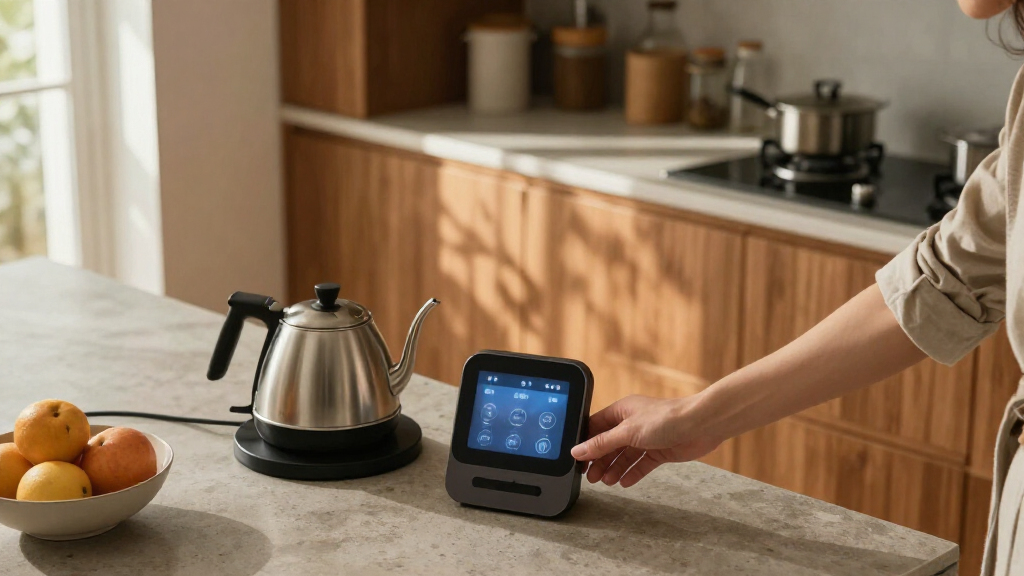
How We Picked
I ranked these devices by how clearly their AI or smart-home features solve a household need, then compared platform compatibility, interaction options, and the role each product can play in a connected setup. Devices with broader control or integration potential rank ahead of products that mainly add one convenient function, provided that broader capability has a clear use for buyers.
I also weighed ease of use, versatility, and practical tradeoffs: a screen can make controls easier to see, but takes up more space; a dedicated hub may integrate a home more flexibly, but can ask more of its owner. The lineup includes repeated product families and finish variants, so I treat near-matches as alternatives rather than pretending their core capabilities differ. Rankings reflect the stated features and buyer fit, not hands-on testing.
| AI smart home device | Wi-Fi |
|---|---|
| SwitchBot AI Smart Home Hub wi | — |
| Gemini Home Speaker with AI Vo | — |
| Amazon Echo Show 15 | Wi-Fi 6E; supports 802.11a/b/g/n/ac |
| Amazon Fire TV Cube | Tri-band Wi-Fi 6E; supports 802.11a/b/g/n/ac/ax |
| Gemini Home Speaker with AI Vo | — |
| Amazon Echo Show 11 Smart Disp | Wi-Fi 6E |
| Ring Battery Doorbell 2K | — |
| Amazon Echo Dot Max Smart Spea | Wi-Fi 6E |
| Azpen D115AI AI Home Companion | — |
| Orbitell 1080p Wireless Video | — |
| Amazon Echo Hub 8-Inch Smart H | Dual-band 802.11a/b/g/n/ac |
| Amazon Echo Show 11 Smart Disp | Wi-Fi 6E (IEEE 802.11ax) |
| Amazon Echo Dot | Dual-band 802.11a/b/g/n/ac, 2.4 and 5 GHz |
| Amazon Echo Show 5 Smart Displ | Dual-band 802.11a/b/g/n/ac |
Factors to Consider When Choosing AI Smart Home Devices
Before choosing among these AI smart home devices, decide what problem you want to solve and what platform already runs your home. A device that fits your routines and other equipment will usually help more than one with the longest feature list.
Start With the Job, Not the AI Label
Write down the task you want the device to handle: controlling lights, showing a family calendar, answering voice requests, or watching an entryway. Then decide whether it needs to work on its own or connect several existing devices. A speaker can be a good voice endpoint, but it does not replace a control panel or video doorbell. A display can combine tasks, yet it may be unnecessary if you only need voice control. A common buying mistake is paying for a screen or camera feature that does not fit daily routines. Choose the device whose main job will be used regularly, and treat extra functions as bonuses.
Check Compatibility Before Adding a Hub
Smart home devices may depend on a particular assistant, wireless standard, or bridge to communicate with other equipment. Before buying, list the devices you already own and check their supported platforms and connection methods. Matter support can help compatible products work across ecosystems, but it does not make every device or feature universally compatible. Home Assistant support may appeal to owners who want more control, though setup and upkeep can take more attention than a basic voice assistant. Avoid buying a hub based on its protocol list alone; confirm that it supports the specific devices and automations you want. If you are starting from scratch, a single ecosystem may be simpler than mixing platforms.
Choose a Screen Size That Fits Its Location
A large smart display can make shared calendars, media, and home controls easier to see, but it needs a suitable wall or counter location. Smaller displays fit bedrooms and compact surfaces, while an eight-inch control panel is aimed more at managing devices than replacing a television or family dashboard. Think about viewing distance, glare, power access, and whether people will use touch controls or voice. Do not assume a bigger screen automatically gives you better home control; the interface and supported device links matter too. If the display will sit in a communal area, check whether its media and information features suit everyone who uses the room. If it has no natural place, a speaker or dedicated panel may be a better fit.
Compare Privacy and Recording Needs
For cameras and doorbells, decide whether you need live viewing, recorded clips, zoom, night visibility, or local storage. These capabilities answer different questions: live two-way talk helps with a visitor now, while saved footage matters when you need to review an event later. Check where video is stored, what account or subscription may be needed, and how long recordings remain available. Local storage can reduce reliance on cloud recording, but it may require more setup or a compatible storage arrangement. Consider who can access camera feeds and where cameras will point before adding them. A doorbell with a longer feature list is not automatically the right pick if its recording terms or installation needs do not suit your household.
Count the Ongoing Work, Not Just the Setup
Smart homes need occasional attention: batteries must be recharged or replaced, devices need software updates, and integrations can change when accounts or networks change. A battery doorbell avoids some wiring but still needs a charging routine. A hub can simplify control once configured, yet may take more initial work than a standalone speaker. Think about who will maintain the setup and whether a device will remain useful if an assistant or service changes. Prefer fewer, well-matched devices over a scattered collection of apps and controls. For a first purchase, begin with one device that solves a clear problem, then add compatible equipment after you know what you actually use.
Pay for Capability You Will Use
Higher-end or multifunction devices make sense when their extra features replace another piece of equipment or serve several people. A large display may combine household information, media, and smart home controls; a simpler speaker may cover voice requests without taking over a room. Likewise, flexible hub features matter most when you have devices from several brands or want custom automations. Do not pay extra just for a more advanced AI description if the device’s supported tasks are not relevant to your routine. Compare the cost of ownership too, including storage services, accessories, and installation needs. The best value is the device that fits your setup without leaving major features unused.
Frequently Asked Questions
Can I mix Amazon Alexa, Gemini, and Home Assistant devices in one home?
Sometimes, but a shared home does not guarantee that every device will share controls, routines, or data. Check each product’s supported assistants and connection standards, then verify the exact actions you expect to use across platforms. Matter can help compatible devices connect across ecosystems, though support varies by product and feature. Home Assistant can offer a more customizable layer, but it may require extra configuration. If you want the least complicated setup, pick one main assistant and add other platforms only when they fill a clear gap.
Should I buy a smart display or a dedicated home control panel?
Choose a smart display if you want a mix of voice interaction, visual information, and media in the same device. A dedicated control panel makes more sense when its main job is to give household members a quick way to operate connected devices. The Echo Show 15 leans toward a large, multifunction screen, while the Echo Hub is more focused on home controls. Think about where the device will sit and whether people will use it throughout the day. A panel that is easy to reach may be more useful than a bigger screen with features no one opens.
Does local camera storage mean I can avoid every cloud service?
Not necessarily. Local storage describes where footage can be saved, but features such as remote access, alerts, or longer-term recording may still depend on an app, account, or separate service. Check the product’s current storage terms and which functions work without a subscription before choosing. Also consider whether footage remains accessible if your internet connection drops. Local storage can suit buyers who want more control over recordings, but it is not a blanket guarantee of offline operation or zero ongoing requirements.
Which doorbell should I choose if video clarity matters more than keeping things simple?
The Ring Battery Doorbell 2K is the stronger match on the listed video details, with 2K resolution and enhanced zoom. The Orbitell is a more basic 1080p option that still lists two-way audio and night vision. Resolution alone does not determine how useful footage will be; placement, lighting, network strength, and recording access also matter. Compare installation needs and storage terms before deciding. If you mainly want to speak with visitors, simpler controls may matter more than added zoom.
Are the two Gemini Home Speaker listings meaningfully different?
The listings share the BRS-180 model designation and describe a Gemini voice assistant, clock, and night light, so the core role appears similar. One listing specifically calls out an RGB night light and a black finish. Check the full product details and included features for the exact listing rather than assuming the color or light description changes the speaker’s main capabilities. If the devices are otherwise equivalent, choose based on the finish and the light options you want. Avoid buying both unless you have a separate room or routine for each.
Conclusion
For the broadest mix of smart home integration and storage options, I’d start with the SwitchBot AI Smart Home Hub, especially if Home Assistant or Matter support fits your setup. The best premium all-in-one choice is the Echo Show 15 (2nd Gen) for buyers who want a large display, Fire TV, and a built-in hub in one device. For a more focused control surface, choose the Echo Hub; for beginners already using Alexa, the Echo Dot (5th Gen) offers a simpler entry point without a screen. Buyers who want a lower-complexity doorbell can look at Orbitell, while Ring suits those who prioritize its listed 2K video and enhanced zoom. If you need a compact voice or bedside device, compare the Echo Dot Max, Echo Show 5, and Gemini speaker by the features you will use. Match the device to a specific routine, then confirm compatibility and ongoing recording or maintenance needs before choosing.