

TL;DR
Armadillo is a self-hosted DNS server built in Gleam, designed for homelabs. It enables users to resolve local domains automatically by configuring a single DNS resolver on their router. The project is open-source and supports container deployment.
Armadillo, a self-hosted DNS server written in Gleam, has been released for homelab users. It allows network administrators to configure local DNS resolution simply by setting it as the DNS resolver on their router, enabling automatic resolution of local domains across all connected devices. This development offers a new option for those managing private networks seeking a lightweight, customizable DNS solution.
The project is available as a container image at ghcr.io. It operates on port 53 by default and forwards unresolved queries to a specified upstream DNS server, such as Google’s 8.8.8.8. The server stores local DNS records in a zone file, loaded into ETS memory on startup, with query resolution handled entirely in memory for efficiency. The zone file is automatically created if absent and persists across restarts via mounted volumes.
Deployment options include Podman, Docker Compose, and systemd services, with Caddy used as a reverse proxy in some configurations. The server accepts any domain string but recommends avoiding the .local domain, which is reserved for mDNS/Bonjour. Users can customize the DNS port, upstream resolver, TTL, and other parameters through environment variables. The project is open to contributions and features a web UI and REST API for management.
Implications for Homelab Network Management
The release of Armadillo offers homelab enthusiasts a lightweight, self-hosted DNS server that can be easily integrated into existing networks. Its simplicity and flexibility make it suitable for managing local DNS records without complex setup or reliance on external DNS services. This can improve network performance, privacy, and control over local domain resolution, especially for users running multiple devices or custom services.
Additionally, because it is containerized and supports common deployment methods, it can be quickly set up and scaled, making it appealing for both hobbyists and small-scale network administrators. Its open-source nature encourages community contributions and customization, potentially expanding its features and use cases in the future.

ZimaBoard 2 1664 x86 Home Server, N150, 16GB LPDDR5,PCIe 3.0×4 Expansion
- Purpose-Built 24/7 Home Server: Reliable x86 home server for continuous use
- Quad-Core Performance: Up to 3.6GHz quad-core processor
- 16GB DDR5 Memory: High-speed, reliable RAM for multitasking
As an affiliate, we earn on qualifying purchases.
As an affiliate, we earn on qualifying purchases.
Homelab DNS Solutions and Gleam Language Development
Self-hosted DNS solutions have become increasingly popular among homelab users seeking control over their network traffic and privacy. Existing tools like Pi-hole and dnsmasq are widely used, but Armadillo introduces a new option built in Gleam, a language designed for reliability and performance. The project’s focus on in-memory query handling and ease of deployment aligns with the needs of small-scale networks.
Gleam, a programming language that compiles to Erlang VM, is gaining traction for building reliable, concurrent applications. Armadillo leverages Gleam’s features to deliver a fast, memory-efficient DNS server that can be integrated into various containerized environments. The project’s open-source status and detailed deployment guides suggest it aims to attract a community of users and contributors interested in custom DNS solutions for private networks.
“Armadillo provides a simple, efficient way to manage local DNS records for homelabs, with easy deployment options and a focus on in-memory resolution.”
— an anonymous developer
As an affiliate, we earn on qualifying purchases.
Unanswered Questions About Future Development
It is not yet clear how actively the project will be maintained or whether additional features like advanced DNS filtering, logging, or integration with other network tools will be added. The community response and adoption rate remain to be seen, and ongoing support for different deployment environments is still developing.
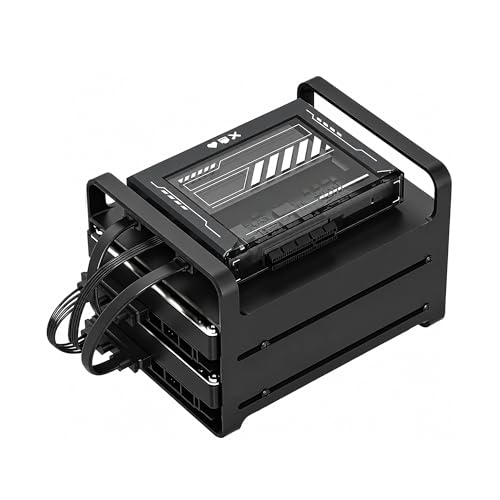
ZimaBlade 7700 x86 Home Server & 2-Bay NAS Kit, Intel Quad-Core, 16GB RAM
- Versatile Mini Server for DIY Projects: Build homelab, cloud, or Docker host
- Broad Compatibility with x86 Platform: Supports Linux, Docker, CasaOS, and more
- 16GB RAM for Multi-Service Performance: Handles file sharing, streaming, backups smoothly
As an affiliate, we earn on qualifying purchases.
As an affiliate, we earn on qualifying purchases.
Next Steps for Users and Contributors
Potential users should evaluate the current documentation and deployment guides to implement Armadillo in their networks. Developers and contributors are encouraged to submit pull requests and feature requests via the project’s GitHub repository. Further updates may include enhanced management interfaces, additional DNS features, and broader community engagement.

Grid DCS 1U Black Horizontal Cable Management 12 Slot (Plastic)
- Design: Horizontal flat rack mount design
- Construction: Made from durable plastic or metal
- Cable Organization: Multiple slots for neat cable routing
As an affiliate, we earn on qualifying purchases.
As an affiliate, we earn on qualifying purchases.
Key Questions
How easy is it to deploy Armadillo in a home network?
Deployment is straightforward, with available guides for Docker, Podman, and systemd setups. It requires configuring the DNS resolver on your router and mounting the zone file for persistent local DNS records.
Can Armadillo handle multiple upstream DNS servers?
Yes, the server can be configured to forward unresolved queries to any upstream DNS server, with 8.8.8.8 as the default.
Is Armadillo suitable for large or complex networks?
It is primarily designed for homelabs and small networks. Its performance and features may need to be evaluated for larger or enterprise environments.
What are the security considerations for using Armadillo?
As with any DNS server, proper network security measures should be taken, including restricting access and keeping the software updated.
Will there be a graphical interface for managing DNS records?
The project currently includes a web UI and REST API, but further development of user-friendly management tools may be forthcoming based on community feedback.
Source: Hacker News