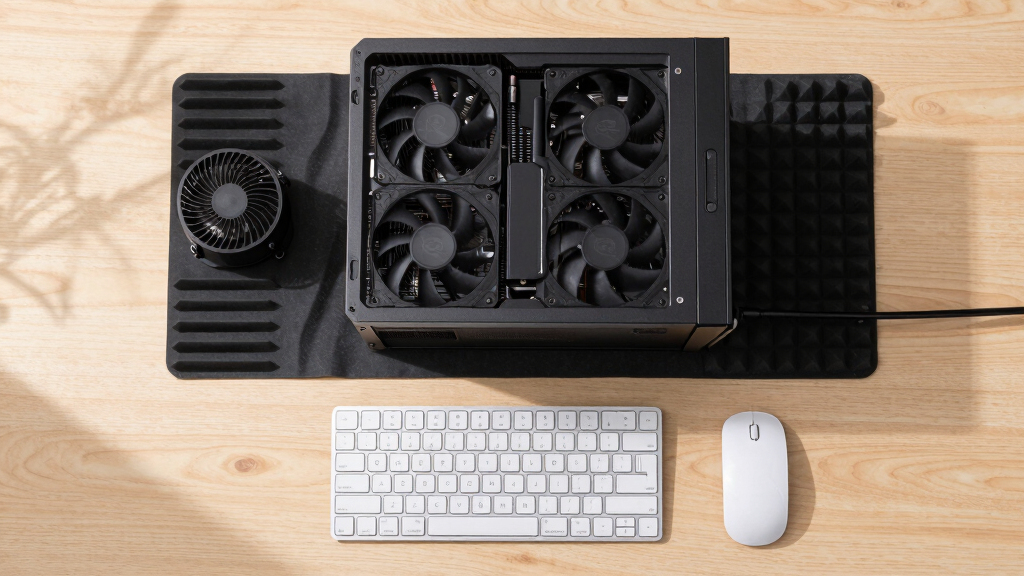

📊 Full opportunity report: How to Reduce Heat and Noise in a High-Power AI Workstation on ThorstenMeyerAI.com — validation score, market gap, and execution plan.

Get business pricing on tech for your team
- Business-only prices and quantity discounts
- Tax-exempt purchasing
- Multiple users, one account, clear invoices
TL;DR
High-power AI workstations generate significant heat and noise due to sustained GPU loads. Effective measures include undervolting GPUs, optimizing airflow, and managing components to improve cooling and reduce sound levels.
High-power AI workstations often run hotter and louder than expected due to sustained GPU loads and continuous operation, posing challenges for noise-sensitive environments and thermal management. Confirmed by industry sources and recent user reports, effective cooling and noise reduction strategies are essential for optimal performance and comfort.
AI workstations handling large models and continuous inference workloads generate significant heat primarily from GPUs, which can account for over 70% of thermal output. Unlike gaming PCs, these systems operate at near-constant full load, preventing cooling breaks and causing fans to run continuously at high speeds, thus increasing noise levels.
Key sources of heat and noise include GPUs, CPUs, power supplies, VRMs, and case airflow. GPUs are the primary heat source and the loudest component under sustained load, with fans working tirelessly to dissipate heat. CPUs also contribute, especially during prompt processing, while power supplies and VRMs add heat and noise through their operation. Case airflow plays a crucial role in either exacerbating or alleviating thermal buildup.
Effective mitigation involves multiple strategies, starting with undervolting GPUs to reduce power draw and heat, optimizing airflow with well-placed fans and ventilation, and managing component loads and cooling solutions. These measures can significantly lower fan speeds, noise levels, and overall thermal stress, often with minimal impact on performance.
An AI workstation isn’t a gaming PC —
and that’s why it runs hot.
Local inference is a sustained load: the GPU sits near full power for hours with no loading screens, so the heat never dissipates and the fans never get a break. Here’s where the heat comes from — and the five levers that reduce it.
Impact of Effective Cooling on AI Workstation Performance
Reducing heat and noise in high-power AI workstations improves operational stability, prolongs component lifespan, and creates a more comfortable working environment. For users running long inference jobs, these measures can prevent thermal throttling, maintain higher performance levels, and reduce noise pollution, especially in office or shared spaces.
As an affiliate, we earn on qualifying purchases.
Thermal Challenges in Sustained AI Inference Workloads
Unlike gaming PCs, AI workstations operate under continuous, near-constant full load, causing sustained thermal stress. This results in higher temperatures and louder fan noise, especially in multi-GPU setups where exhaust recirculation and power consumption are compounded. Industry insights confirm that traditional cooling solutions often fall short for these demanding workloads, necessitating tailored approaches for effective thermal management.
“Undervolting GPUs and optimizing airflow are the most cost-effective ways to cut heat and noise in high-power AI workstations.”
— Thorsten Meyer, AI hardware expert
As an affiliate, we earn on qualifying purchases.
Uncertainties in Optimal Cooling Configurations
While undervolting and airflow improvements are proven effective, the optimal configurations vary depending on specific hardware, workload intensity, and ambient conditions. The long-term effects of aggressive undervolting and custom cooling setups are still being studied, and user experiences differ based on system design.
As an affiliate, we earn on qualifying purchases.
Next Steps for Implementing Heat and Noise Reduction
Users should begin with undervolting their GPUs and optimizing case airflow, then evaluate the impact on thermal and noise levels. Future developments may include more advanced cooling solutions, real-time thermal management software, and hardware designs tailored for continuous AI workloads. Monitoring tools and community-driven guides will help refine these strategies.
thermal management for AI workstations
As an affiliate, we earn on qualifying purchases.
As an affiliate, we earn on qualifying purchases.
Key Questions
What is the most effective way to reduce noise in a high-power AI workstation?
The most effective method is undervolting GPUs to lower fan speeds and heat output, combined with optimizing case airflow to improve cooling efficiency.
Can I cool my AI workstation without significant performance loss?
Yes, undervolting and adjusting power limits typically reduce heat and noise with minimal impact on inference performance, especially in memory-bound workloads.
How important is case airflow in managing heat and noise?
Case airflow is critical; proper ventilation prevents heat recirculation, reduces fan workload, and lowers noise levels, making it a key factor in overall thermal management.
Are liquid cooling solutions worth it for AI workstations?
Liquid cooling can improve thermal performance and reduce noise, but it is more complex and costly. The benefits depend on workload intensity and system configuration.
What tools can help monitor and optimize system temperatures?
Monitoring software like HWMonitor, MSI Afterburner, or manufacturer-specific tools can help track temperatures and fan speeds, enabling fine-tuning of cooling settings.
Source: ThorstenMeyerAI.com
Columbus Day / Indigenous Peoples' Day Picks
long weekend sales
As an affiliate, we earn on qualifying purchases.