
TL;DR
A buying guide compares 13 AI meeting transcription products, including recorders, wearables, a desk dock and Philips SpeechExec software. It highlights differences in recording format, app requirements, language support, storage and stated usage limits; it does not establish independent performance rankings.
Thorsten Meyer AI’s buying guide compares 13 AI meeting transcription tools, spanning desk hardware, portable recorders, wearables, a recording pen and transcription software. The guide frames the choice around where people record and how they use transcripts, summaries and translation. Its product descriptions also flag app dependencies and usage limits that could affect day-to-day use.

Get business pricing on tech for your team
- Business-only prices and quantity discounts
- Tax-exempt purchasing
- Multiple users, one account, clear invoices
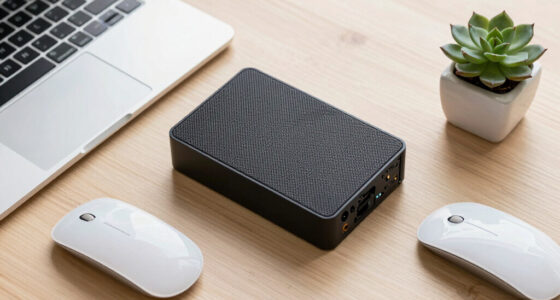
In its recommendations, Thorsten Meyer AI names the HiDock H1E as a starting point for people who want meeting notes alongside a desk dock, Philips SpeechExec for buyers seeking a more traditional dictation workflow, and wearable Fieldy 3 for recording away from a desk. These are the guide’s recommendations, not results from an independently described performance test.
The roundup also lists viaim NoteKit, several standalone voice recorders, a wristband recorder and an Apple Watch-band recorder. According to the guide, viaim’s AI output can include summaries, to-do lists, mind maps and question-and-answer features. It lists transcription in 145 languages for NoteKit and describes HiDock’s companion app as supporting transcription and summaries in 75 languages.
The guide calls out practical constraints alongside features, a consideration also covered in this AI meeting transcription tools roundup. It lists Fieldy 3’s free Basic transcription at 150 minutes per month and RECPOINT’s transcription and summarization allowance at 360 minutes per month. Some product listings say a compatible phone or internet connection is required for processing. The NOTEVOX listing gives conflicting battery figures—14 hours in its specifications and 24 hours in an item highlight—so the guide advises checking details before choosing.
Choose a workflow for clearer notes Compare 13 transcription picks
The guide spans desk hardware, portable recorders, wearables, a recording pen and desktop software. It outlines features and limits, but does not independently rank performance.
Match the format to the day
Where you record can shape how audio and notes fit into your routine.
HiDock H1E
The guide recommends it for meeting notes alongside a desk dock and recurring calls at a workstation.
Philips SpeechExec
A traditional workflow that organizes dictation audio and documents for office teams.
Fieldy 3
The guide recommends this wearable for recording away from a desk.
Check the practical limits
Listed features may depend on a plan, connection or companion device.
Check whether transcription needs an app, compatible phone, computer or internet connection.
The guide lists Fieldy 3 Basic at 150 minutes per month and RECPOINT at 360 minutes per month.
Confirm current language support and whether translation is live or available after recording.
What the comparison can tell you
The roundup describes product tradeoffs, not results from a shared performance test.
- Recording formats and intended workflows
- Listed languages, storage and usage limits
- Some app and connection requirements
- Comparative transcription accuracy
- Common scoring or verification methods
- Consistent pricing, privacy or retention details
Format Shapes the Daily Workflow
The buying guide’s main point is that recording format can shape the workflow. It presents a desk dock as potentially suited to recurring calls at a workstation and a wearable or pocket recorder as intended for capturing conversations while moving. The guide describes Philips SpeechExec as organizing dictation audio and resulting documents, and associates it with Windows-based offices that assign work to authors and transcriptionists.
Feature counts alone do not settle the choice. The guide’s product details prompt buyers to check whether transcription happens on the device or through an app, whether a connection is required, and what monthly limits apply. Storage capacity is only one part of the decision: a large archive still has to fit a user’s transfer, review and processing routine.
The source lists products with translation support but does not consistently say whether translation is live or performed after recording. That distinction matters for multilingual teams deciding whether they need a translated conversation in real time or a translated record afterward.
Products Worth Considering
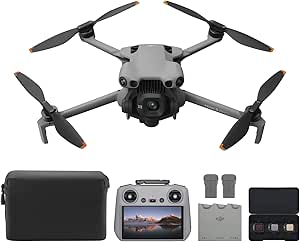
DJI Mini 5 Pro Fly More Combo with DJI RC 2

Samsung Odyssey OLED G5 27-Inch QHD Gaming Monitor

LG UltraGear 34-inch Curved OLED Gaming Monitor, WQHD 1440p, 240Hz, 0.03ms, 800R
As an affiliate, we earn on qualifying purchases.
Thirteen Products Across Five Formats
Thorsten Meyer AI presents the article as a buying guide, not a report of a newly launched product or a change in industry policy. The guide groups 13 picks across desk-centered equipment, standalone recorders, wearable devices, a pen and desktop transcription software. It says its purpose is to help readers compare who each product may suit and what to check before buying.
The article discloses that it was created with AI assistance and may earn a commission on qualifying purchases through affiliate links. That commercial relationship is relevant when interpreting its recommendations. The supplied guide does not describe a testing method, scoring criteria or verification process for the listed specifications.
Performance and Limits Need Checking
Thorsten Meyer AI’s guide does not provide independent accuracy results for transcription, speaker identification, summaries or translation. It does not explain how the products were tested or how its top picks were ranked, so readers cannot use the roundup alone to compare real-world performance under the same conditions.
The source itself flags inconsistent NOTEVOX battery-life figures. It also does not give a uniform account of pricing, ongoing subscription costs, data retention or privacy controls across all 13 products. Product capabilities and plan limits can change, so readers should check current manufacturer information before purchase.
Check Current Plans and Compatibility
The guide advises readers comparing its listings to confirm current prices, supported operating systems, language availability, recording limits and whether AI processing requires a subscription, compatible phone or internet access. For office use, readers should also check how audio and transcripts are stored and shared. The article names no upcoming product announcements or next review date; updates to product listings and plans are details to verify with manufacturers.
Key Questions
What products does the comparison recommend?
Thorsten Meyer AI’s guide points to HiDock H1E for a desk-centered setup, Philips SpeechExec for a traditional dictation workflow and Fieldy 3 for wearable recording away from a desk. These are the source’s recommendations, not independently verified rankings.
Does every product transcribe meetings automatically?
No. The guide describes different workflows and requirements. Some product listings say a companion app, smartphone, computer or internet connection is needed to process recordings; check each manufacturer’s current requirements.
Which usage limits does the guide list?
Thorsten Meyer AI lists 150 minutes per month for Fieldy 3’s free Basic transcription and 360 monthly minutes for RECPOINT transcription and summarization. Plan details may change.
Does the roundup show which tool is most accurate?
No. The supplied guide gives no comparative accuracy tests or common scoring method for transcription, summaries, speaker labels or translation.
Source: Thorsten Meyer AI