📊 Full opportunity report: How OCR Helps Small Organizations File Scanned Documents on IdeaNavigator AI — validation score, market gap, and execution plan.
TL;DR
A proposed document-scanning workflow would use OCR to extract text, suggest document types and filenames, and save searchable PDFs for small offices. The idea has not been validated: a one-week pilot at five offices, scanning 200 documents each, is proposed to measure classification accuracy and willingness to pay.
IdeaNavigator AI has proposed an OCR-based filing workflow for paper-heavy small offices that would turn phone photographs of documents into searchable, classified PDFs. The concept is aimed at nonprofits, clinics and law offices, but it remains a product proposal: no pilot results or verified accuracy figures are provided.
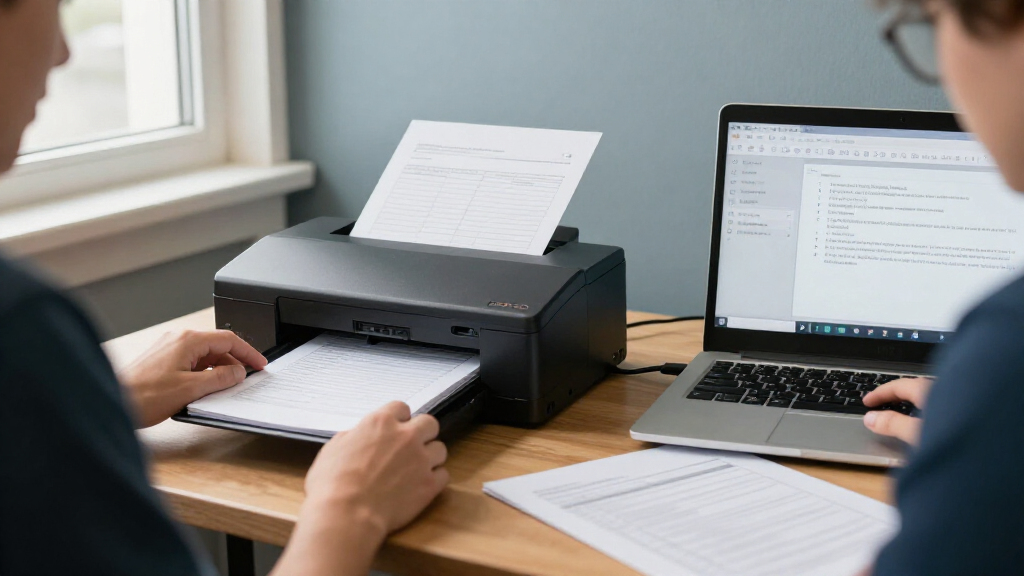
The suggested minimum product would let an office worker photograph a stack of paperwork with a phone. The software would use optical character recognition (OCR) to read the pages, suggest a document category and filename, and place the resulting searchable PDFs in a shared folder. An example naming format is an invoice labeled with its date and vendor.
The proposal targets a specific problem: small organizations can accumulate intake forms, invoices and records in filing cabinets, while basic scanning apps may leave users with unsorted image files and little extracted information. Automated naming and classification are intended to make documents easier to retrieve without requiring a dedicated IT team.
IdeaNavigator AI suggests charging a monthly per-seat subscription, with a page limit and additional charges for usage above that cap. To test the idea, it recommends a one-week pilot with five small offices, each scanning a real backlog of 200 documents. The proposed measures are correct auto-classification rates and users’ willingness to pay per seat; neither result is available yet.
Filing Backlogs Put to the Test
For a small office, finding a record can take staff time away from its core work. A reliable way to turn scans into searchable, consistently named files could reduce manual sorting and make shared records easier to locate. That would be most useful where paperwork arrives in recurring formats, such as invoices or intake forms.
The practical value depends on more than whether software can recognize printed text. It must also assign the right category, extract useful details and produce filenames staff can trust. Misfiled or incorrectly labeled records could create extra review work rather than save time, particularly in clinics and law offices where documents can be sensitive and retrieval errors matter.
The proposed pilot focuses on those open questions rather than assuming the product works. Testing 200 documents at each of five offices could provide an initial view of classification performance across actual paperwork. It would not, on its own, establish how well the tool performs across the wider market or over longer periods.
As an affiliate, we earn on qualifying purchases.
From Scans to Searchable Records
OCR converts text in an image or scanned page into machine-readable text. That can make a document searchable, but a filing product needs additional steps to organize the result: identify the document type, extract relevant details and choose a useful filename. The proposal combines these functions in a phone-based scanning workflow that sends files to a shared folder.
The idea describes on-device or API-based OCR and layout-aware models as technologies that may make this workflow affordable for small organizations. That is the proposal’s rationale, not an independently verified finding about the cost or accuracy of a particular tool. No software provider, model, price, security design or integration is named.
The proposed customer group is deliberately narrow: office managers at small nonprofits, clinics and law firms. The concept does not claim that the workflow is ready for deployment, nor does it provide evidence that existing scanning tools cannot meet these needs. Its suggested next step is a limited trial using real backlogs before committing to a broader product.
searchable PDF creator for small offices
As an affiliate, we earn on qualifying purchases.
As an affiliate, we earn on qualifying purchases.
Accuracy, Privacy and Demand
No pilot findings are reported, so the product’s classification accuracy, time savings and customer demand remain unknown. The proposed 200-document workload and five-office sample are a test plan, not evidence of results. The mix and condition of documents in any trial could also affect what the measurements show.
Other details are unspecified, including how the service would handle handwriting, skewed or low-quality images, duplicate pages and documents that do not fit its categories. The proposal does not describe how files or extracted text would be protected, how long they would be retained, or how access would be controlled. Those questions carry particular weight for clinics and law firms that may handle confidential records.
Pricing is also untested. The proposed per-seat subscription, page cap and overage fees are a possible business model, but no price or evidence of willingness to pay is given. It is not clear whether the same workflow would suit nonprofits, healthcare offices and legal practices equally well.
As an affiliate, we earn on qualifying purchases.
A Five-Office Pilot Could Follow
The next step outlined by IdeaNavigator AI is a one-week trial at five small offices, with 200 backlog documents scanned at each location. A useful report would state how many documents were classified correctly, how results were checked, and whether staff would pay for the service. It should also explain which document types were included and how errors were handled.
No pilot date, participating offices or launch timeline has been announced in the information available. Until results are reported, the proposal should be treated as an idea to validate—not a proven product or a confirmed source of savings. The suggested closing attribution is included below.
Source: IdeaNavigator AI
mobile OCR app for scanning documents
As an affiliate, we earn on qualifying purchases.
As an affiliate, we earn on qualifying purchases.
Key Questions
What would the proposed OCR tool do?
It would read text from phone-scanned documents, suggest a category and filename, and save the results as searchable PDFs in a shared folder.
Has the tool been tested in small offices?
No test results are provided. IdeaNavigator AI proposes a one-week pilot with five offices as a way to assess the concept.
How would the proposed pilot measure performance?
Each office would scan 200 documents from its backlog. The suggested measures are correct auto-classification rate and willingness to pay per seat.
How would the product charge customers?
The suggested model is a monthly subscription per seat, with a page-volume cap and extra charges for usage above the cap. No prices have been specified.
What is still unknown about the concept?
Its real-world accuracy, security and privacy arrangements, performance on difficult scans, customer demand and pricing have not been established.
Source: IdeaNavigator AI