
TL;DR
A November 19 guide matches AI jobs to machines: cloud-connected agents and small local assistants can run on a Mac mini, while very large open models need more memory, such as a high-end Mac Studio. Nvidia PCs suit tools built around CUDA; the strongest closed models remain available through cloud APIs. The recommendations are based on published specifications and software documentation, not comparative performance tests.
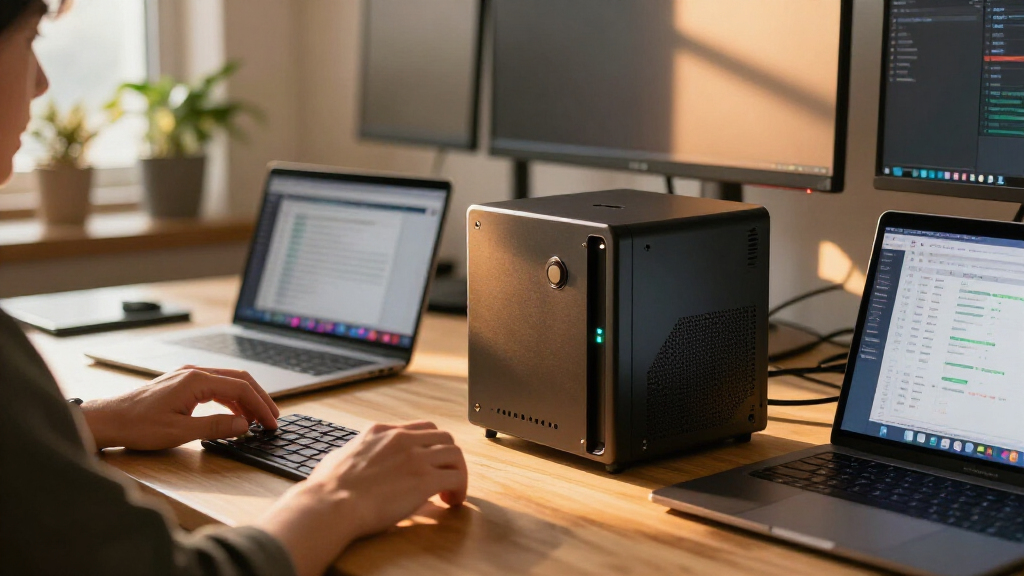
The first distinction is whether the model runs locally. An agent that sends requests to a cloud model mainly needs a computer to keep its software loop, files and tools running. The guide points to a Mac mini for that role and cites Apple’s listed 4-watt idle power for the base model. The agent still sends prompts and data to the cloud service, so local hardware does not make the model or its use private by itself.

Get business pricing on tech for your team
- Business-only prices and quantity discounts
- Tax-exempt purchasing
- Multiple users, one account, clear invoices
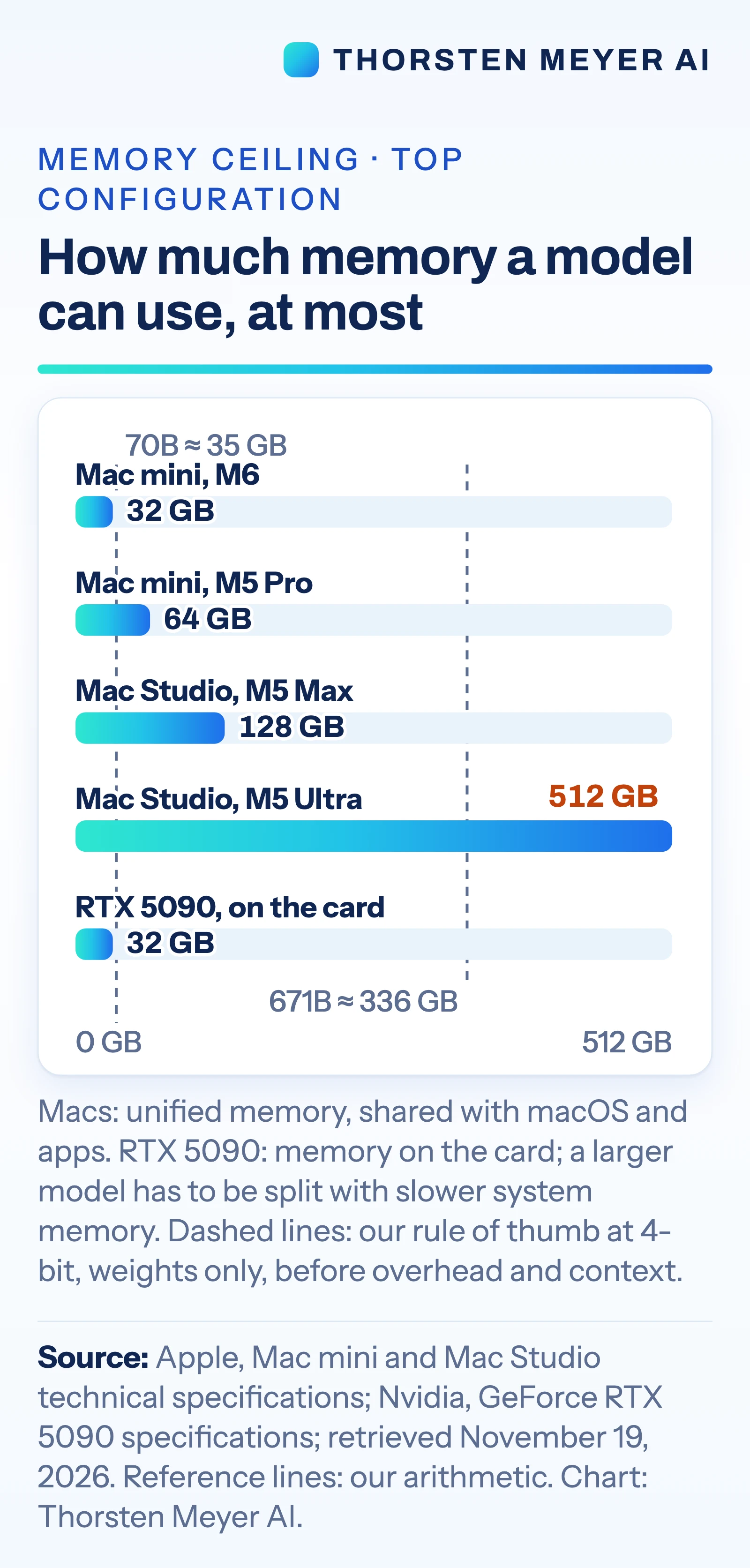
For local models, the guide treats memory capacity as the main limit. It lists the Mac mini at up to 64 GB of unified memory, the Mac Studio at up to 128 GB with M5 Max or 512 GB with M5 Ultra, and Nvidia’s GeForce RTX 5090 with 32 GB of card memory. As a rough estimate, it says four-bit weights require about half a gigabyte per billion parameters, before overhead and conversation context. On that estimate, a 70-billion-parameter model needs about 35 GB just for weights.
The guide directs buyers toward Nvidia GPUs when their software depends on CUDA, Nvidia’s computing platform. It says vLLM, a model-serving engine, ships CUDA binaries and points Apple silicon users to a community-maintained plugin. Apple’s MLX tools support LoRA and QLoRA fine-tuning, and PyTorch supports GPU training on Mac, but the guide cautions that fine-tuning requires more memory than simply running a model. It presents cloud APIs as the option for the strongest closed models, which cannot be downloaded to run locally.
Hardware Choices Follow the Workload
The recommendations show why a single “AI computer” label can mislead: keeping a cloud-connected agent online, running a private local assistant and serving a large model place different demands on a machine. For an agent that relies on a cloud model, a larger GPU may add little to the job described; for a local model, available memory can determine whether its weights fit at all.
Power and setup also affect the choice. The source lists the M5 Ultra Mac Studio at up to 385 watts for the whole system, while the RTX 5090 card alone is rated at 575 watts, with Nvidia specifying a 1,000-watt power supply for the PC. Those figures are not a direct comparison of performance or energy use for the same task, but they indicate different equipment and operating demands. The guide says clusters of Macs are possible, though connecting them for fast links requires Thunderbolt 5, a cable between each pair and a macOS Recovery setting change.
Products Worth Considering
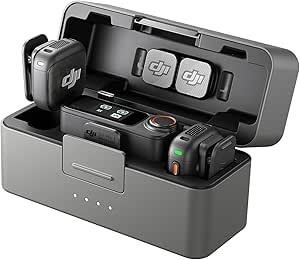
DJI Mic 3 Wireless Microphone (2 Transmitters, 1 Receiver, Charging Case)

Bose QuietComfort Ultra Headphones (2nd Gen), Wireless Noise-Cancelling Over-Ear Headphones, Driftwood Sand

Samsung Galaxy Tab A11+ Tablet (6GB RAM, 128GB Storage, Gray)
As an affiliate, we earn on qualifying purchases.
From Mac Mini to Cloud API
The article follows an earlier Mac mini-focused piece, which examined what systems with 16 to 64 GB of memory could run. Its broader comparison spans five jobs: a cloud-connected agent, a personal local assistant, very large open models, Nvidia-oriented serving or training, and tasks requiring the strongest models.
The guide says its hardware figures come from Apple and Nvidia specification pages and its software information from tool documentation, checked on November 19, 2026. Its workload matches are the author’s interpretation of those materials, not a buying recommendation. It gives a US list price of $5,499 for the M5 Ultra Mac Studio and says independent speed tests at that model size are unavailable.
Performance Depends on Real Tasks
The guide does not provide independent benchmarks comparing these machines on the same models and workloads. It therefore cannot establish how quickly a Mac Studio or RTX 5090 would answer a particular request, or whether either would be cost-effective for a given team. Actual performance will depend on the model, software, settings and workload.
It also does not specify the cost of cloud use over time, which depends on the service and volume of requests. A local setup can keep model processing on the machine when using a local model, but the cloud-agent option described in the guide still sends prompts and data to an external service. Readers should treat the memory estimates as weight-only calculations: context and software overhead require additional capacity.
Match the Model Before Buying
The practical next step is to identify whether the intended model must run locally, how much memory it needs, and whether the chosen tools require CUDA. For a local assistant or fine-tune, the guide’s estimates can narrow the hardware options, but a test with the intended model and documents would provide a more useful performance check than specifications alone.
For teams considering a Mac cluster or large-scale training, the guide’s specifications do not settle setup effort, throughput or total cost. Those questions remain workload-specific. Cloud APIs remain the listed route to closed models that are not available for local download, with per-token charges and data sent to the provider.
Key Questions
Which machine does the guide suggest for an AI agent that uses a cloud model?
It points to a Mac mini or a Mac already on hand, because the computer runs the agent and its tools while the model runs in the cloud. The guide cites 4 watts at idle for the base Mac mini; prompts and data still go to the cloud service.
How much memory does a 70-billion-parameter model need?
The guide’s four-bit estimate is about 35 GB for weights alone. A working system also needs memory for conversation context, software and other overhead.
When does the guide favor an Nvidia GPU PC?
It favors one for fast inference when the model fits in the card’s memory and for software built around Nvidia’s CUDA platform, including serving tools. The cited RTX 5090 has 32 GB of card memory.
Can a Mac run fine-tuning?
The guide says Apple’s MLX tools document LoRA and QLoRA support, and PyTorch supports GPU training on Mac. Fine-tuning needs more memory than running the same model, so the machine must have enough capacity for the specific task.
Can the most capable closed models run locally?
According to the guide, leading closed models cannot be downloaded, so access is through cloud APIs. That entails per-token charges and sending prompts or other inputs to the provider.
Source: Thorsten Meyer AI