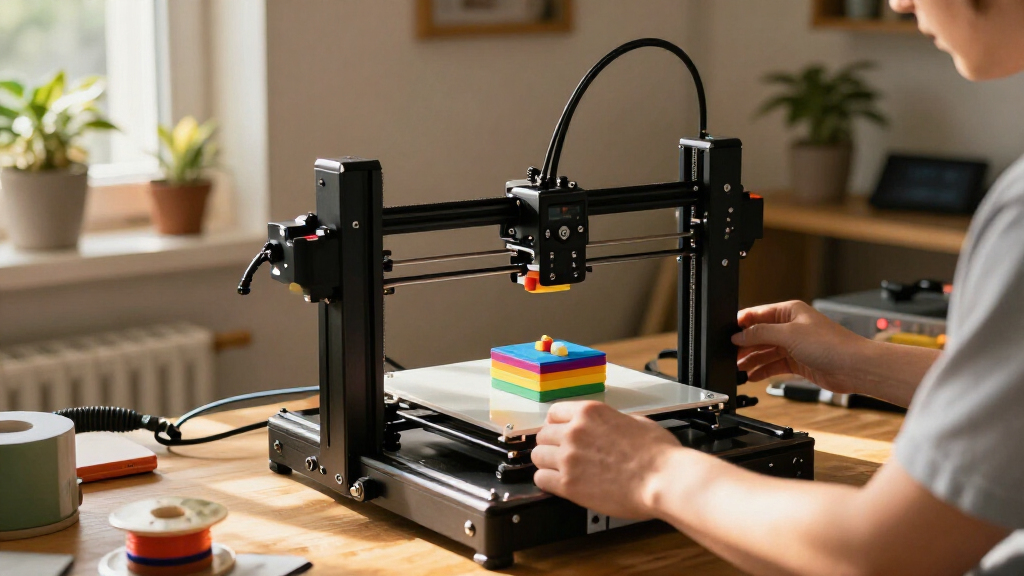
🔍 Read the full analysis: 10 Best 3D Printers For Daily Printing And Multicolor Builds In 2027 on ThorstenMeyerAI.com

Get business pricing on tech for your team
- Business-only prices and quantity discounts
- Tax-exempt purchasing
- Multiple users, one account, clear invoices
TL;DR
This buyer’s guide ranks 10 3D printers for everyday use and multicolor builds, naming the Bambu Lab P2S Combo its top all-around bundle. The recommendations are based on design, material handling, enclosure, setup and buyer fit; detailed, independently verified test results and 2027 pricing are not provided in the source material.
ThorstenMeyerAI.com’s 2027 buyer’s guide compares 10 printers for daily projects and multicolor builds, ranking the Bambu Lab P2S Combo first for buyers who want an enclosed printer with an included material-handling system. The recommendations are a buyer-fit assessment, not a report of new product launches or independently verified performance tests.
The guide distinguishes models that can look similar in a product listing but serve different needs. The Bambu Lab P1S is presented as an enclosed printer without bundled multicolor hardware, while the P1S Combo adds an AMS system. The A1 Combo offers a more approachable open-frame option for hobbyists, and the standalone A1 is also included in the comparison.
For multicolor work, the Snapmaker U1 uses four toolheads, an approach the guide contrasts with systems that switch filament through material-handling hardware. It also includes the Flashforge Adventurer 5M, described as emphasizing fast CoreXY printing, alongside the Anycubic Kobra X, Flashforge AD5X and Bambu Lab K2 Combo. The supplied source does not give a full model-by-model specification table or explain every ranking position.
The stated comparison criteria include print-system design, material handling, enclosure, setup, maintenance and versatility. The author says the order favors broad usefulness before narrower strengths. A printer’s advertised color capacity or maximum speed alone, the guide cautions, does not establish that it will suit a buyer’s projects.
The 10 picks
- 1
 Snapmaker U1 3D Printer with 4-Toolhead and 5-Second Tool ChangerView on Amazon →
- 2
 Bambu Lab P2S Combo – P2S 3D Printer with AMS 2 Pro (Multi‑Color)View on Amazon →
- 3
 Bambu Lab P1S Combo 3D Printer with AMS – Multi‑Color PrintingView on Amazon →
- 4
 Creality K2 Combo 3D Printer, Multicolor Printing, Max 600mm/s Speed, Auto Le…View on Amazon →
- 5
 Bambu Lab A1 Combo + LED Lamp Kit (with AMS Lite)View on Amazon →
- 6
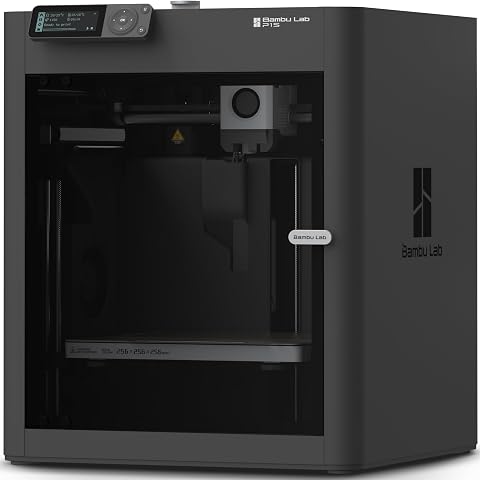 Bambu Lab P1S 3D PrinterView on Amazon →
- 7
 Anycubic Kobra X Multicolor 3D PrinterView on Amazon →
- 8
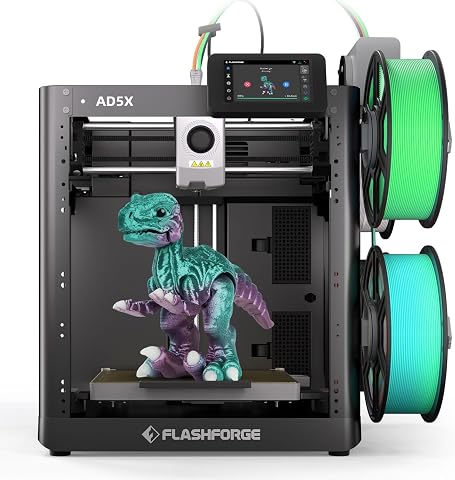 Flashforge AD5X Multi-Material 3D PrinterView on Amazon →
- 9
 Bambu Lab A1 FDM 3D PrinterView on Amazon →
- 10
 FLASHFORGE Adventurer 5M 3D Printer, All-Metal CoreXY, 600mm/s Max TravelView on Amazon →
How the Tradeoffs Shape a Purchase
The selection matters because these machines address different ownership priorities, not just different price or speed points. Buyers choosing between enclosed and open-frame designs should consider their materials, workspace and need for environmental control; an enclosure adds size and may call for attention to ventilation, while an open frame can be easier to access.
Multicolor capability also has practical costs. Filament-switching workflows can add time and purge waste, especially when prints use several colors across layers. A four-toolhead setup changes how materials are handled, but the guide does not quantify its material savings or compare print times. For mostly single-color functional parts, an automated multicolor system may add complexity without much benefit.
Products Worth Considering

Logitech MX Master 4 Ergonomic Wireless Mouse with Haptic Feedback, Graphite

LG UltraGear 32-inch QHD Curved Gaming Monitor, 180Hz, 1ms, AMD FreeSync

Samsung Galaxy Tab A11+ Tablet, 6GB RAM, 128GB Storage, Expandable Storage, Gray
As an affiliate, we earn on qualifying purchases.
How the Guide Makes Its Picks
The source frames the list as a comparative buyer’s guide, rather than a news announcement about a new printer. Its ranking gives added weight to whether multicolor hardware is included in a bundle: the source argues that a printer’s multicolor capability is less useful if buyers must separately obtain the equipment needed to use it.
It also separates enclosed CoreXY machines from open-frame printers instead of treating a headline speed figure as the sole measure of quality. Build volume, material needs, setup and routine work between prints are presented as purchase considerations. The source excerpt ends partway through its discussion of ownership and does not provide complete maintenance details for each model.
“The P2S Combo takes the lead for buyers seeking one package that combines an enclosed printer with an included multicolor material system.”
— ThorstenMeyerAI.com buyer’s guide
Evidence Behind the Rankings
The supplied material does not include test protocols, measured print results, failure rates, prices or links to underlying product specifications. It therefore does not establish how the models compare under identical conditions or whether the rankings reflect hands-on testing. The guide’s descriptions should be read as its recommendations and assessments, not as independently confirmed performance findings.
It is also unclear from the source excerpt how every printer performs with specific materials, what maintenance each requires, and how much time or filament the multicolor systems consume. Current configurations, availability and pricing may differ by market; readers should verify those details before buying.
What Buyers Should Verify
Before choosing, compare the current bundle contents and specifications for the exact model and region, especially whether a multicolor system is included or sold separately. Match the printer’s enclosure and material compatibility to planned projects, and measure the bench space needed for the machine and filament access.
For multicolor builds, look for like-for-like examples that report print duration and material waste, rather than relying only on advertised color counts. The source provides no follow-up testing schedule or future ranking update, so no next review or milestone is confirmed.
Key Questions
Which printer does the guide rank first?
The guide ranks the Bambu Lab P2S Combo first for buyers seeking an enclosed printer bundled with multicolor material handling. This is the source’s recommendation, not a verified result from disclosed comparative testing.
How do the P1S and P1S Combo differ in the guide?
The P1S is presented as an enclosed printer without bundled multicolor hardware. The P1S Combo adds an AMS system for buyers who want that material-handling option.
Is the Snapmaker U1’s multicolor approach the same as filament switching?
No. The guide describes the Snapmaker U1 as having four toolheads and contrasts it with filament-switching systems. It does not provide measured comparisons of speed, waste or print quality between the approaches.
What should buyers check before choosing a printer?
Consider materials, enclosure, workspace, build volume, setup and maintenance, as well as whether multicolor printing is useful for your projects. Check the exact bundle and current local specifications; the source does not provide current prices or complete model-by-model test data.
Source: ThorstenMeyerAI.com