
AI workflow automation tools can help you connect apps, automate repetitive tasks, and add AI to business processes, but the right choice depends on your skills and how much control you need. My best overall pick is The No-Code AI Automation Playbook, which centers on practical workflows across Zapier, Make, and n8n. For Microsoft-centered teams, Workflow Automation with Microsoft Power Automate offers a more focused low-code path, while The AI Workflow and Automation System emphasizes reliability and controlled work. The main tradeoff is convenience versus flexibility: no-code approaches are easier to start, while code-based and agent-focused material can support more tailored systems but asks more of the reader. Read on for the full breakdown and guidance on choosing a learning resource that matches your workflow goals.

Get business pricing on tech for your team
- Business-only prices and quantity discounts
- Tax-exempt purchasing
- Multiple users, one account, clear invoices
Key Takeaways
- The No-Code AI Automation Playbook stands out for readers comparing Zapier, Make, and n8n; its multi-platform focus is a better starting point than a guide tied to a single ecosystem.
- Workflow Automation with Microsoft Power Automate is the clearest fit for Microsoft-oriented cloud and desktop workflows, but its platform focus makes it less suitable for readers seeking a broad tool comparison.
- The AI Workflow and Automation System gives reliability and controlled design more weight than quick automation recipes, a useful distinction for processes where errors have real consequences.
- The roundup spans very different skill levels: no-code business guides sit alongside Python, developer, and network-operations titles, so choosing by intended reader matters as much as choosing by topic.
- Agent-focused titles are not interchangeable with general workflow guides; books on agents, business operations, and NetOps address narrower goals than practical guides to automating everyday repetitive tasks.
| Python Automation and AI Workflows: A Practical Guide |  | Best for Python-Based Workflow Building | Format: Practical guide | Programming focus: Python | Automation focus: Task automation | VIEW LATEST PRICE | See Our Full Breakdown |
| AI Automation: A Practical Guide to Automating Repetitive Tasks with AI Tools, Workflows, and Intelligent Assistants |  | Best for Repetitive-Task Automation | Product type: Guide | Primary focus: Automating repetitive tasks | Topics: AI tools, workflows, and intelligent assistants | VIEW LATEST PRICE | See Our Full Breakdown |
| AI Agents: From Theory to Operations |  | Best for Business-Focused AI Agents | Format: Practical guide | Primary topic: AI agents | Scope: From theory to operations | VIEW LATEST PRICE | See Our Full Breakdown |
| Vibe Coding for AI Automation and Bots: Build Practical Workflows, Chatbots, and Business Tools with AI |  | Best for Chatbots and Business Tools | Format: Practical guide | Series: The Practical Vibe Coding Series | Primary focus: AI automation and bot development | VIEW LATEST PRICE | See Our Full Breakdown |
| Agentic AI Business and Automation Bible 2026: 4 Books in 1 |  | Best Broad-Topic Collection | Publication year: 2026 | Topics: AI agents, ChatGPT prompts, no-code workflows, automation systems, practical AI tools | Application focus: Business and productivity | VIEW LATEST PRICE | See Our Full Breakdown |
| The No-BS Guide to AI Agents & Automation: Build AI Workflows, Automate Your Business, and 10x Your Productivity — No Coding Required (The No-BS AI Playbooks, Book 2) |  | Best for Nontechnical Business Owners | Format: Book | Series: The No-BS AI Playbooks | Series position: Book 2 | VIEW LATEST PRICE | See Our Full Breakdown |
| The AI Workflow and Automation System: Design Controlled Work and Build Reliable Automation | 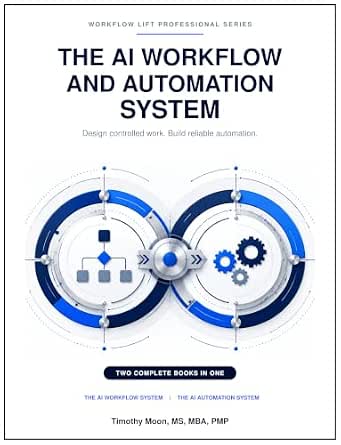 | Best for Reliability-Focused Workflow Design | Primary topic: AI workflow and automation design | Design focus: Controlled work | Automation focus: Reliable automation | VIEW LATEST PRICE | See Our Full Breakdown |
| Business Workflow Automation with AI Agents |  | Best for Comparing No-Code Automation Tools | Primary topic: Business workflow automation with AI agents | Approach: No-code tools | Tool mentioned: Make | VIEW LATEST PRICE | See Our Full Breakdown |
| Workflow Automation with Microsoft Power Automate: Design and Scale AI-Powered Cloud and Desktop Workflows Using Low-Code Automation |  | Best for Microsoft Power Automate Users | Subject: Microsoft Power Automate | Workflow types: Cloud and desktop | Approach: Low-code automation | VIEW LATEST PRICE | See Our Full Breakdown |
| Building AI Agents for Network Operations: Design LLM-Powered NetOps Workflows with Python, Ollama, MCP, and Tool Calling | 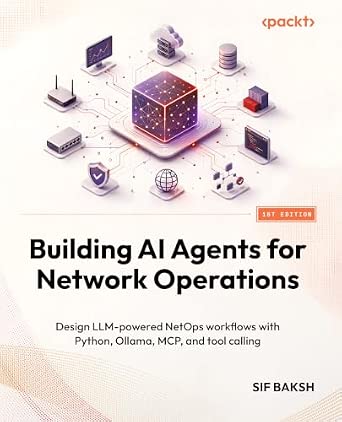 | Best for Network Operations Developers | Topic: AI agents for network operations | Workflow focus: LLM-powered NetOps workflows | Technology: Python | VIEW LATEST PRICE | See Our Full Breakdown |
| AI-Powered Automation and Workflows for Small Business Owners |  | Best for Small-Business Context | Format: Book | Series: AI Productivity for Small Business Owners | Book number: 5 | VIEW LATEST PRICE | See Our Full Breakdown |
| Agentic Coding with Claude Code: A Practical Developer’s Handbook |  | Best for Claude Code Developer Workflows | Format: Book | Topic: Claude Code and AI-powered agentic workflows | Primary audience: Developers | VIEW LATEST PRICE | See Our Full Breakdown |
| The No-Code AI Automation Playbook: Build Practical AI Workflows with Zapier, Make, and n8n |  | Best for No-Code Platform Comparisons | Tools covered: Zapier, Make, and n8n | Programming required: No | Format: Book | VIEW LATEST PRICE | See Our Full Breakdown |
| AI workflow automation tool | Format |
|---|---|
| Python Automation and AI Workf | Practical guide |
| AI Automation: A Practical Gui | — |
| AI Agents: From Theory to Oper | Practical guide |
| Vibe Coding for AI Automation | Practical guide |
| Agentic AI Business and Automa | — |
| The No-BS Guide to AI Agents & | Book |
| The AI Workflow and Automation | Not specified in the supplied data |
| Business Workflow Automation w | — |
| Workflow Automation with Micro | — |
| Building AI Agents for Network | — |
| AI-Powered Automation and Work | Book |
| Agentic Coding with Claude Cod | Book |
| The No-Code AI Automation Play | Book |
More Details on Our Top Picks
Python Automation and AI Workflows: A Practical Guide
I’d place this guide first for readers who want to build automation with code rather than rely mainly on no-code tools. Its stated focus combines Python programming, task automation, and AI integration, making it a more developer-oriented choice than AI Automation: A Practical Guide to Automating Repetitive Tasks with AI Tools, Workflows, and Intelligent Assistants. That emphasis can suit buyers who want to connect AI capabilities to custom scripts and processes. The tradeoff is that the available description does not identify specific projects, libraries, or skill level, so I can’t judge how far it goes beyond the broad topics. Readers seeking chatbot-building guidance may find Vibe Coding for AI Automation and Bots a closer match, while those who prefer a general survey may favor the broader-sounding Agentic AI Business and Automation Bible 2026.
Pros:- Pairs Python programming with task automation.
- Includes AI integration and intelligent workflow topics.
- Its coding focus offers a distinct alternative to general AI workflow guides.
Cons:- The supplied description does not name libraries, example projects, or the assumed programming level.
- Its Python emphasis may be a poor fit for readers seeking no-code workflow building.
- The available details do not clarify coverage of agents, chatbots, or specific automation platforms.
Best for: Python learners and developers who want a guide centered on combining scripts, task automation, and AI workflows.
Not ideal for: Readers seeking a clearly specified no-code tutorial, a chatbot-focused book, or evidence of particular Python libraries and projects before choosing.
- Format:Practical guide
- Programming focus:Python
- Automation focus:Task automation
- AI topics:AI integration
- Workflow topics:Intelligent workflows
- ASIN:B0HQKB1JJW
Our verdict“Choose this guide if you want Python-led automation and AI workflow topics, but skip it if you need a clearly documented no-code or platform-specific tutorial.”
AI Automation: A Practical Guide to Automating Repetitive Tasks with AI Tools, Workflows, and Intelligent Assistants
This is the most directly task-focused title in this batch: it frames AI automation around repetitive work, supported by AI tools, workflows, and intelligent assistants. That makes it a natural starting point for readers looking to identify everyday processes that could be automated, rather than a coding-first treatment like Python Automation and AI Workflows: A Practical Guide. Its broad framing may also feel more approachable than AI Agents: From Theory to Operations, whose title points toward agent operations. The limitation is the thin product information: no examples, tools, audience level, or implementation steps are specified. I’d choose it for its clear subject, not on the assumption that it teaches a particular platform or delivers detailed templates.
Pros:- Clearly centers on automating repetitive tasks.
- Covers AI tools, workflows, and intelligent assistants.
- Its task-oriented framing differs from the Python emphasis of Python Automation and AI Workflows.
Cons:- The supplied description gives no examples or specific workflow instructions.
- No particular AI tools or automation platforms are identified.
- The intended reader skill level is not stated.
Best for: Office professionals and small-team operators looking for a general guide to applying AI tools and assistants to recurring tasks.
Not ideal for: Developers who need code-level instruction or buyers who require named platforms, sample workflows, or a documented skill level before selecting a guide.
- Product type:Guide
- Primary focus:Automating repetitive tasks
- Topics:AI tools, workflows, and intelligent assistants
- Workflow focus:AI automation
- Programming details:Not provided
- ASIN:B0HR5NJ94W
Our verdict“Pick this for a broad, repetitive-task focus, but choose a more explicitly technical title if you need named tools or detailed implementation guidance.”
AI Agents: From Theory to Operations
I’d shortlist this title for readers whose main question is how AI agents fit into business automation, rather than how to write Python scripts or build chatbots. Its stated scope connects practical agent applications with AI workflows, giving it a more operations-oriented angle than Python Automation and AI Workflows: A Practical Guide. Compared with Vibe Coding for AI Automation and Bots, it appears less centered on creating specific bot or business-tool projects and more focused on agents in an operational setting. That distinction is useful, but the listing supplies no chapter details, technical methods, or examples to confirm the depth of the practical material. I’d treat it as a topic-led choice, not a guaranteed implementation manual.
Pros:- Focuses on practical AI-agent applications.
- Connects agents with business automation and AI workflows.
- Offers a more operations-oriented angle than the coding-focused Python Automation and AI Workflows.
Cons:- The supplied product data does not specify chapters, examples, or methods.
- No programming language, agent framework, or platform is identified.
- The intended reader level and balance between theory and practice are unclear.
Best for: Business automation leads and technically curious managers who want to explore practical AI-agent use in workflows.
Not ideal for: Readers who need verified coding tutorials, a defined agent framework, or step-by-step chatbot and bot-building projects.
- Format:Practical guide
- Primary topic:AI agents
- Scope:From theory to operations
- Application area:Business automation
- Workflow topics:AI workflows
- ASIN:B0GRNZ5W8J
Our verdict“Choose this if business use of AI agents is your priority, but look elsewhere for a confirmed framework-specific or step-by-step technical guide.”
Vibe Coding for AI Automation and Bots: Build Practical Workflows, Chatbots, and Business Tools with AI
This title stands out for readers who want to move from AI-assisted coding ideas toward workflows, chatbots, and business tools. That project-oriented range gives it a clearer build focus than AI Agents: From Theory to Operations, which is framed around agents and operations, and a broader creation target than a guide centered mainly on Python automation. The stated “vibe coding” approach may appeal to people interested in using AI as part of the development process, but the listing does not explain the method, required coding knowledge, or tools involved. I’d choose it when bot creation is a central goal; buyers seeking a general overview of repetitive-task automation may find AI Automation: A Practical Guide more directly aligned with that need.
Pros:- Covers workflow, chatbot, and business-tool development.
- Emphasizes practical AI automation and bot building.
- Has a distinct creation focus compared with the business-agent framing of AI Agents: From Theory to Operations.
Cons:- The supplied description does not define the vibe-coding method or tools.
- The required coding skill level is not stated.
- No specific projects or platform integrations are identified.
Best for: Aspiring builders and small-business teams who want a guide focused on AI-assisted workflows, chatbots, and business tools.
Not ideal for: Readers seeking a clearly documented beginner curriculum, a named coding platform, or a general guide centered only on automating routine tasks.
- Format:Practical guide
- Series:The Practical Vibe Coding Series
- Primary focus:AI automation and bot development
- Workflow topics:Practical workflows
- Build topics:Chatbots and business tools
- ASIN:B0HBLPQZ78
Our verdict“Pick this if building chatbots and AI-enabled business tools is your main goal, but seek more detail if you need a defined platform or skill-level guide.”
Agentic AI Business and Automation Bible 2026: 4 Books in 1
I’d pick this collection for readers who want several AI-business themes grouped together: agents, ChatGPT prompts, no-code workflows, automation systems, and practical AI tools. Its breadth separates it from Vibe Coding for AI Automation and Bots, which is more clearly aimed at building workflows, chatbots, and business tools, and from Python Automation and AI Workflows, which centers on coding. The four-books-in-one format may suit readers comparing different routes into business automation, including no-code approaches. The tradeoff is uncertainty: the description gives no individual book contents, length, examples, or intended skill level, so breadth does not confirm depth. I’d treat this as a wide-ranging overview candidate rather than a substitute for a specific platform or technical manual.
Pros:- Combines several AI and automation subjects in one collection.
- Includes no-code workflows alongside AI agents and automation systems.
- Targets business and productivity applications.
Cons:- The supplied description does not explain the contents or length of the four included books.
- The intended skill level and depth of instruction are unspecified.
- Its wide topic range may be less focused than Python Automation and AI Workflows for readers seeking code-led guidance.
Best for: Business owners and productivity-focused readers who want one collection spanning AI agents, prompts, no-code workflows, and automation tools.
Not ideal for: Readers who need a tightly scoped tutorial, detailed contents for each included book, or a confirmed level of technical depth.
- Publication year:2026
- Topics:AI agents, ChatGPT prompts, no-code workflows, automation systems, practical AI tools
- Application focus:Business and productivity
- Workflow approach:Includes no-code workflows
- ASIN:B0HJX7YQH2
Our verdict“Choose this if you want a broad business-oriented collection across no-code and agent topics, but not if you need a clearly scoped, detailed tutorial.”
The No-BS Guide to AI Agents & Automation: Build AI Workflows, Automate Your Business, and 10x Your Productivity — No Coding Required (The No-BS AI Playbooks, Book 2)
I’d put this guide near the start of the list for business owners who want to explore AI workflows without coding. Its stated focus is practical business automation, which makes it a more direct fit for nontechnical readers than Building AI Agents for Network Operations, a specialist guide centered on Python and network operations. The tradeoff is that the available details don’t identify specific platforms, examples, or methods, so readers who need a tool-by-tool implementation guide may prefer Business Workflow Automation with AI Agents, which names Make, n8n, and OpenAI connectors. As Book 2 in The No-BS AI Playbooks, it is positioned as part of a series, but the supplied information doesn’t establish whether earlier books are needed. I’d choose it for its accessible business focus, not for verified technical depth.
Pros:- Directly focuses on AI workflows and business task automation.
- Designed for readers seeking a no-coding approach.
- Business-oriented framing can help nontechnical buyers connect automation to everyday work.
- Identified as the second book in The No-BS AI Playbooks series.
Cons:- The supplied details do not identify specific tools, integrations, or workflow examples.
- The description does not establish the depth of its implementation guidance.
- Its position as Book 2 may leave buyers unsure whether related series material is useful.
Best for: Small-business owners and nontechnical team leads who want a starting point for AI-assisted workflow automation without writing code.
Not ideal for: Developers or automation practitioners seeking confirmed platform instructions, technical implementation details, or a guide focused on a named automation system.
- Format:Book
- Series:The No-BS AI Playbooks
- Series position:Book 2
- Primary topic:AI agents and automation
- Workflow focus:AI workflows and business automation
- Coding approach:No coding required
Our verdict“Choose this if you want a business-focused, no-code introduction; look elsewhere if you need confirmed tool-specific instructions.”
The AI Workflow and Automation System: Design Controlled Work and Build Reliable Automation
This title is the clearest match here for readers who put controlled workflows and reliability ahead of a broad survey of AI tools. That emphasis distinguishes it from The No-BS Guide to AI Agents & Automation, which is framed around accessible business automation, and from Workflow Automation with Microsoft Power Automate, which names a specific platform and cloud and desktop workflows. The product information, however, is unusually sparse: it does not state the format, tools covered, intended skill level, or how reliability is addressed. I’d treat the title’s focus as a useful signal, not proof of a detailed framework. This may suit a process owner evaluating dependable automation, but buyers who need step-by-step platform guidance have clearer options elsewhere in this lineup.
Pros:- Explicitly centers controlled workflow design.
- Makes reliability a central automation concern.
- Broad system framing may appeal to process designers not committed to one platform.
Cons:- The supplied data does not specify the format or contents.
- No particular software, integrations, or technical approach is identified.
- The available information does not clarify who the guide is written for or how practical its instruction is.
Best for: Operations managers and workflow designers who want to prioritize controlled processes and reliable automation over a tool-specific tutorial.
Not ideal for: Readers who need a confirmed format, named software coverage, hands-on examples, or a clearly stated skill level before choosing a guide.
- Primary topic:AI workflow and automation design
- Design focus:Controlled work
- Automation focus:Reliable automation
- Named platform:Not specified in the supplied data
- Format:Not specified in the supplied data
- Technical approach:Not specified in the supplied data
Our verdict“Pick this for its stated focus on controlled, reliable automation only if the limited product details are enough for your decision.”
Business Workflow Automation with AI Agents
I’d rank this as the most tool-oriented choice for readers comparing AI agents with no-code business automation. Its description names Make, n8n, and OpenAI connectors, giving prospective readers a clearer sense of the ecosystem than The No-BS Guide to AI Agents & Automation, whose supplied details do not name platforms. That specificity can help buyers decide whether the guide matches tools they already use, though it does not tell us how deeply each tool is covered or whether the material favors one. Unlike Workflow Automation with Microsoft Power Automate, it is not presented as a guide to a single Microsoft system or to both cloud and desktop workflows. I’d favor it for cross-tool exploration, while readers committed to Power Automate may get a more focused fit from the Microsoft-specific title.
Pros:- Covers business workflow automation with AI agents.
- Names Make and n8n as tools covered.
- Includes OpenAI connectors in its stated tool scope.
- No-code framing suits readers who want to build workflows without starting with programming.
Cons:- The supplied description does not establish how much practical instruction each named tool receives.
- No specific business function or workflow example is provided.
- Readers committed to Microsoft Power Automate may find its broader tool focus less targeted.
Best for: Small-business operators and no-code automation learners who want to explore AI-agent workflows using Make, n8n, and OpenAI connectors.
Not ideal for: Readers seeking a deep, clearly scoped Power Automate guide or buyers who need confirmed chapter-level detail before selecting a book.
- Primary topic:Business workflow automation with AI agents
- Approach:No-code tools
- Tool mentioned:Make
- Tool mentioned:n8n
- Connector mentioned:OpenAI connectors
- Workflow focus:Business workflows
Our verdict“Choose this to explore no-code AI-agent automation across Make, n8n, and OpenAI connectors rather than to study one platform in depth.”
Workflow Automation with Microsoft Power Automate: Design and Scale AI-Powered Cloud and Desktop Workflows Using Low-Code Automation
For buyers already working in Microsoft’s ecosystem, this is the most clearly scoped option in the batch: it covers Power Automate, cloud and desktop workflows, and a low-code approach. That makes it a more direct platform guide than Business Workflow Automation with AI Agents, which names Make, n8n, and OpenAI connectors instead. The cloud-and-desktop scope may also appeal to teams whose processes span online services and tasks on local machines, rather than only browser-based automation. Its main limitation is the same focus that makes it useful: readers seeking a vendor-neutral overview or a guide to Python-based agents may find it narrow beside Building AI Agents for Network Operations. I’d choose it when Power Automate is the intended environment, not as a general survey of automation tools.
Pros:- Focuses on the named Microsoft Power Automate platform.
- Covers both cloud and desktop workflow types.
- Uses a low-code approach suited to readers who want to limit custom programming.
- Connects its workflow guidance to AI-powered automation.
Cons:- Its Microsoft platform focus is less useful for readers choosing among multiple automation ecosystems.
- The supplied description does not name specific integrations or workflow examples.
- Low-code coverage may not suit readers looking for deeper custom agent development.
Best for: Microsoft-oriented business teams and low-code practitioners who need guidance on AI-powered cloud and desktop workflows in Power Automate.
Not ideal for: Readers who want a vendor-neutral guide, a Make or n8n focus, or hands-on Python-based agent development.
- Subject:Microsoft Power Automate
- Workflow types:Cloud and desktop
- Approach:Low-code automation
- Automation focus:AI-powered workflows
- Platform scope:Microsoft Power Automate
- ASIN:1836649630
Our verdict“Choose this if Power Automate is your target platform and you need low-code guidance across cloud and desktop workflows.”
Building AI Agents for Network Operations: Design LLM-Powered NetOps Workflows with Python, Ollama, MCP, and Tool Calling
This is the specialist pick for technical readers building LLM-powered network operations workflows, not a general guide to business automation. The listed technologies—Python, Ollama, MCP, and tool calling—signal a development-led approach that contrasts with the no-code focus of Business Workflow Automation with AI Agents. It also serves a narrower use case than Workflow Automation with Microsoft Power Automate, which targets low-code cloud and desktop workflows on a named business platform. That specialization is its advantage for NetOps developers, but also its clear limitation: buyers automating routine office processes may not need a network-operations focus or Python-based implementation. The supplied details identify the subject and tools, but do not describe the guide’s format, prerequisites, or depth, so I’d treat it as a targeted technical option rather than a broad workflow primer.
Pros:- Targets practical AI-agent workflows for network operations.
- Names Python as a development technology.
- Covers Ollama, MCP, and tool calling in its stated scope.
- The specialist NetOps focus sets it apart from general business automation guides.
Cons:- Its network operations focus is too narrow for many general business automation needs.
- The listed Python-based approach is a poor fit for buyers seeking no-code guidance.
- The supplied information does not establish format, prerequisites, or instructional depth.
Best for: Network engineers and Python-capable developers who want to build LLM-powered agents for network operations using the listed technologies.
Not ideal for: Nontechnical business users, no-code learners, and teams seeking general-purpose workflow automation across common office tasks.
- Topic:AI agents for network operations
- Workflow focus:LLM-powered NetOps workflows
- Technology:Python
- Technology:Ollama
- Technology:MCP
- Technology:Tool calling
Our verdict“Choose this if you are a developer focused on NetOps agents; general business users should opt for a no-code or platform-specific guide instead.”
AI-Powered Automation and Workflows for Small Business Owners
I’d place this book ahead of broad automation guides for owners who want to think about AI workflows through the needs of a small business. Its stated focus is a useful contrast with The No-Code AI Automation Playbook, which names Zapier, Make, and n8n and is aimed at building workflows without programming. Here, the title points to a business-owner audience, but the available information does not identify platforms, examples, or technical depth. That makes it a potentially relevant starting point for owners deciding where automation could fit, rather than a clearly documented implementation manual. The tradeoff is limited visibility: readers who need step-by-step setup instructions or tool comparisons may prefer the more specific platform coverage of the No-Code Playbook.
Pros:- Directly targets small-business owners
- Focuses on AI-powered automation and workflows
- Book format may suit readers seeking a structured learning resource
Cons:- No specific automation platforms are identified in the available details
- The description does not establish the level of technical detail or provide examples
Best for: Small-business owners seeking an AI workflow resource framed around their business context rather than developer implementation.
Not ideal for: Readers who need verified platform tutorials, detailed implementation steps, or programming guidance; no such coverage is specified.
- Format:Book
- Series:AI Productivity for Small Business Owners
- Book number:5
- Subject:AI-powered automation and workflows
- Intended audience:Small business owners
- Product type:Book
Our verdict“Choose this if you want a small-business-focused introduction to AI workflows, but favor a platform-specific guide if you need actionable setup instructions.”
Agentic Coding with Claude Code: A Practical Developer’s Handbook
This handbook has the clearest specialist audience of these three: developers building, automating, and scaling software projects with Claude Code. I’d rank it above the small-business-focused AI-Powered Automation and Workflows for Small Business Owners for readers who want an explicitly developer-centered approach, while The No-Code AI Automation Playbook is a better match for people assembling workflows in visual automation platforms. Its agentic workflow focus speaks to using AI as part of software development, not simply connecting business apps. That focus is also its limitation: the supplied details name Claude Code but do not specify supported languages, integrations, or the depth of its scaling guidance. Buyers should choose it for the stated developer focus, not assume it covers general-purpose no-code automation.
Pros:- Centers on Claude Code rather than treating agentic workflows as a side topic
- Covers building, automating, and scaling software projects
- Targets practical developer workflows
Cons:- Its developer focus makes it a poor fit for readers seeking no-code business automation
- Available details do not specify supported languages, integrations, or deployment methods
Best for: Software developers who want a handbook focused on Claude Code and AI-agent workflows for building and automating projects.
Not ideal for: Small-business operators seeking no-code app integrations, or developers looking for documented language, integration, and deployment coverage before choosing a guide.
- Format:Book
- Topic:Claude Code and AI-powered agentic workflows
- Primary audience:Developers
- Focus:Building software projects
- Workflow coverage:Automating and scaling software projects
- Product type:Developer’s handbook
Our verdict“Pick this handbook if your AI workflow work is centered on Claude Code and software projects, not visual automation tools.”
The No-Code AI Automation Playbook: Build Practical AI Workflows with Zapier, Make, and n8n
Among these three books, this is the most concrete match for readers who want to build AI automations without writing code: it names Zapier, Make, and n8n and explicitly says programming is not required. That gives it a practical advantage over Agentic Coding with Claude Code, which is aimed at developers automating software projects, and a clearer tool map than AI-Powered Automation and Workflows for Small Business Owners, whose platform coverage is not specified. The multi-platform scope could help readers compare approaches instead of committing to one tool from the outset. The tradeoff is breadth: the supplied details do not say how deeply each platform is covered or which workflow examples appear, so readers seeking advanced, platform-specific instruction may need more focused material.
Pros:- Covers three named automation platforms: Zapier, Make, and n8n
- Designed for readers who do not program
- Focuses on practical AI workflows
Cons:- The available description does not establish how deeply each platform is covered
- No specific workflow examples or advanced topics are identified
Best for: Nontechnical professionals and small teams who want to build practical AI workflows across Zapier, Make, or n8n without programming.
Not ideal for: Developers seeking code-first agentic workflows, or readers who need confirmed advanced coverage of one specific platform.
- Tools covered:Zapier, Make, and n8n
- Programming required:No
- Format:Book
- Subject:AI automation
- Workflow focus:Practical AI workflows
- Intended audience:Readers building automations without programming
Our verdict“Choose this for a no-code starting point across three automation platforms; select the Claude Code handbook for software-development workflows instead.”

How We Picked
I ranked these titles by how directly they help a reader plan, build, or improve AI-enabled workflows. I looked at the audience signaled by each title, the specificity of its stated tools and use cases, the balance between practical implementation and system design, and whether its scope appears broad or tied to a particular platform or profession. For this comparison, a useful resource should help readers make a real next-step decision—not just introduce AI automation as a concept.
The ranking favors practical, accessible guidance with clear workflow-building scope, which puts the multi-platform no-code playbook ahead for general readers. More focused books rank higher for their intended audiences, such as Power Automate users, developers, or network operations teams, but lower for readers who need broad coverage. Because these are books rather than automation software products, I treat them as learning resources; the title information supports comparison of scope and audience, not claims about chapter quality or results.
| AI workflow automation tool | Format |
|---|---|
| Python Automation and AI Workf | Practical guide |
| AI Automation: A Practical Gui | — |
| AI Agents: From Theory to Oper | Practical guide |
| Vibe Coding for AI Automation | Practical guide |
| Agentic AI Business and Automa | — |
| The No-BS Guide to AI Agents & | Book |
| The AI Workflow and Automation | Not specified in the supplied data |
| Business Workflow Automation w | — |
| Workflow Automation with Micro | — |
| Building AI Agents for Network | — |
| AI-Powered Automation and Work | Book |
| Agentic Coding with Claude Cod | Book |
| The No-Code AI Automation Play | Book |
Factors to Consider When Choosing AI Workflow Automation Tools
Before choosing a guide, define the workflow you want to improve and the kind of help you need: a tool walkthrough, a no-code starting point, or a deeper engineering approach. The following factors can keep you from buying a resource that covers AI automation but misses your actual platform, skill level, or reliability needs.
Match the guide to the workflow, not just the AI label
Start with one recurring process, such as routing requests, updating records, or preparing a report, and identify where work currently stalls. A guide about AI agents may explain autonomous tool use but offer less direct help with ordinary app-to-app automation. The reverse can also be true: a no-code workflow book may not address situations where an agent needs to choose among actions. Write down the trigger, the data involved, the decision step, and the desired result before choosing a title. This small exercise helps you avoid buying a broad AI resource when you need a specific implementation path.
Check platform fit before committing to a learning path
Automation knowledge often transfers at the level of triggers, conditions, and error handling, but interfaces, connectors, and deployment choices differ by platform. If your organization already relies on Microsoft services, a Power Automate-focused resource can reduce the gap between learning and applying the material. If you are still choosing a platform, a guide spanning Zapier, Make, and n8n may help you compare approaches, though it cannot replace checking current integrations and plan limits directly. A common mistake is to choose a tool based only on a familiar brand and discover later that a required app or permission model does not fit. Confirm the systems your workflow must connect before settling on a platform-specific guide.
Be honest about your coding comfort
No-code material can help you build a first workflow without making programming the entry requirement, but it does not remove the need to understand data, conditions, and failures. Python and developer-focused resources can offer greater control when a process needs custom logic, but they also assume more setup and technical patience. Choose based on the work you are willing to do, not on an idealized plan to become more technical later. If you are unsure, begin with a small process and test whether visual workflow logic is enough before moving to code. Paying for technical depth you will not use can slow progress rather than expand it.
Treat reliability and oversight as design requirements
AI outputs can vary, and automated actions can amplify a mistake across many records or messages. Before automating a high-impact step, decide which outputs need human approval, what should happen when a service fails, and how you will review the workflow history. Guides centered on controlled design are especially relevant when a workflow affects customers, finances, or internal access. A common shortcut is to automate the entire process before checking the quality of the AI decision at its most uncertain point. Start with a human checkpoint, then relax it only when the workflow behaves predictably under realistic conditions.
Choose the right depth for your team and use case
A small-business owner may need practical guidance for reducing routine admin, while a developer may want agent architecture or code-level patterns. A network operations specialist has a narrower problem set, where domain context and operational safeguards matter more than broad productivity examples. Titles that promise wide coverage can be useful for orientation, but their breadth may leave less room for the detail a specialist needs. Decide whether you are buying a first overview, a step-by-step learning path, or focused material for a technical project. That distinction is a better guide to fit than the number of AI terms in a title.
Plan for maintenance, not just the first successful run
A workflow can break when an app changes its interface, permissions shift, or the format of incoming data changes. Before building, assign someone to monitor failures and update the automation, even if the workflow is small. Also consider whether the process is frequent and stable enough to justify automation; a one-off task may be faster to handle manually. Guides that focus on design and operational control can help readers think past the initial setup, while quick-start material may be better for learning the basics. Build a small maintenance plan alongside the workflow so automation does not quietly become another unsupported system.
Frequently Asked Questions
Which title is the best starting point if I have not chosen an automation platform?
The No-Code AI Automation Playbook is the most direct starting point in this roundup for readers who want to explore Zapier, Make, and n8n rather than commit to one tool immediately. Its stated scope gives you a basis for comparing several common no-code approaches. Before choosing a platform, list the apps and data your workflow depends on and check that each one is supported in the way you need. If your organization already works mainly in Microsoft services, a Power Automate-specific guide may be a closer practical match. A general multi-platform guide can help orient you, but it cannot replace checking current product capabilities.
Should I choose a no-code guide or a Python-based guide?
Choose no-code first if your goal is to connect familiar apps and automate routine processes without taking on code setup. A Python-focused resource is a better match when you need custom logic, more control over how data is handled, or a developer-led implementation. No-code does not mean no design work: you still need to understand inputs, conditions, permissions, and failures. Code can provide flexibility, but it also adds maintenance and debugging responsibilities. If your needs are uncertain, start with one modest workflow and use its limits to decide whether you need a programming approach.
When does a guide about AI agents make more sense than a general workflow automation guide?
An agent-focused guide makes more sense when your project requires an AI system to select tools or actions based on changing context, rather than follow a mostly fixed sequence of steps. General workflow automation is often a better fit when the trigger, conditions, and outcome are known in advance. The more freedom an agent has, the more attention you need to give permissions, review points, and ways to handle unexpected outputs. A book focused on business agents or network operations may suit a particular professional setting but be too specialized for everyday office tasks. Define whether your process needs flexible decisions or dependable repetition before choosing.
Is Power Automate a good choice if my team also uses tools outside Microsoft?
It can be a fit if Microsoft services anchor your work and the workflows you need can connect with your other systems. The dedicated Power Automate title in this roundup focuses on cloud and desktop workflows, so it offers a narrower learning path than the book covering Zapier, Make, and n8n. Before committing, map every app involved in a real workflow and check connector availability, permissions, and any limits that matter to your organization. A mixed-tool environment may call for a broader comparison first. Platform fit depends on the exact integrations and governance needs, not only the suite your team uses most.
What should I automate first if I want to reduce risk while learning?
Begin with a repetitive, low-impact process that has a clear trigger and an easy-to-check result, such as organizing internal requests or preparing a draft for review. Avoid starting with actions that send external messages, change financial records, or grant access without a person checking the outcome. Keep a human approval step where AI interpretation affects the next action, and record what happens when an input is incomplete or a connected service fails. Once the workflow works consistently, expand its scope in small steps. This approach lets you learn how your tools behave before depending on automation for sensitive work.
Conclusion
For most readers seeking a practical, platform-flexible entry point, my best overall recommendation is The No-Code AI Automation Playbook. It is also my best value in learning scope for someone comparing several no-code platforms, since its stated focus spans Zapier, Make, and n8n; that is a scope judgment, not a price comparison. For beginners, its no-code orientation is a more approachable starting point than the Python, developer, or network-operations titles. I’d choose Workflow Automation with Microsoft Power Automate for a Microsoft-centered team, and The AI Workflow and Automation System when controlled, dependable workflow design matters most. For a specialist need, choose the focused agent, small-business, or NetOps title that matches your work; for a premium-depth learning path, favor a technical or agent-operations book only if you will use that extra complexity.
Evergreen bestsellers Picks

Shark Rocket Pet Plus Corded Stick Vacuum, Bordeaux/Silver, HV322

KitchenAid 5.5-Quart Bowl-Lift Stand Mixer, Porcelain White

De'Longhi Magnifica Evo Fully Automatic Espresso Machine with Milk Frother, Silver
As an affiliate, we earn on qualifying purchases.