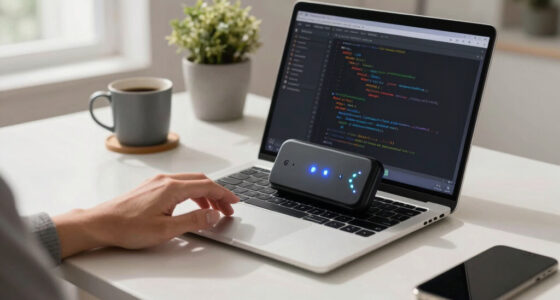

The best AI developer workstations balance local model capacity, development flexibility, and manageable size; my best overall pick is the NIMO Mini PC with Ryzen AI Max+ 395 and 128GB memory for its combination of high memory capacity and compact design. The MSI EdgeXpert AI Mini Desktop stands out for buyers who want NVIDIA’s GB10 Grace Blackwell platform and a large SSD, while the Lenovo ThinkStation P3 Tower Gen 2 suits developers who value a workstation-style tower and discrete RTX graphics. The main tradeoffs are shared-memory capacity versus a discrete GPU, compactness versus upgrade options, and a purpose-built AI platform versus a more general development machine. I compare all 15 systems by their likely fit for local AI workloads, setup preferences, and room to grow. Continue reading for the full breakdown and the factors that can shape your choice.

Get business pricing on tech for your team
- Business-only prices and quantity discounts
- Tax-exempt purchasing
- Multiple users, one account, clear invoices
Complete the kit



Key Takeaways
- High-memory compact systems dominate this lineup: several Ryzen AI Max+ 395 models offer 128GB of memory, making memory capacity a major point of comparison for local model work.
- Platform choice matters as much as headline specifications: the MSI EdgeXpert and NVIDIA DGX Spark take a distinct NVIDIA-focused route, while most other picks center on AMD-based systems.
- The 128GB NIMO is the strongest all-around fit on paper: it pairs a compact format and Linux option with substantial memory, though buyers should verify software compatibility and cooling behavior for their workloads.
- Not every developer needs a specialist AI desktop: the Lenovo tower offers a more conventional workstation layout, while the MINISFORUM AI X1 Pro-470 is a lower-memory, general-purpose option for lighter development.
- Similar chips do not make these systems interchangeable: configurations differ in memory, storage, operating system, and graphics approach, so buyers should compare the exact model rather than rely on processor names alone.
| NIMO Mini PC with AMD Ryzen AI Max+ 395, Windows 11 Pro and Ubuntu |  | Best for Dual-OS Development | Processor: AMD Ryzen AI Max+ 395 | Operating systems: Windows 11 Pro and Ubuntu | Graphics: Integrated Radeon graphics | VIEW LATEST PRICE | See Our Full Breakdown |
| HP ZGX G1n AI Workstation Mini PC |  | Best for Local Large-Model Prototyping | Processor: ARM-based Cortex X925, 10 cores; 3 GHz base and up to 3.80 GHz turbo (as listed) | AI accelerator: NVIDIA GB10 Grace Blackwell Superchip; 1,000 TOPS FP4 AI performance | Memory: 128GB coherent unified memory | VIEW LATEST PRICE | See Our Full Breakdown |
| NVIDIA DGX Spark Personal AI Desktop Supercomputer |  | Best for NVIDIA AI Software Workflows | Processor: NVIDIA GB10 Grace Blackwell Superchip; 20 processor count | Processor speed: 3.8 GHz | AI performance: Up to 1 PFLOPS FP4 | VIEW LATEST PRICE | See Our Full Breakdown |
| Lenovo ThinkStation P3 Tower Gen 2 Workstation, Intel Core Ultra 9 285, 64GB DDR5, 1TB SSD, NVIDIA RTX 2000 Ada |  | Best for Expandable Professional Development | Processor: Intel Core Ultra 9 285 vPro | Graphics: NVIDIA RTX 2000 Ada Generation, 16GB GDDR6 | Memory: 64GB DDR5-5600 (2 × 32GB); maximum 256GB | VIEW LATEST PRICE | See Our Full Breakdown |
| NIMO Mini PC, AMD Ryzen AI Max+ 395 128GB LPDDR5X 8000MHz Linux OS | | Best for Linux-First Local AI Development | Operating system: Linux | Processor: AMD Ryzen AI Max+ 395, 16 cores and 32 threads, up to 5.1 GHz | NPU: AMD XDNA 2, 50 TOPS | VIEW LATEST PRICE | See Our Full Breakdown |
| MINISFORUM AI X1 Pro-470 Mini PC |  | Best for Expandable Mini Workstations | Processor: AMD Ryzen AI 9 HX 470, 12 cores and 24 threads, up to 5.2 GHz | Graphics: Integrated AMD Radeon 890M | Memory: 32GB DDR5; supports up to 128GB | VIEW LATEST PRICE | See Our Full Breakdown |
| Andromeda Insights AI Workstation Gaming PC |  | Best for Dedicated VRAM on a Desktop Budget | Processor: AMD Ryzen 5 9600X, 6 cores and 12 threads | Processor speed: 3.9 GHz base; up to 5.4 GHz turbo | Graphics card: AMD Radeon AI Pro R9700 | VIEW LATEST PRICE | See Our Full Breakdown |
| AMD Ryzen AI Halo Personal AI Desktop Computer |  | Best for Linux Local-Model Development | Operating system: Linux | Processor: AMD Ryzen AI Max+ 395, 16 cores and 32 threads, up to 5.1 GHz | Graphics: Integrated AMD Radeon 8060S, 40 RDNA 3.5 compute units | VIEW LATEST PRICE | See Our Full Breakdown |
| MINISFORUM MS-S1 Max Mini Workstation |  | Best for High-Speed Lab Connectivity | Processor: AMD Ryzen AI Max+ 395, 16 cores and 32 threads, up to 5.1 GHz | Processor and NPU performance: Up to 126 TOPS processor performance; up to 50 TOPS NPU performance | Graphics: AMD Radeon 8060S | VIEW LATEST PRICE | See Our Full Breakdown |
| GMKtec EVO-X2 Mini PC |  | Best for Compact 128GB Unified Memory | Processor: AMD Ryzen AI Max+ 395, 16 cores and 32 threads, up to 5.1 GHz | Graphics and NPU: Integrated Radeon 8060S with 40 RDNA 3.5 compute units; NPU up to 50 TOPS | Memory: 128GB onboard LPDDR5X-8000 unified memory | VIEW LATEST PRICE | See Our Full Breakdown |
| GEEKOM A9 Mega Mini PC with Ryzen AI Max+ 395, 128GB RAM, and 2TB SSD |  | Best for Multi-Display Development | Processor: AMD Ryzen AI Max+ 395, up to 5.1 GHz | Memory: 128GB LPDDR5X, 8000 MT/s | Storage: 2TB PCIe Gen4 NVMe SSD; up to 8TB across dual M.2 slots | VIEW LATEST PRICE | See Our Full Breakdown |
| AMD Ryzen AI Halo Personal AI Desktop Computer, Windows 11 Pro | | Best for Large Local Models | Processor: AMD Ryzen AI Max+ 395, 16 cores and 32 threads, up to 5.1 GHz | Graphics: AMD Radeon 8060S integrated graphics, 40 RDNA 3.5 compute units | NPU: AMD XDNA 2, up to 50 TOPS | VIEW LATEST PRICE | See Our Full Breakdown |
| MINISFORUM AI X1 Pro Mini PC with AMD Ryzen AI 9 HX 370, Radeon 890M, 32GB DDR5, 512GB SSD |  | Best for Upgradeable Entry-Level Development | Processor: AMD Ryzen AI 9 HX 370, 12 cores and 24 threads, up to 5.1 GHz | Graphics: AMD Radeon 890M | Memory: 32GB removable DDR5-5600; supports up to 128GB | VIEW LATEST PRICE | See Our Full Breakdown |
| MSI EdgeXpert AI Mini Desktop with NVIDIA GB10 Grace Blackwell, 128GB Memory, 4TB SSD |  | Best for NVIDIA-Centric AI Development | Processor architecture: 20-core Arm | AI performance: Up to 1000 TOPS | Memory: 128GB LPDDR5X unified memory, up to 273 GB/s bandwidth | VIEW LATEST PRICE | See Our Full Breakdown |
| GMKtec EVO-X3 Mini PC with AMD Ryzen AI Max+ 395, 128GB LPDDR5X, and 2TB SSD |  | Best for Expandable Local AI Storage | Processor: AMD Ryzen AI Max+ 395, 16 cores and 32 threads, up to 5.1 GHz | Memory: 128GB LPDDR5X, up to 8000 MT/s | Storage: 2TB PCIe 4.0 SSD | VIEW LATEST PRICE | See Our Full Breakdown |
| AI developer workstation | Processor | Memory | Storage | Graphics |
|---|---|---|---|---|
| NIMO Mini PC with AMD Ryzen AI | AMD Ryzen AI Max+ 395 | — | — | Integrated Radeon graphics |
| HP ZGX G1n AI Workstation Mini | ARM-based Cortex X925, 10 cores; 3 GHz base and up to 3.80 GHz turbo (as listed) | 128GB coherent unified memory | 4TB SSD | — |
| NVIDIA DGX Spark Personal AI D | NVIDIA GB10 Grace Blackwell Superchip; 20 processor count | 128GB unified DDR5 | 4TB self-encrypting NVMe M.2 SSD | — |
| Lenovo ThinkStation P3 Tower G | Intel Core Ultra 9 285 vPro | 64GB DDR5-5600 (2 × 32GB); maximum 256GB | 1TB M.2 PCIe Gen 5 SSD | NVIDIA RTX 2000 Ada Generation, 16GB GDDR6 |
| NIMO Mini PC | AMD Ryzen AI Max+ 395, 16 cores and 32 threads, up to 5.1 GHz | 128GB LPDDR5X at 8000 MHz, 256-bit bus | — | Integrated AMD Radeon 8060S, 40 compute units, RDNA 3.5 |
| MINISFORUM AI X1 Pro-470 Mini | AMD Ryzen AI 9 HX 470, 12 cores and 24 threads, up to 5.2 GHz | 32GB DDR5; supports up to 128GB | 2TB PCIe 4.0 SSD; three M.2 slots, up to 12TB total | Integrated AMD Radeon 890M |
| Andromeda Insights AI Workstat | AMD Ryzen 5 9600X, 6 cores and 12 threads | 32GB DDR5-6000; supports up to 256GB | 1TB PCIe Gen4 NVMe SSD | — |
| AMD Ryzen AI Halo Personal AI | AMD Ryzen AI Max+ 395, 16 cores and 32 threads, up to 5.1 GHz | 128GB unified LPDDR5x at 8000 MT/s; maximum 192GB | 2TB M.2 SSD | Integrated AMD Radeon 8060S, 40 RDNA 3.5 compute units |
| MINISFORUM MS-S1 Max Mini Work | AMD Ryzen AI Max+ 395, 16 cores and 32 threads, up to 5.1 GHz | 64GB LPDDR5-8000; not expandable | 2TB PCIe 4.0 M.2 2280 SSD; one additional PCIe 4.0 SSD slot, up to 8TB | AMD Radeon 8060S |
| GMKtec EVO-X2 Mini PC | AMD Ryzen AI Max+ 395, 16 cores and 32 threads, up to 5.1 GHz | 128GB onboard LPDDR5X-8000 unified memory | 1TB M.2 2280 PCIe 4.0 NVMe SSD; two additional M.2 2280 PCIe 4.0 x4 slots | — |
| GEEKOM A9 Mega Mini PC with Ry | AMD Ryzen AI Max+ 395, up to 5.1 GHz | 128GB LPDDR5X, 8000 MT/s | 2TB PCIe Gen4 NVMe SSD; up to 8TB across dual M.2 slots | Radeon 8060S |
| AMD Ryzen AI Halo Personal AI | AMD Ryzen AI Max+ 395, 16 cores and 32 threads, up to 5.1 GHz | 128GB LPDDR5x unified memory, 8000 MT/s, 256 GB/s bandwidth | 2TB M.2 SSD | AMD Radeon 8060S integrated graphics, 40 RDNA 3.5 compute units |
| MINISFORUM AI X1 Pro Mini PC w | AMD Ryzen AI 9 HX 370, 12 cores and 24 threads, up to 5.1 GHz | 32GB removable DDR5-5600; supports up to 128GB | 512GB SSD; supports up to 12TB | AMD Radeon 890M |
| MSI EdgeXpert AI Mini Desktop | — | 128GB LPDDR5X unified memory, up to 273 GB/s bandwidth | 4TB PCIe Gen5 NVMe SSD | — |
| GMKtec EVO-X3 Mini PC with AMD | AMD Ryzen AI Max+ 395, 16 cores and 32 threads, up to 5.1 GHz | 128GB LPDDR5X, up to 8000 MT/s | 2TB PCIe 4.0 SSD | Integrated AMD Radeon graphics, 40 RDNA 3.5 compute units |
More Details on Our Top Picks
NIMO Mini PC with AMD Ryzen AI Max+ 395, Windows 11 Pro and Ubuntu
I’d shortlist this NIMO for developers who want a compact workstation that can move between Windows applications and Ubuntu workflows without setting up both systems from scratch. Its preinstalled Windows 11 Pro and Ubuntu are a practical distinction from the Linux-only NIMO with 128GB LPDDR5X: this one offers an easier fit for mixed-platform teams, while the Linux model specifies substantially more memory for local AI experiments. The Ryzen AI Max+ 395 and listed 96GB of graphics memory make this an unusual mini PC for memory-hungry experimentation, though the graphics are integrated Radeon, not a discrete NVIDIA accelerator. Three 4K displays, two M.2 slots, USB4, and dual 2.5G Ethernet add useful workspace and expansion flexibility. I’d skip it if your work depends on a discrete GPU or if the reported graphics-memory figure is central to your purchase; that specification deserves verification.
Pros:- Windows 11 Pro and Ubuntu come preinstalled for mixed-platform development.
- Supports up to three 4K displays.
- Two M.2 PCIe 4.0 slots allow SSD expansion.
- USB4, Wi-Fi 7, and dual 2.5G Ethernet provide flexible connectivity.
Cons:- Integrated Radeon graphics are a less direct fit for CUDA-dependent or demanding GPU workloads than the NVIDIA-based HP ZGX G1n.
- The listed 96GB graphics-memory specification should be confirmed before purchase.
- The compact chassis relies on air cooling, with no product-provided noise or sustained-load details.
Best for: Developers who need Windows and Ubuntu available on a compact machine, plus multiple displays and fast wired networking.
Not ideal for: GPU researchers whose software requires discrete NVIDIA graphics, or buyers who need confidently specified graphics-memory details before choosing hardware.
- Processor:AMD Ryzen AI Max+ 395
- Operating systems:Windows 11 Pro and Ubuntu
- Graphics:Integrated Radeon graphics
- Graphics memory:96 GB DDR5 SDRAM (listed)
- Display support:Up to three 4K displays; HDMI, DisplayPort, and USB4
- Storage expansion:Two M.2 NVMe PCIe 4.0 SSD slots
- Networking:Wi-Fi 7, Bluetooth 5.4, and dual 2.5G Ethernet
- Dimensions and weight:8 × 3 × 10 inches; 1.7 pounds
Our verdict“Choose this NIMO if you want preinstalled Windows and Ubuntu in a small, multi-display development system and do not require discrete NVIDIA graphics.”
HP ZGX G1n AI Workstation Mini PC
The HP ZGX G1n is the most directly AI-focused choice here for developers aiming to prototype, fine-tune, or run inference on large models locally. Its 128GB coherent unified memory and NVIDIA GB10 Grace Blackwell platform are specified for workloads involving models up to 200 billion parameters, a different proposition from the Lenovo ThinkStation P3 Tower Gen 2, whose dedicated RTX 2000 Ada graphics and upgradeable conventional workstation design suit broader desktop work. The HP also includes 4TB SSD storage and DGX OS, giving AI developers substantial local workspace without assembling a software stack from scratch. Its compact footprint is appealing, but 240 watts of listed power consumption is a meaningful demand for a mini system. I’d also verify the processor details: the listing gives an ARM-based Cortex X925 specification but labels its processor series unknown.
Pros:- NVIDIA GB10 platform is specified for local AI workflows with models up to 200 billion parameters.
- 128GB coherent unified memory supports large working sets.
- Includes a 4TB SSD and DGX OS.
- Compact workstation format with Wi-Fi 7 and high-speed networking.
Cons:- Listed power consumption is 240 watts, a substantial draw for a compact workstation.
- Processor information is inconsistent, including an unknown processor-series field.
- DGX OS and ARM-based hardware may be a less familiar fit than the Windows-based Lenovo ThinkStation P3 Tower Gen 2.
Best for: AI engineers and researchers who want a compact DGX OS system for local experimentation with large models.
Not ideal for: Developers who need a conventional x86 workstation, an easily expandable tower, or a low-power system for everyday coding.
- Processor:ARM-based Cortex X925, 10 cores; 3 GHz base and up to 3.80 GHz turbo (as listed)
- AI accelerator:NVIDIA GB10 Grace Blackwell Superchip; 1,000 TOPS FP4 AI performance
- Memory:128GB coherent unified memory
- Storage:4TB SSD
- Operating system:DGX OS
- Networking:10 Gigabit Ethernet and 200 Gigabit networking
- Wireless:Wi-Fi 7 and Bluetooth
- Power and dimensions:240 watts; 10.6 × 8.5 × 5.6 inches
Our verdict“Pick the HP ZGX G1n for a compact, NVIDIA-centered local AI development environment, provided its processor details and power needs suit your setup.”
NVIDIA DGX Spark Personal AI Desktop Supercomputer
I’d place the DGX Spark high on the list for developers who want NVIDIA’s AI software stack packaged with a compact Grace Blackwell desktop. Its 128GB unified memory, 4TB NVMe drive, and stated support for models up to 200 billion parameters at FP4 put it in the same local-model class as the HP ZGX G1n. The difference is a more explicitly documented software-and-hardware package here: the Spark specifies up to 1 PFLOPS FP4 performance, a GB10 chip, DGX OS, and a ConnectX-7 Smart NIC. That makes it a compelling choice for experimentation with NVIDIA-oriented tools, rather than a general-purpose tower like the Lenovo ThinkStation P3. The tradeoff is a sparse port selection—four USB ports and one HDMI output—and little detail about expansion. I’d compare its connectivity needs carefully with the more flexible NIMO mini PCs.
Pros:- Includes NVIDIA DGX OS and AI software stack.
- 128GB unified memory and 4TB NVMe storage support substantial local workloads.
- Specified for models up to 200 billion parameters at FP4.
- ConnectX-7 Smart NIC provides dedicated networking hardware.
Cons:- Only four USB ports and one HDMI port are specified.
- The product data provides little information about internal upgrade options.
- Compared with the HP ZGX G1n, the listed connectivity details do not include Wi-Fi 7.
Best for: Developers building and testing local AI workflows around NVIDIA’s DGX software stack and large FP4 models.
Not ideal for: Buyers who need many direct USB connections, several display outputs, or conventional internal hardware expansion.
- Processor:NVIDIA GB10 Grace Blackwell Superchip; 20 processor count
- Processor speed:3.8 GHz
- AI performance:Up to 1 PFLOPS FP4
- Memory:128GB unified DDR5
- Storage:4TB self-encrypting NVMe M.2 SSD
- Operating system:NVIDIA DGX OS
- Networking and ports:ConnectX-7 Smart NIC; four USB ports and one HDMI port
- Dimensions and weight:9.5 × 9.5 × 6 inches; 1.2 kg
Our verdict“Choose the DGX Spark if NVIDIA’s local AI software environment matters more to you than broad port selection or tower-style expansion.”
Lenovo ThinkStation P3 Tower Gen 2 Workstation, Intel Core Ultra 9 285, 64GB DDR5, 1TB SSD, NVIDIA RTX 2000 Ada
Unlike the compact AI appliances in this roundup, the ThinkStation P3 Tower Gen 2 is a conventional workstation for developers who also need a discrete professional GPU, Windows support, and room to grow. Its Core Ultra 9 285 vPro and RTX 2000 Ada with 16GB GDDR6 make it a more balanced fit for software development, graphics work, and GPU-accelerated tasks than the integrated Radeon NIMO models. It also supports memory expansion up to 256GB, which gives it a longer upgrade path than a compact system with fixed memory. The tradeoff is that it is not specified for the 200-billion-parameter local model workflows claimed by the HP ZGX G1n and NVIDIA DGX Spark. At about 32 pounds, it takes real desk or floor space, and its 1TB SSD is smaller than those AI-focused alternatives’ listed drives.
Pros:- Dedicated NVIDIA RTX 2000 Ada graphics with 16GB GDDR6.
- 64GB DDR5 memory with support for up to 256GB.
- 1TB PCIe Gen 5 SSD and Intel Core Ultra 9 285 vPro processor.
- Windows 11 Pro, Wi-Fi 7, and a one-year onsite warranty.
Cons:- About 32 pounds and much larger than the NIMO or NVIDIA mini workstations.
- The listed 1TB SSD is smaller than the HP ZGX G1n and DGX Spark storage.
- Its 64GB starting memory is below the 128GB unified memory in the AI-focused mini systems.
Best for: Professional developers who want a Windows workstation with discrete NVIDIA graphics, fast storage, and room to increase memory later.
Not ideal for: Researchers prioritizing very large local models in a tiny chassis, or anyone who needs a lightweight, portable workstation.
- Processor:Intel Core Ultra 9 285 vPro
- Graphics:NVIDIA RTX 2000 Ada Generation, 16GB GDDR6
- Memory:64GB DDR5-5600 (2 × 32GB); maximum 256GB
- Storage:1TB M.2 PCIe Gen 5 SSD
- Operating system:Windows 11 Pro 64-bit
- Wireless:Intel Wi-Fi 7 BE200 and Bluetooth 5.4
- Power supply:750W
- Dimensions and weight:7.09 × 14.57 × 16.34 inches; approximately 32 pounds
Our verdict“Choose the Lenovo if you need an expandable Windows workstation with discrete professional graphics rather than a compact, large-model AI appliance.”
NIMO Mini PC, AMD Ryzen AI Max+ 395 128GB LPDDR5X 8000MHz Linux OS
This NIMO is the clearest fit for Linux-first developers who want a small machine with high-capacity memory and a capable integrated GPU. Its 128GB LPDDR5X memory, Ryzen AI Max+ 395, and 50 TOPS XDNA 2 NPU make it a stronger memory-focused alternative to the dual-OS NIMO, which lists 96GB of graphics memory but does not specify the same 128GB system-memory configuration. Dual USB4, dual 2.5G Ethernet, and support for up to four 8K displays give it an unusually broad setup for a compact chassis. The tradeoff is that the Radeon 8060S is integrated: compared with the HP ZGX G1n or DGX Spark, this system does not offer the same NVIDIA GB10 platform or stated large-model support. I’d also keep storage plans realistic: there are two M.2 SSD slots, but no HDD option for bulk archives.
Pros:- Preinstalled Linux offers a ready-to-code environment.
- 128GB LPDDR5X memory and a 16-core, 32-thread Ryzen AI Max+ 395.
- 50 TOPS XDNA 2 NPU and integrated Radeon 8060S graphics.
- Dual 2.5G Ethernet, dual USB4, and support for up to four 8K displays.
Cons:- Integrated Radeon graphics are not a substitute for a discrete NVIDIA GPU in CUDA-dependent work.
- Storage expansion is limited to M.2 SSDs, with no HDD option listed.
- Compact construction limits hardware upgrades beyond storage.
Best for: Linux developers who want 128GB of fast memory for local experimentation, compile-heavy projects, and multi-display work in a VESA-mountable mini PC.
Not ideal for: CUDA-focused AI teams, users who need discrete GPU performance, or developers who require extensive bulk storage inside the system.
- Operating system:Linux
- Processor:AMD Ryzen AI Max+ 395, 16 cores and 32 threads, up to 5.1 GHz
- NPU:AMD XDNA 2, 50 TOPS
- Memory:128GB LPDDR5X at 8000 MHz, 256-bit bus
- Graphics:Integrated AMD Radeon 8060S, 40 compute units, RDNA 3.5
- Storage expansion:Two M.2 NVMe PCIe 4.0 SSD slots
- Networking and USB:Dual 2.5G Ethernet; dual USB-C/USB4 at 40Gbps
- Video outputs:HDMI 2.1, DisplayPort, and USB4; supports up to four 8K displays
- Dimensions and weight:8 × 3 × 10 inches; 1.7 pounds
Our verdict“Pick this NIMO for a Linux-first, memory-rich mini workstation, but choose the HP ZGX G1n or DGX Spark for NVIDIA-centered large-model development.”
MINISFORUM AI X1 Pro-470 Mini PC
The MINISFORUM AI X1 Pro-470 suits developers who want a small workstation now and a path to stronger graphics later. Its Ryzen AI 9 HX 470 and 32GB of DDR5 cover everyday development, while three M.2 slots and support for up to 128GB of memory leave room to grow. The OCuLink connection is the key differentiator: unlike the Radeon 8060S-based GMKtec EVO-X2, this system can add external graphics rather than relying only on integrated graphics. It also drives up to four 4K displays and offers Wi-Fi 7 and dual 2.5GbE. The tradeoff is that its Radeon 890M is still integrated; serious GPU work depends on buying and connecting a separate graphics card. I would skip it if I needed high-end local GPU compute out of the box.
Pros:- OCuLink provides a route to external graphics expansion
- Three M.2 slots and support for up to 128GB memory allow future upgrades
- Supports up to four 4K displays
- Wi-Fi 7 and dual 2.5GbE offer flexible networking
Cons:- Radeon 890M integrated graphics is a limit for GPU-heavy local AI workloads
- External graphics capability requires a separate graphics card
- Supplied 32GB memory may be restrictive for larger models and heavy multitasking
Best for: Developers seeking a compact general-purpose workstation who may add an external GPU as their local AI workloads grow.
Not ideal for: Buyers who need discrete-GPU acceleration immediately or do not want to source and connect a separate graphics card.
- Processor:AMD Ryzen AI 9 HX 470, 12 cores and 24 threads, up to 5.2 GHz
- Graphics:Integrated AMD Radeon 890M
- Memory:32GB DDR5; supports up to 128GB
- Storage:2TB PCIe 4.0 SSD; three M.2 slots, up to 12TB total
- AI performance:Up to 86 TOPS
- Display support:Up to four 4K displays
- Networking:Wi-Fi 7, Bluetooth 5.4, dual 2.5GbE LAN
- Expansion and ports:OCuLink, USB 4.0, DisplayPort 2.0, HDMI 2.1
Our verdict“Choose this mini PC if you value upgrade options and a small footprint more than out-of-box discrete GPU power.”
Andromeda Insights AI Workstation Gaming PC
The Andromeda Insights AI Workstation puts its emphasis on dedicated graphics memory: the Radeon AI Pro R9700 has 32GB of VRAM, which can help with workloads that need more GPU memory than compact integrated-graphics systems provide. Compared with the MINISFORUM AI X1 Pro-470, it offers a discrete graphics card from the start, rather than requiring an external GPU. Its Ryzen 5 9600X is a more modest six-core CPU, though, and the 32GB of system memory and 1TB SSD leave less room for multitasking and project files than the MINISFORUM MS-S1 Max. That makes this tower a focused GPU-workload choice, not the most balanced developer machine here. I would look elsewhere for a large system-memory pool or a Linux-first setup; it ships with Windows 11 Home.
Pros:- Radeon AI Pro R9700 provides 32GB of dedicated graphics memory
- DDR5-6000 memory and a PCIe Gen4 NVMe SSD
- Liquid-cooled CPU with a digital display cooler
- Includes a two-year parts warranty and lifetime labor and technical support
Cons:- Six-core Ryzen 5 processor is less suited to heavily parallel CPU workloads than the 16-core Ryzen AI Max+ 395 systems
- 32GB system memory may constrain multitasking and larger workloads
- The 1TB SSD provides less installed storage than the 2TB options in this roundup
Best for: Windows-based developers who need a discrete GPU with substantial VRAM for local AI experiments, graphics work, or GPU-accelerated development.
Not ideal for: Developers running memory-heavy concurrent workloads or large local models that need more than 32GB of system RAM.
- Processor:AMD Ryzen 5 9600X, 6 cores and 12 threads
- Processor speed:3.9 GHz base; up to 5.4 GHz turbo
- Graphics card:AMD Radeon AI Pro R9700
- Graphics memory:32GB VRAM
- Memory:32GB DDR5-6000; supports up to 256GB
- Storage:1TB PCIe Gen4 NVMe SSD
- Operating system:Windows 11 Home
- Warranty:2-year parts; lifetime labor and technical support
Our verdict“Pick this tower when dedicated 32GB GPU memory matters more to your work than a high-core-count CPU or large system-memory capacity.”
AMD Ryzen AI Halo Personal AI Desktop Computer
The AMD Ryzen AI Halo is aimed squarely at developers who want a Linux system for local AI work, not a general Windows mini PC with AI features added. Its 128GB of unified memory and Radeon 8060S graphics give it a much larger shared memory pool than the 64GB MINISFORUM MS-S1 Max, which can help when experimenting with larger models on-device. AMD lists support for models up to 200 billion parameters and includes ROCm support and developer tools, giving this machine a more purpose-built software starting point. Its compact six-inch footprint and 10GbE are useful for desk or lab setups. The tradeoff is integrated graphics, not a discrete GPU, and Linux will not suit developers who need Windows preinstalled. I would also compare its fixed 128GB configuration with the GMKtec EVO-X2 if storage capacity matters more than included AI tooling.
Pros:- 128GB unified memory supports larger local workloads than the 64GB MINISFORUM MS-S1 Max configuration
- ROCm support and preloaded AI development tools target local development
- Compact 6 x 6 x 2-inch form factor
- 10GbE and Wi-Fi 7 provide fast wired and wireless connectivity
Cons:- Linux may not fit workflows that depend on Windows applications
- Radeon 8060S is integrated graphics rather than a discrete GPU
- One-year limited warranty is shorter than the Andromeda tower’s listed support coverage
Best for: Linux developers and AI researchers who want a compact local-model system with a large unified-memory pool and ROCm tools ready to use.
Not ideal for: Windows-dependent developers, or GPU practitioners who require a discrete graphics card and its separate VRAM.
- Operating system:Linux
- Processor:AMD Ryzen AI Max+ 395, 16 cores and 32 threads, up to 5.1 GHz
- Graphics:Integrated AMD Radeon 8060S, 40 RDNA 3.5 compute units
- NPU:AMD XDNA 2, up to 50 TOPS
- Memory:128GB unified LPDDR5x at 8000 MT/s; maximum 192GB
- Memory bandwidth:256 GB/s
- Storage:2TB M.2 SSD
- Networking:10GbE, Wi-Fi 7, Bluetooth 5.4
- Dimensions and warranty:6 x 6 x 2 inches; 1-year limited warranty
Our verdict“Choose the Ryzen AI Halo if Linux, ROCm, and a large unified-memory pool are central to your local AI workflow.”
MINISFORUM MS-S1 Max Mini Workstation
The MINISFORUM MS-S1 Max makes the strongest case for a compact development machine that also connects well to a lab or fast local network. Its dual 10GbE ports are a standout versus the GMKtec EVO-X2, which offers 2.5GbE, and five video outputs make multi-display setups easier to build. The Ryzen AI Max+ 395 and Radeon 8060S bring a capable integrated platform, while the 2TB SSD and additional M.2 slot offer useful storage flexibility. The main compromise is its 64GB of soldered LPDDR5 memory: unlike the Ryzen AI Halo’s 128GB configuration, this model does not provide the same large memory pool, and its installed memory cannot be expanded. Its internal PCIe slot adds flexibility, but the listed connection is PCIe 4.0 x4, not a full-bandwidth x16 link.
Pros:- Dual 10GbE ports support fast network and lab connections
- Five video outputs simplify multi-display workstation setups
- 2TB installed SSD plus an additional M.2 slot
- Internal PCIe slot offers an expansion option
Cons:- 64GB LPDDR5 memory is not expandable
- Integrated Radeon 8060S is not a discrete graphics card
- Internal PCIe x16 slot is electrically specified as PCIe 4.0 x4
Best for: Developers building compact multi-display workstations or connecting to fast wired lab networks who can work within 64GB of memory.
Not ideal for: Local-model developers who need 128GB of unified memory or buyers who expect to upgrade system RAM later.
- Processor:AMD Ryzen AI Max+ 395, 16 cores and 32 threads, up to 5.1 GHz
- Processor and NPU performance:Up to 126 TOPS processor performance; up to 50 TOPS NPU performance
- Graphics:AMD Radeon 8060S
- Memory:64GB LPDDR5-8000; not expandable
- Storage:2TB PCIe 4.0 M.2 2280 SSD; one additional PCIe 4.0 SSD slot, up to 8TB
- Video outputs:1 HDMI, 2 USB4, 2 USB4 V2
- Networking:Dual 10GbE, Wi-Fi 7, Bluetooth 5.4
- Expansion and cooling:Internal PCIe x16 slot (PCIe 4.0 x4); six heat pipes and two centrifugal fans
Our verdict“Choose the MS-S1 Max for its network and display connectivity if 64GB of non-upgradeable memory is enough for your development workload.”
GMKtec EVO-X2 Mini PC
The GMKtec EVO-X2 is a strong fit for developers who want 128GB of unified memory in a compact desktop without moving to the Linux-first Ryzen AI Halo. Both use the Ryzen AI Max+ 395 and Radeon 8060S, but the EVO-X2 arrives with four-display support, dual USB4, and several performance modes to balance sustained work against quieter operation. Its three M.2 slots provide substantial storage expansion potential, giving it an advantage over the Halo’s listed single 2TB SSD configuration for projects and datasets. The key limitation is that the memory is onboard and not described as upgradeable, so buyers must choose this capacity with future needs in mind. The installed SSD is only 1TB, and extra drives are separate purchases. For Linux tools preloaded out of the box, the Ryzen AI Halo is the more tailored choice.
Pros:- 128GB LPDDR5X unified memory supports memory-intensive local development
- Up to four displays, including HDMI and DisplayPort output up to 8K at 60Hz
- Three M.2 slots allow storage expansion beyond the installed 1TB SSD
- Selectable 54W, 85W, and 120W modes offer performance and noise tradeoffs
Cons:- Onboard memory is not described as upgradeable
- The included 1TB SSD is less than the 2TB drives in the Ryzen AI Halo and MINISFORUM MS-S1 Max
- Radeon 8060S is integrated graphics, not a discrete GPU
Best for: Developers who want a compact Windows-ready-class hardware platform with 128GB unified memory, expandable storage, and flexible power modes.
Not ideal for: Buyers who need memory upgrades, a discrete GPU, or a larger installed SSD without adding drives.
- Processor:AMD Ryzen AI Max+ 395, 16 cores and 32 threads, up to 5.1 GHz
- Graphics and NPU:Integrated Radeon 8060S with 40 RDNA 3.5 compute units; NPU up to 50 TOPS
- Memory:128GB onboard LPDDR5X-8000 unified memory
- Storage:1TB M.2 2280 PCIe 4.0 NVMe SSD; two additional M.2 2280 PCIe 4.0 x4 slots
- Display support:Up to four displays; HDMI 2.1 and DisplayPort 1.4 up to 8K at 60Hz
- USB4:Two ports, up to 40Gbps
- Networking:Wi-Fi 7, Bluetooth 5.4, 2.5GbE
- Performance modes:Silent 54W, Balanced 85W, Performance 120W; brief peaks up to 140W
- Cooling:Vapor chamber, three heat pipes, two CPU fans, and a system fan
Our verdict“Pick the EVO-X2 if you want 128GB of unified memory and expandable storage in a compact system, and can accept non-upgradeable RAM.”
GEEKOM A9 Mega Mini PC with Ryzen AI Max+ 395, 128GB RAM, and 2TB SSD
The GEEKOM A9 Mega suits developers who want a high-memory local AI system that can also anchor a multi-screen workspace. Its 128GB of LPDDR5X and Ryzen AI Max+ 395 give it a similar core platform to the GMKtec EVO-X3, while its four-display support and dual 10GbE make it the more connectivity-focused pick. That can help when juggling model tools, documentation, and dashboards across displays or moving data over a fast wired network. The compact chassis also includes vapor-chamber and dual-fan cooling for sustained workloads. The tradeoff is that graphics share system memory, so large GPU allocations leave less for other tasks; local model support also depends on software and settings. I’d choose it over the more AI-specialized MSI EdgeXpert when Windows and multiple displays matter more than an AI-first software stack.
Pros:- 128GB LPDDR5X and a 2TB SSD come in the listed configuration
- Dual 10GbE and Wi-Fi 7 offer flexible high-speed networking
- Supports up to four displays, including resolutions up to 8K
- Three-year limited warranty
Cons:- Graphics use shared system memory, reducing capacity available to other workloads
- Local AI model support depends on compatible software, drivers, and settings
Best for: Windows-based AI developers who need 128GB of memory, several displays, and fast wired networking in a compact workspace.
Not ideal for: Developers who need discrete GPU performance or want local AI compatibility to work without software and driver tuning.
- Processor:AMD Ryzen AI Max+ 395, up to 5.1 GHz
- Memory:128GB LPDDR5X, 8000 MT/s
- Storage:2TB PCIe Gen4 NVMe SSD; up to 8TB across dual M.2 slots
- Graphics:Radeon 8060S
- Operating system:Windows 11 Pro
- Networking:Dual 10GbE, Wi-Fi 7
- Display support:Up to four displays, up to 8K
- Dimensions:5.32 x 5.2 x 1.8 inches
Our verdict“Choose the GEEKOM A9 Mega if you want a compact Windows AI workstation with extensive display and network connectivity, and can work within shared-memory graphics.”
AMD Ryzen AI Halo Personal AI Desktop Computer, Windows 11 Pro
The Ryzen AI Halo is aimed squarely at developers who want to run large models locally, with 128GB of unified memory and advertised support for models up to 200B parameters. Its Ryzen AI Max+ 395 and Radeon 8060S place it in the same general hardware class as the GEEKOM A9 Mega, but the Halo adds an XDNA 2 NPU rated up to 50 TOPS and spells out memory bandwidth, making its AI positioning more explicit. That does not mean every model or workflow will run well: results depend on quantization, software, and memory needs. It also lists a 1-year warranty, shorter than GEEKOM’s three-year coverage. I’d favor the Halo for model experimentation; the GEEKOM is more compelling for multi-display work and wired networking, while the Halo’s listed video output is limited to HDMI.
Pros:- 128GB of unified memory is suited to memory-intensive local AI workloads
- Advertised support for models up to 200B parameters
- Includes a 2TB SSD, 10GbE, and Wi-Fi 7
- XDNA 2 NPU is rated up to 50 TOPS
Cons:- Compact design may limit future hardware expansion
- Listed one-year limited warranty is shorter than the GEEKOM A9 Mega’s
- Video output lists HDMI 2.1b only
Best for: AI engineers and researchers who want to experiment with large quantized models locally on a compact Windows desktop.
Not ideal for: Buyers who need several display outputs, broad expansion options, or a longer listed warranty.
- Processor:AMD Ryzen AI Max+ 395, 16 cores and 32 threads, up to 5.1 GHz
- Graphics:AMD Radeon 8060S integrated graphics, 40 RDNA 3.5 compute units
- NPU:AMD XDNA 2, up to 50 TOPS
- Memory:128GB LPDDR5x unified memory, 8000 MT/s, 256 GB/s bandwidth
- Maximum memory:192GB
- Storage:2TB M.2 SSD
- Networking:10GbE LAN, Wi-Fi 7, Bluetooth 5.4
- Video output:HDMI 2.1b
Our verdict“Pick the Ryzen AI Halo if local large-model experimentation is your priority and its compact, limited-output design fits your setup.”
MINISFORUM AI X1 Pro Mini PC with AMD Ryzen AI 9 HX 370, Radeon 890M, 32GB DDR5, 512GB SSD
Unlike the 128GB systems in this roundup, the MINISFORUM AI X1 Pro starts with 32GB of removable DDR5 and a 512GB SSD. That makes it a better fit for software development, lighter inference, and general productivity than for keeping large models in memory. Its advantage over the GEEKOM A9 Mega and GMKtec EVO-X3 is upgrade flexibility: memory can reach 128GB, storage can expand substantially, and OCuLink offers a path to an external GPU. The Ryzen AI 9 HX 370 and Radeon 890M provide an integrated-graphics platform, not a substitute for a workstation-class discrete GPU. Four-display support is useful for a coding setup, though full-load noise is listed at up to 45 dB. I’d choose this when future upgrades matter more than ready-to-run local AI capacity.
Pros:- Removable DDR5 memory supports upgrades up to 128GB
- Storage can expand beyond the included 512GB SSD
- OCuLink provides an external GPU connection option
- Supports up to four 4K displays and includes Wi-Fi 7
Cons:- The listed configuration has only 32GB RAM and a 512GB SSD
- Integrated Radeon 890M graphics are not equivalent to a discrete workstation GPU
- Full-load noise is listed at up to 45 dB
Best for: Developers building a compact general-purpose workstation who want removable memory, storage expansion, and an external GPU option.
Not ideal for: Researchers who need 128GB of memory and substantial local-model capacity straight away.
- Processor:AMD Ryzen AI 9 HX 370, 12 cores and 24 threads, up to 5.1 GHz
- Graphics:AMD Radeon 890M
- Memory:32GB removable DDR5-5600; supports up to 128GB
- Storage:512GB SSD; supports up to 12TB
- Display support:Up to four 4K displays
- Ports:2 USB4, HDMI 2.1, DisplayPort 2.0, OCuLink
- Networking:2.5Gb Ethernet, Wi-Fi 7, Bluetooth 5.4
- Operating system:Windows 11
Our verdict“Choose the MINISFORUM AI X1 Pro for a flexible, upgradeable development PC, not as a ready-made large-model workstation.”
MSI EdgeXpert AI Mini Desktop with NVIDIA GB10 Grace Blackwell, 128GB Memory, 4TB SSD
The MSI EdgeXpert is the most specialized choice here: it pairs NVIDIA GB10 Grace Blackwell hardware with NVIDIA DGX OS for local AI development, inference, and edge-computing work. Its 128GB unified memory and 4TB Gen5 SSD give it more listed storage than the GEEKOM A9 Mega or GMKtec EVO-X3, while its NVIDIA-oriented platform sets it apart from their AMD-based systems. That specialization can be a plus for developers whose tools and workflows target NVIDIA, but it narrows the appeal for people who want a conventional Windows desktop or broad-purpose gaming machine. The compact 2.7-pound chassis is easy to place, but there is no built-in display, and the system lists 240W power consumption. I’d pick it for an AI-focused software environment, not as the most versatile workstation in this group.
Pros:- NVIDIA GB10 Grace Blackwell architecture is designed for local AI workloads
- 128GB unified memory and up to 273 GB/s bandwidth
- 4TB PCIe Gen5 NVMe SSD provides substantial fast storage
- Compact chassis includes Wi-Fi 7 and Bluetooth 5.3
Cons:- Specialized AI focus may make it a poor fit for general-purpose desktop use
- No built-in display
- Listed power consumption is 240 watts
Best for: AI developers and edge-computing teams working with NVIDIA-oriented tools who want substantial local memory and fast, high-capacity storage.
Not ideal for: Buyers seeking a general Windows workstation, built-in display, or a flexible everyday mini PC for mixed workloads.
- Processor architecture:20-core Arm
- AI performance:Up to 1000 TOPS
- Memory:128GB LPDDR5X unified memory, up to 273 GB/s bandwidth
- Storage:4TB PCIe Gen5 NVMe SSD
- Operating system:NVIDIA DGX OS
- Connectivity:Wi-Fi 7, Bluetooth 5.3
- Interfaces:USB4 Type-C, Ethernet, HDMI
- Power consumption:240 watts
Our verdict“Choose the MSI EdgeXpert for NVIDIA-centered local AI development; choose an AMD mini PC such as the GEEKOM A9 Mega for a more conventional Windows setup.”
GMKtec EVO-X3 Mini PC with AMD Ryzen AI Max+ 395, 128GB LPDDR5X, and 2TB SSD
The GMKtec EVO-X3 combines 128GB of onboard LPDDR5X with a Ryzen AI Max+ 395 and two M.2 slots, making it a strong match for developers who want to keep local models and project data on one compact machine. Its core processor and memory class resemble the GEEKOM A9 Mega, but the EVO-X3 emphasizes storage growth: the listing supports up to 16TB total and adds OCuLink for an external GPU. Those features make it more adaptable than the GEEKOM if datasets or model files grow, though the GEEKOM offers dual 10GbE and a three-year warranty. The tradeoff is fixed onboard memory, so buyers cannot plan on replacing the RAM later. Integrated Radeon graphics also may not meet workloads that call for a discrete GPU; OCuLink provides an expansion route, not a graphics card in the box.
Pros:- 128GB LPDDR5X and a 2TB PCIe 4.0 SSD suit demanding local workloads
- Two M.2 slots support up to 16TB total storage
- OCuLink offers an external GPU expansion option
- Includes Wi-Fi 7, Bluetooth 5.4, and 2.5GbE
Cons:- Onboard memory may not be upgradeable
- Integrated graphics may fall short for workloads that need a discrete GPU
- One-year limited warranty is shorter than the GEEKOM A9 Mega’s listed coverage
Best for: Local AI developers and creators who need high memory now, want room for substantial SSD expansion, and may add an external GPU.
Not ideal for: Buyers who require upgradeable system memory, built-in discrete graphics, or a longer listed warranty.
- Processor:AMD Ryzen AI Max+ 395, 16 cores and 32 threads, up to 5.1 GHz
- Memory:128GB LPDDR5X, up to 8000 MT/s
- Storage:2TB PCIe 4.0 SSD
- Storage expansion:Two M.2 2280 PCIe 4.0 x4 slots; up to 16TB total
- Graphics:Integrated AMD Radeon graphics, 40 RDNA 3.5 compute units
- AI engine:XDNA 2 NPU with 50+ peak AI TOPS; up to 126 TOPS stated
- External GPU expansion:OCuLink, PCIe 4.0 x4
- Networking:2.5GbE Ethernet, Wi-Fi 7, Bluetooth 5.4
Our verdict“Choose the GMKtec EVO-X3 if you want a high-memory compact AI workstation with unusually substantial storage expansion and a possible external-GPU path.”
How We Picked
I ranked these systems around the tasks that distinguish an AI developer workstation from an ordinary desktop: running local models, building and testing AI applications, handling data, and supporting a practical software workflow. I weighed memory capacity and configuration, GPU platform, storage, operating-system options, chassis and likely upgrade flexibility, and how clearly each system fits a particular buyer. Where listings name a processor or memory amount but do not provide workload benchmarks, thermals, or expansion details, I treat those as unknowns rather than making performance claims.
The order favors machines with a strong combination of local AI headroom, useful development flexibility, and clear buyer fit. Purpose-built NVIDIA systems earn a distinct place for buyers who specifically want that ecosystem, while conventional towers rank well for expansion-minded users. Several compact Ryzen AI Max+ 395 configurations are closely related; their positions reflect differences in listed memory, storage, operating system, and product detail, not an assumption that one model is faster without comparable testing. Buyers should check the exact configuration and software support before purchasing.
Factors to Consider When Choosing Best AI Developer Workstations
Choosing an AI workstation starts with the workload, not the product label. These systems range from compact machines with shared memory to a tower with discrete graphics and specialist NVIDIA platforms. Use the following questions to match the hardware to the software and models you actually plan to run.
Match Memory to the Models You Plan to Run
For local inference, memory capacity can set a harder limit than the processor name: the model, context length, and runtime all consume space, alongside the operating system and development tools. A 128GB system may make larger experiments more practical, but that figure alone does not guarantee a particular model will run well. Check whether the listed memory is shared with integrated graphics, how much remains available to applications, and whether the system permits upgrades. A workstation with less memory can still suit application development that calls remote APIs or uses smaller local models. Avoid buying the largest configuration simply because it sounds future-proof; first estimate the models and workloads you expect to use. Leave room for datasets and other running services when making that estimate.
Choose the GPU and Software Ecosystem Together
Hardware acceleration depends on the frameworks, drivers, and model tools your team uses, not just the GPU label. NVIDIA-focused platforms such as the DGX Spark and MSI EdgeXpert may appeal to developers whose workflow targets NVIDIA software, while AMD-based systems present a different compatibility path. Before buying, check current support for your operating system, framework versions, inference engine, and any custom extensions. A machine that has ample memory but lacks support for a required tool can slow a project more than a smaller, compatible system. If your work spans multiple frameworks, prioritize documentation and a clear setup path over assumptions based on brand. Confirm support for the exact product configuration rather than relying on general platform compatibility.
Decide Whether Compactness Is Worth the Upgrade Limits
Mini PCs save desk space and can make a tidy local development station, but compact enclosures may limit component access, cooling capacity, and future expansion. A tower such as the Lenovo ThinkStation P3 Gen 2 is a better starting point if you expect to add or replace parts, though its larger footprint may not suit every workspace. Do not assume a mini PC is easy to upgrade just because it has desktop-class specifications; memory may be integrated, and product listings do not always clarify access to storage or other components. Look for service documentation, available slots, and cooling information before deciding. If the system will run sustained workloads, factor in noise and heat as well as its dimensions. A little extra space can matter more than a compact silhouette during long development sessions.
Treat Storage as Part of the AI Workflow
Model files, datasets, checkpoints, containers, and build artifacts can fill a drive faster than ordinary desktop use suggests. The listed 4TB SSD in the MSI EdgeXpert provides more onboard room than the 1TB configurations in this lineup, but capacity should be weighed against the price and your storage habits without assuming every workload needs the largest drive. Check whether the SSD can be replaced or supplemented and whether external storage will suit your data-transfer needs. Fast local storage helps keep frequently used assets close to the development environment, while archived datasets may belong on a separate device or network share. A common mistake is budgeting memory carefully but leaving too little space for model versions and project data. Plan for backups as well as working capacity.
Pick an Operating System That Fits Your Toolchain
Linux, Windows, and dual-boot or multi-OS options can change setup time and day-to-day friction. The NIMO configurations explicitly list Windows 11 Pro and Ubuntu options, while the Linux-only variant may appeal to developers who want a Linux-first environment. Check whether the machine ships with the operating system you need, whether drivers are supported, and whether switching systems affects warranty or device features. Developers working in containers may still need to validate GPU access, device permissions, and framework installation on their chosen OS. A beginner may benefit more from a familiar, supported setup than from a theoretically flexible configuration that requires troubleshooting. Confirm these details before purchase, since the same hardware can feel very different depending on software readiness.
Pay for Headroom You Can Use, Not Speculative Capacity
More memory, larger SSDs, and specialist AI hardware are valuable when they remove a real limitation in your work. They are less compelling if you mainly write code, use hosted models, or run small experiments. Consider whether your projects need local inference, fine-tuning, model serving, or only an environment for application development; each places different demands on the workstation. A focused machine can also be a better fit than a system with impressive specifications but uncertain software support. Compare the exact RAM and storage configuration, then identify the first component likely to constrain your workload. Spending toward that bottleneck is usually more useful than selecting the largest number in every category.
Frequently Asked Questions
Is 128GB of memory necessary for an AI developer workstation?
No. A 128GB configuration can provide more room for larger local models and multiple concurrent tools, but many developers work effectively with less when they use smaller models or hosted inference. The listed 32GB MINISFORUM AI X1 Pro models may suit lighter development, though they leave less headroom for large local workloads. Estimate memory needs from the model, context length, runtime, and other services you plan to run. Also check whether the advertised memory is shared with graphics, since capacity is not always wholly available to applications.
Should I choose an NVIDIA workstation or an AMD-based system?
Start with the frameworks and GPU software your projects require, then confirm support for the exact system and operating system. The NVIDIA DGX Spark and MSI EdgeXpert offer a different platform direction from the AMD-heavy group, but a platform label by itself does not prove that every tool will work smoothly. Check driver availability, supported framework versions, and instructions for your intended model runtime. If your work depends on a particular NVIDIA-targeted workflow, prioritize compatibility over a similar memory specification elsewhere. For exploratory work, software support and setup documentation may matter more than brand preference.
Can a mini PC replace a tower for local AI development?
It can, if its memory, graphics platform, storage, and cooling match the workloads you plan to run. Compact systems such as the Ryzen AI Max+ 395 models offer high listed memory capacity in a small footprint, while the Lenovo ThinkStation tower is a more conventional choice for buyers who value expansion. Mini PCs may have fewer upgrade paths, and integrated or shared components can limit flexibility. Check whether memory is soldered, whether storage can be expanded, and how the system handles sustained workloads. If you expect to add hardware later, a tower may be the safer fit.
Which option makes the most sense for a first local AI workstation?
A beginner should prioritize a supported operating system, clear setup documentation, and a workload that fits the machine over the largest specification sheet. The NIMO option listing Windows 11 Pro and Ubuntu offers an explicit choice of environment, while a familiar Windows configuration may reduce initial setup friction for some users. Before committing, confirm that your preferred development tools and GPU frameworks support the exact model. If you are still learning what you will run locally, avoid paying for capacity you cannot yet use. A smaller system can be a sensible starting point if you can move to hosted inference for heavier experiments.
How much SSD storage should I plan for?
There is no single capacity that fits every AI workflow: model files, datasets, checkpoints, and containers can consume far more space than source code. The listed MSI EdgeXpert configuration has 4TB, while several systems offer 1TB or 2TB, so the right choice depends on how many assets you keep locally. If you work with multiple model versions or large datasets, extra internal capacity can reduce file management and transfer chores. Check whether storage is replaceable or expandable before relying on external drives. Keep backups separate from the workstation so a drive problem does not take project data with it.
Conclusion
For most buyers seeking a compact local development machine, my best overall pick is the NIMO Mini PC with Ryzen AI Max+ 395 and 128GB memory, particularly for those who value high listed capacity and an explicit Windows 11 Pro and Ubuntu choice. My best value direction is the MINISFORUM AI X1 Pro-470 for lighter development where 32GB of RAM and a 2TB SSD fit the workload; it is not the pick for large local models. For a best premium choice, the MSI EdgeXpert is the distinct option for buyers seeking its NVIDIA GB10 platform and 4TB SSD, while the DGX Spark also merits attention from developers focused on NVIDIA’s personal AI desktop approach. The best beginner fit is a configuration whose operating system and toolchain you already know how to use, with the NIMO’s Windows and Ubuntu listing offering flexibility. For expansion-minded workstation users, choose the Lenovo tower; for a compact AMD build with high memory capacity, compare the NIMO, GMKtec, GEEKOM, and MINISFORUM Max+ 395 configurations by their exact storage and OS. Match the final choice to your model sizes and software support rather than treating the shared processor family as proof that every system will perform alike.
Fall Picks
fall essentials
As an affiliate, we earn on qualifying purchases.